

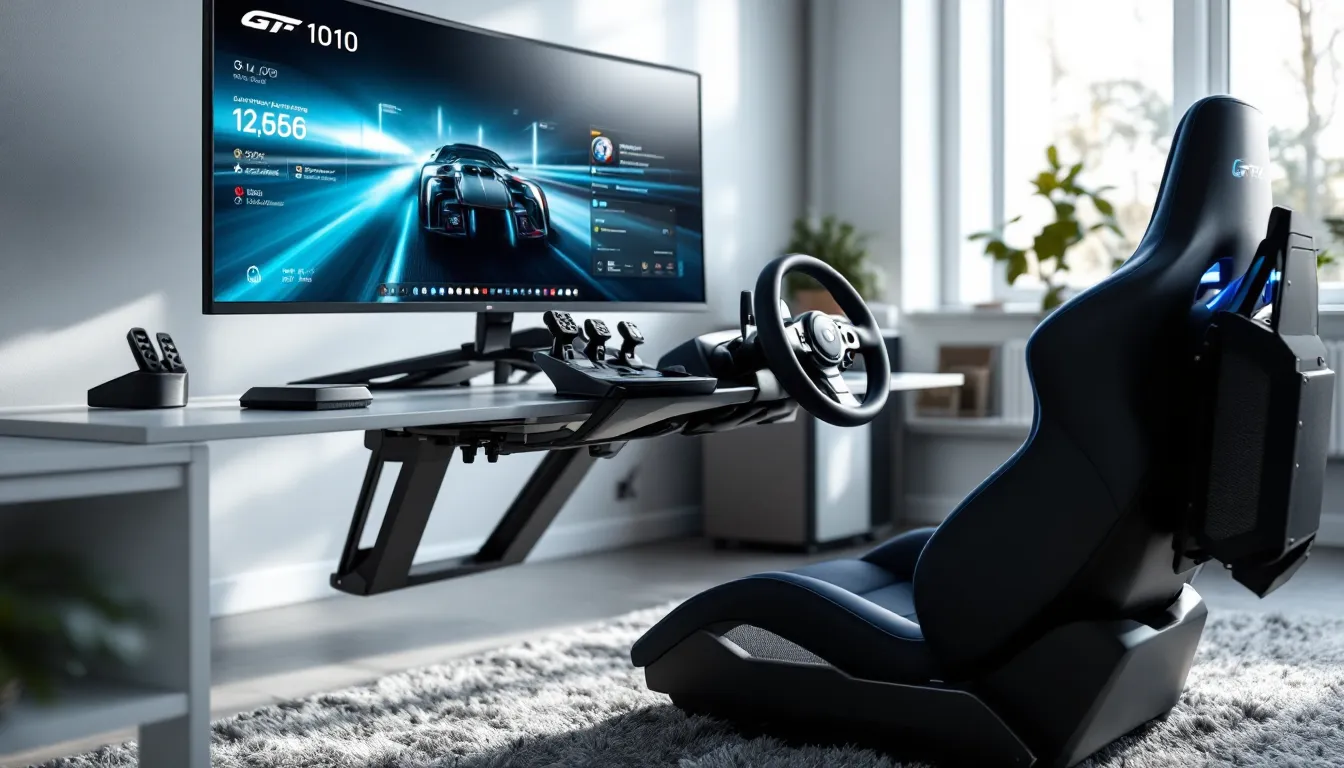
The difference between clipping a corner in Assetto Corsa Competizione and nailing the apex often comes down to your input device. Mouse and keyboard? That’s a nonstarter. Controller? You’ll hit a skill ceiling fast. A proper PC gaming steering wheel transforms sim racing from a point-and-click exercise into something visceral, where you feel weight transfer through force feedback, modulate brake pressure with real pedals, and steer with the precision modern racing sims demand.
But the market in 2026 is flooded with options spanning $100 budget wheels to $2,000+ direct drive rigs. Whether someone’s dipping their toes into Forza Motorsport or chasing alien lap times in iRacing, the wrong choice means wasted money and frustration. This guide cuts through the marketing nonsense to cover what actually matters: force feedback tech, rotation degrees, pedal quality, compatibility, and how to match a wheel to skill level and budget.
Key Takeaways
- A PC gaming steering wheel with proper force feedback, precise rotation degrees, and quality pedals transforms sim racing from a controller-limited experience into authentic, responsive driving.
- The PC gaming steering wheel market spans three clear tiers: entry-level budget options ($150–$350) for beginners, mid-range belt-driven and direct drive wheels ($400–$800) for enthusiasts, and premium systems ($1,000+) for serious competitors seeking unmatched precision.
- Force feedback technology—whether gear-driven, belt-driven, or direct drive—is the critical differentiator; direct drive systems with 5+ Nm of torque now start around $400–$500, making them more accessible than ever.
- Load cell brake pedals provide consistent pressure-based braking instead of travel-based inputs, enabling drivers to nail threshold braking and achieve better lap times than wheels paired with basic potentiometer pedals.
- A stable, rigid mounting solution is non-negotiable; desktop clamps work only for wheels under 5 Nm, while direct drive systems demand dedicated sim rigs to eliminate flex and handle the forces generated.
- Compatibility, build quality, and ecosystem flexibility matter as much as specs; prioritize swappable wheel rims, open connector systems, and robust mounting hardware to support long-term upgrades and avoid lock-in to closed ecosystems.
Why Every Sim Racer Needs a Dedicated Steering Wheel
Controllers have their place, arcade racers, couch gaming, casual sessions. But the moment someone loads up a proper sim like Automobilista 2 or rFactor 2, the gap becomes obvious. Modern racing sims model tire slip angles, suspension geometry, and road surface detail that controllers physically can’t communicate.
Force feedback is the game-changer. When a wheel pulls left under braking because weight shifted forward and unloaded the rear, that’s not a visual cue, it’s tactile data. Drivers react faster to what they feel than what they see. A controller’s rumble motors can’t replicate the difference between understeer and a locked front tire.
Precision matters just as much. Most racing wheels offer 900 to 1080 degrees of rotation, matching real car steering ratios. Controllers max out around 60 degrees of analog stick travel. The result? Smoother inputs, better car control through fast transitions, and the ability to catch slides before they become spins. Lap times drop, consistency improves, and the experience stops feeling like a game and starts feeling like driving.
Then there’s immersion. Heel-toe downshifts with a proper pedal set, fighting a wheel through Eau Rouge, feeling FFB go light over a crest, these aren’t luxury features. They’re the baseline for what sim racing is supposed to deliver.
Understanding Steering Wheel Technology and Features
Not all wheels are created equal, and the marketing specs can be deliberately confusing. Here’s what actually determines how a wheel performs.
Force Feedback Systems Explained
Force feedback (FFB) is the core tech that separates toys from tools. Three main types dominate the market:
Gear-driven FFB is the budget standard. Motors turn gears that rotate the wheel shaft. Logitech’s G29 and G923 use helical gearing, which is quieter than older straight-cut gears but still produces notchy feedback and a dead zone at center. Peak torque usually caps around 2.2 Nm. They’re loud, lack fine detail, and fade during long sessions, but they work for beginners.
Belt-driven FFB uses pulleys and timing belts instead of gears. Thrustmaster’s T300 and T248 platforms exemplify this. Smoother operation, less noise, better detail transmission, and higher torque (up to 4-5 Nm on the T300). The catch? Belts wear out over time and need replacement every 18-24 months of heavy use.
Direct drive (DD) FFB eliminates the middleman, the motor connects straight to the wheel shaft. No gears, no belts, no slop. Torque ranges from 5 Nm (entry DD like the Cammus C5) up to 25+ Nm on high-end units (Simucube Ultimate). Response time is measured in milliseconds, detail is unmatched, and the systems never fade. The downside is price and the need for solid mounting: cheap desks won’t survive the forces generated.
As of March 2026, direct drive has trickled down to the $400-500 range, making belt-driven wheels a harder sell unless budget is tight.
Rotation Degrees and Precision
Most wheels support 900 to 1080 degrees of lock-to-lock rotation, matching road cars. Formula-style wheels often limit to 360-540 degrees, which is accurate for open-wheel racars but feels twitchy in GT or rally sims.
More rotation isn’t always better. What matters is the wheel’s ability to hold position and resist unwanted movement. Cheaper wheels suffer from play at the center, a dead zone where small inputs don’t register. Anything over 2-3 degrees of play kills precision in high-speed sweepers.
Sensor resolution also factors in. Entry wheels use potentiometers (10-bit resolution), mid-range and up use optical or magnetic encoders (12-16 bit). Higher bit depth means finer input granularity, which translates to smoother steering and better ability to balance a car on the limit.
Pedal Sets and Their Impact on Performance
The pedals matter more than most people realize. A killer wheel paired with garbage pedals is like putting race tires on a minivan.
Load cell brakes are the priority upgrade. Instead of measuring pedal travel (potentiometer-based), they measure pressure. This mimics real hydraulic brakes and allows for consistent, muscle-memory braking. Once a driver learns “this much pressure = threshold braking,” they can nail brake zones lap after lap. Potentiometer pedals are inconsistent because travel distance changes with seating position and pedal angle.
Clutch pedals separate the casual from the committed. Proper clutch simulation enables realistic starts, heel-toe downshifts, and better control in rally sims where clutch kick techniques matter. Many mid-range sets include clutches, but they’re often too light and lack progressive bite points.
Adjustability is underrated. Pedal angle, spacing, and spring tension should be tunable. Fixed pedal sets force drivers to adapt instead of tailoring the setup to their preferences. Look for sets with swappable springs, spacers, and mounting options that allow pedal angle changes.
Types of PC Gaming Steering Wheels
Budget and experience level determine the right tier. Here’s how the market breaks down in 2026.
Entry-Level Wheels for Beginners
Price range: $150-$350
Tech: Gear-driven FFB, potentiometer pedals, 900-degree rotation
Logitech G29/G920 (PS/Xbox variants) and G923 remain the entry-level kings. The G923 adds Logitech’s TrueForce tech, which pulls telemetry data from supported games for enhanced effects, useful in Gran Turismo 7 and F1 24, less so in hardcore sims. The pedals are basic, the FFB is notchy, but build quality is solid and they’re nearly indestructible.
Thrustmaster T128/T248 sit slightly higher. The T248’s hybrid drive system (gears + belts) smooths out some of the roughness, and the pedals are a step up with a progressive brake spring. Both support swappable wheels, which Logitech doesn’t.
These wheels are perfect for figuring out if sim racing is a passing interest or a long-term obsession. They work with most modern racing titles on PC gaming setups without compatibility headaches.
Mid-Range Options for Enthusiasts
Price range: $400-$800
Tech: Belt-driven or entry direct drive, load cell pedals optional, swappable wheels
Thrustmaster T300 RS GT and TX platforms have been the mid-range standard for years. Smooth belt-driven FFB, ecosystem of swappable wheels (GT, F1, rally), and compatibility with load cell pedal sets like the T-LCM. The T300 delivers around 4 Nm of torque, enough to feel detailed FFB without very costly.
Moza R5 bundle ($499-599) is the entry DD disruptor. 5.5 Nm of direct drive torque, 16-bit resolution, and a decent two-pedal set. The ecosystem is growing fast with wheel swaps, shifters, and handbrakes. Software has improved dramatically since the platform’s 2023 launch.
Fanatec CSL DD (5 Nm base, optional 8 Nm boost kit) was the king here until Fanatec’s 2025 restructuring caused availability issues. When in stock, it’s excellent, smooth, reliable, and compatible with a massive ecosystem. Stock availability in March 2026 is spotty, so confirm before committing.
This tier is where sim racing gets serious. The FFB detail lets drivers feel tire load, surface changes, and the edge of grip. Paired with decent peripherals found in most gaming headset guides, the immersion factor skyrockets.
High-End Direct Drive Systems
Price range: $1,000-$3,000+
Tech: High-torque direct drive (10-25+ Nm), premium materials, pro-grade precision
Simucube 2 Sport/Pro/Ultimate (12/17/25 Nm respectively) are the enthusiast gold standard. Industrial-grade servo motors, near-zero latency, infinite adjustability through TrueDrive software. These systems don’t just deliver FFB, they communicate every pebble, curb strike, and tire slip with surgical precision.
Moza R9/R12/R16/R21 range from 9-21 Nm, offering a similar experience at slightly lower price points. The R12 (12 Nm, ~$699 for base) punches way above its weight.
Asetek Invicta/Forte (13/27 Nm) cater to the ultra-premium crowd. The Forte’s 27 Nm is frankly overkill for anything except full-motion rigs or replicating heavy machinery.
Wheels in this category demand robust mounting. A flimsy desk clamp won’t survive a 15 Nm spike when hitting a sausage curb at Monza. Expect to budget for a dedicated rig, aluminum extrusion cockpits like GT Omega or Sim-Lab are the baseline.
These aren’t incremental upgrades from mid-range. The jump from 5 Nm belt-driven to 12+ Nm DD is like switching from a budget gaming rig to a flagship RTX 4090 build. Detail, speed, and consistency all hit different levels.
Key Features to Look for When Buying
Spec sheets lie. Here’s what to actually evaluate before dropping cash.
Compatibility with Racing Games and Platforms
Most PC wheels use USB and show up as DirectInput or Xbox-compatible devices. Modern sims, iRacing, Assetto Corsa Competizione, rFactor 2, Automobilista 2, support basically everything.
But some wheels lock features behind platforms. Logitech’s TrueForce barely works outside a handful of titles. Fanatec wheels require proprietary drivers that occasionally break with Windows updates. According to testing coverage on PCMag, driver stability varies wildly, some manufacturers push monthly updates, others ghost users for six months.
Console compatibility matters if someone games on multiple platforms. PlayStation wheels need official licensing (Logitech, Thrustmaster, Fanatec). Xbox requires different licensing. Some bases support swappable hubs to toggle between ecosystems, but expect to pay $150-200 per hub.
Button count is practical. GT wheels need enough inputs for pit limiter, brake bias, traction control, and ABS toggles. F1-style wheels often pack 20+ mappable buttons, rotaries, and switches. Rally wheels prioritize grip over buttons since most rally sims use sequential shifters anyway.
Build Quality and Materials
Cheap wheels use hollow plastic rims and pot metal internals. They flex under load, buttons feel mushy, and paddle shifters rattle.
Mid-range and up shift to leather or Alcantara grips over metal or carbon fiber cores. The difference in feel is night and day, solid, confidence-inspiring, and less fatiguing during long stints.
Paddle shifter quality matters. Magnetic shifters (common on DD wheels) provide crisp, tactile clicks and never wear out. Cheap mechanical switches go mushy after a few thousand shifts and sometimes double-shift or miss inputs.
Quick-release (QR) systems are essential if someone plans to swap wheels. Cheap QRs flex and develop play over time. Brands like Simucube use robust metal QRs rated for thousands of cycles. Fanatec’s plastic QR1 system has a reputation for cracking under high torque: their metal QR2 fixes this but costs extra.
Internal components, bearings, sensors, wiring, determine longevity. Poorly routed wiring fails at stress points. Low-quality bearings develop notchiness or seize. Check reviews and teardowns on RTINGS for durability data: they stress-test gear over months.
Customization and Expandability Options
A good wheel is the start of an ecosystem, not a dead-end purchase.
Swappable wheel rims let users match the hardware to the car. GT wheel for endurance racing, D-shaped wheel for F1, round wheel for rally. Thrustmaster, Fanatec, Moza, and Simucube all support this. Logitech does not.
Shifter compatibility is crucial for immersion. H-pattern shifters for road cars and classics, sequential for GT3/rally. Most wheels support external shifters via USB, but integration quality varies. Some sims support clutch bite point calibration and realistic stall behavior, which demands shifter + clutch pedal.
Handbrake support separates rally casuals from rally fanatics. Proper rally sims (Dirt Rally 2.0, WRC 23, Richard Burns Rally) rely on handbrake techniques. USB handbrakes from brands like Heusinkveld or Fanatec plug straight in.
Telemetry and software define the experience. Simucube’s TrueDrive software offers per-game FFB profiles and insane granularity. Moza Pit House is improving but lags behind. Thrustmaster’s control panel is barebones. Good software lets users dial in exactly how the wheel communicates, filtering out unwanted oscillations or emphasizing specific effects.
Setting Up Your Steering Wheel for Optimal Experience
Even the best wheel performs like trash if mounted poorly or configured wrong.
Mounting Solutions and Stability
Desktop clamps work for wheels under 5 Nm. Anything stronger and the clamp either damages the desk or the wheel twists under load. Desks flex, introducing slop into inputs and ruining precision.
Dedicated sim rigs are the answer. GT Omega, Next Level Racing, and Sim-Lab offer aluminum extrusion cockpits ranging from $300 (basic frame) to $1,500+ (adjustable, motion-ready). Rigid mounting eliminates flex, allows proper seating position, and handles the forces high-torque DD wheels generate.
Wheel height and distance matter. The rim should align roughly with the driver’s chest when seated, arms slightly bent at full steering lock. Too high and shoulders fatigue: too low and leverage disappears. Pedal angle depends on rig style, GT rigs place pedals lower (reclined seating), F1 rigs angle them steeper (upright seating).
Cable management is tedious but necessary. Loose USB and power cables snag during driving, causing disconnects or worse. Velcro straps and cable channels keep everything tidy. Most DD wheel bases use external power bricks, ensure the power cable can’t pull free mid-race.
Driver Installation and Calibration
Modern wheels are mostly plug-and-play, but “mostly” isn’t “always.” Logitech wheels install via Logitech G Hub (bloated but functional). Thrustmaster uses separate drivers per wheel model, annoying but stable. Fanatec’s unified driver package works when it works: updates occasionally break functionality. Moza and Simucube use dedicated software suites that require manual installation.
Windows 11 can misidentify wheels as generic controllers. Check Device Manager to confirm the wheel shows up correctly. Some sims require manual device binding in settings, Assetto Corsa Competizione and iRacing both need this.
Calibration is critical. Most wheels auto-calibrate at startup (full lock left, full lock right, center). Manual calibration in Windows Game Controllers settings ensures the wheel centers properly and full rotation is recognized. Pedals need calibration too, full press and release for throttle, brake, and clutch to establish min/max values.
FFB settings vary wildly between sims. iRacing uses a strength slider and damping/min force settings. ACC has gain and dynamic damping. Automobilista 2 uses different terminology entirely. Start with community-recommended baselines for the specific wheel and game, then tweak from there. Over-cranking FFB strength causes clipping, lost detail when forces exceed the wheel’s max torque. Underlining FFB feels numb and disconnected.
Top PC Games That Shine with a Steering Wheel
Not all racing games benefit equally from wheel support. Some are built for it: others tolerate it at best.
iRacing is the gold standard sim. Laser-scanned tracks, hyper-accurate physics, and FFB communication that assumes you’re using a wheel. It’s a subscription service ($110/year base, content sold separately), but the online competition is unmatched. Wheels under 5 Nm feel limiting here, the FFB detail demands more torque to properly communicate.
Assetto Corsa Competizione focuses on GT3/GT4 racing with brutal realism. FFB is tire-centric, you feel slip angles, load transfer, and ABS pulsing through the wheel. The 2024 v1.10 patch improved console wheel support, but PC remains the best experience. Competitive laptimes require understanding what the FFB is saying, which is impossible on a controller.
Automobilista 2 delivers variety, open-wheel, GT, vintage, even karts. The FFB is communicative without being exhausting, and the game runs beautifully on mid-range hardware. The v1.6 update in late 2025 added improved tire models that really shine with load cell brakes.
Dirt Rally 2.0 is the rally sim. Stage degradation, surface variation, and weight transfer physics make it unforgiving and addictive. A wheel with good FFB and a solid handbrake setup transforms it. Many setups featured on ProSettings from esports rally drivers emphasize rotation speed and FFB response over raw torque.
F1 24 (and previous F1 titles) walk the line between sim and simcade. Wheel support is solid, and the career mode is deep, but physics don’t match dedicated sims. Still, it’s accessible and satisfying with a wheel.
BeamNG.drive isn’t a traditional racer, it’s a soft-body physics sandbox. But the driving feel with a wheel is uncanny, especially with mods that add realistic FFB. It’s a great testbed for wheel settings.
Forza Motorsport (2023 reboot) improved wheel support over previous entries but still favors controllers. FFB is mushy compared to ACC or iRacing, but the game looks gorgeous and the car roster is massive. Turn 10’s post-launch updates through early 2026 have tightened physics, making it more wheel-friendly.
Games to avoid with a wheel: Need for Speed titles, The Crew, most arcade racers. They’re built for controllers, and wheel support feels tacked on.
Common Mistakes to Avoid When Choosing a Steering Wheel
First-time buyers trip over the same issues repeatedly.
Buying for the current skill level instead of growth potential. A $150 wheel seems smart for a beginner, but if sim racing sticks, it becomes a $150 paperweight within six months. Better to stretch budget slightly for a mid-range belt-driven or entry DD that won’t need replacing.
Ignoring pedal quality. Wheels get all the attention, but mediocre pedals cripple performance. A $300 wheel with a $200 load cell pedal upgrade beats a $500 wheel with stock potentiometer pedals every time. Consistent, precise braking is the foundation of fast lap times.
Underestimating mounting requirements. Desk clamps might work initially, but they flex, loosen, and limit what wheels can be used later. Budgeting for a wheel but not a stable mount is backwards. A $50 GT Omega APEX stand transforms usability.
Chasing peak torque numbers. A 25 Nm direct drive wheel sounds amazing, but most drivers never use more than 10-12 Nm in practice. High torque demands more power, costs more, and requires beefier mounting. A 12 Nm wheel is plenty for 99% of use cases.
Skipping research on ecosystem lock-in. Some manufacturers use proprietary connectors for pedals, shifters, and wheels. Buying into a closed ecosystem limits future upgrade paths. Open systems (USB pedals, standard QRs) offer more flexibility.
Assuming plug-and-play means zero setup. Even quality wheels need calibration, FFB tuning per sim, and sometimes driver troubleshooting. Budget time for setup and tweaking. Jumping straight into a race with factory settings is a recipe for frustration.
Neglecting reviews from actual sim racers. Marketing hype and influencer sponsored content rarely tell the truth. Cross-reference reviews from multiple sources, check long-term user experiences on forums (r/simracing, iRacing forums), and look for known failure points. Brands iterate, what was garbage in 2023 might be solid in 2026 after revisions.
Maintenance Tips to Extend Your Wheel’s Lifespan
Wheels aren’t fragile, but neglect kills them prematurely.
Clean the wheel rim regularly. Sweat, oils, and grime degrade leather and Alcantara. Wipe down the rim after sessions with a damp microfiber cloth. Alcantara-wrapped wheels need specialized cleaner, household cleaners destroy the material. Leather can be conditioned every few months to prevent cracking.
Check mounting bolts and clamps periodically. Vibration loosens fasteners over time. A wobbly wheel introduces play and ruins precision. Tighten bolts every month or so, especially on direct drive setups that generate high forces.
Belt-driven wheels need belt inspections. Belts wear, fray, and stretch. Thrustmaster T300 belts typically last 18-24 months of heavy use. Replacement is DIY-friendly (YouTube guides exist) and costs $20-30. Catching wear early prevents catastrophic failure mid-race.
Keep firmware and drivers updated, but not blindly. Check forums for reports of broken updates before installing. Some manufacturers push unstable firmware that bricks functionality. When an update works, it works, but always have a rollback plan.
Calibrate regularly. Sensor drift happens, especially on older wheels. If the center point starts wandering or rotation limits feel off, recalibrate through the wheel’s software and Windows Game Controllers panel.
Store properly during long breaks. Dust covers prevent buildup in FFB motors and sensor assemblies. If storing for months, disconnect power and USB to avoid potential surge damage. Some users report phantom Windows updates causing weird driver conflicts if wheels stay plugged in unused.
Pedal maintenance matters too. Load cell pedals use elastomers that compress over time, changing brake feel. Most manufacturers sell replacement elastomer kits. Potentiometer pedals can develop scratchy spots where the wiper contacts the resistive strip, contact cleaner sometimes helps, but replacement is eventual.
Don’t ignore weird noises or behavior. Grinding sounds, erratic FFB, sudden dead zones, these are warnings, not quirks. Diagnosing early prevents minor issues from cascading into expensive failures. Forums and manufacturer support can troubleshoot most problems if caught quickly.
Conclusion
Choosing the right PC gaming steering wheel in 2026 comes down to honest self-assessment: current skill level, long-term commitment, and budget reality. Entry-level gear gets beginners on track without huge investment, mid-range belt-driven and entry DD wheels serve enthusiasts for years, and high-end direct drive systems deliver uncompromising performance for those willing to pay.
What separates a smart purchase from regret is focusing on the fundamentals, quality FFB, solid pedals, stable mounting, and ecosystem flexibility. The market has matured to the point where even budget options deliver genuine sim racing experiences, and direct drive tech has become accessible without requiring a second mortgage.
Get the mounting right, take time to calibrate properly, and invest in decent pedals alongside the wheel. Do that, and the hardware fades into the background, leaving just the driver, the car, and the track. That’s when sim racing stops being a tech puzzle and becomes exactly what it should be: pure driving.