

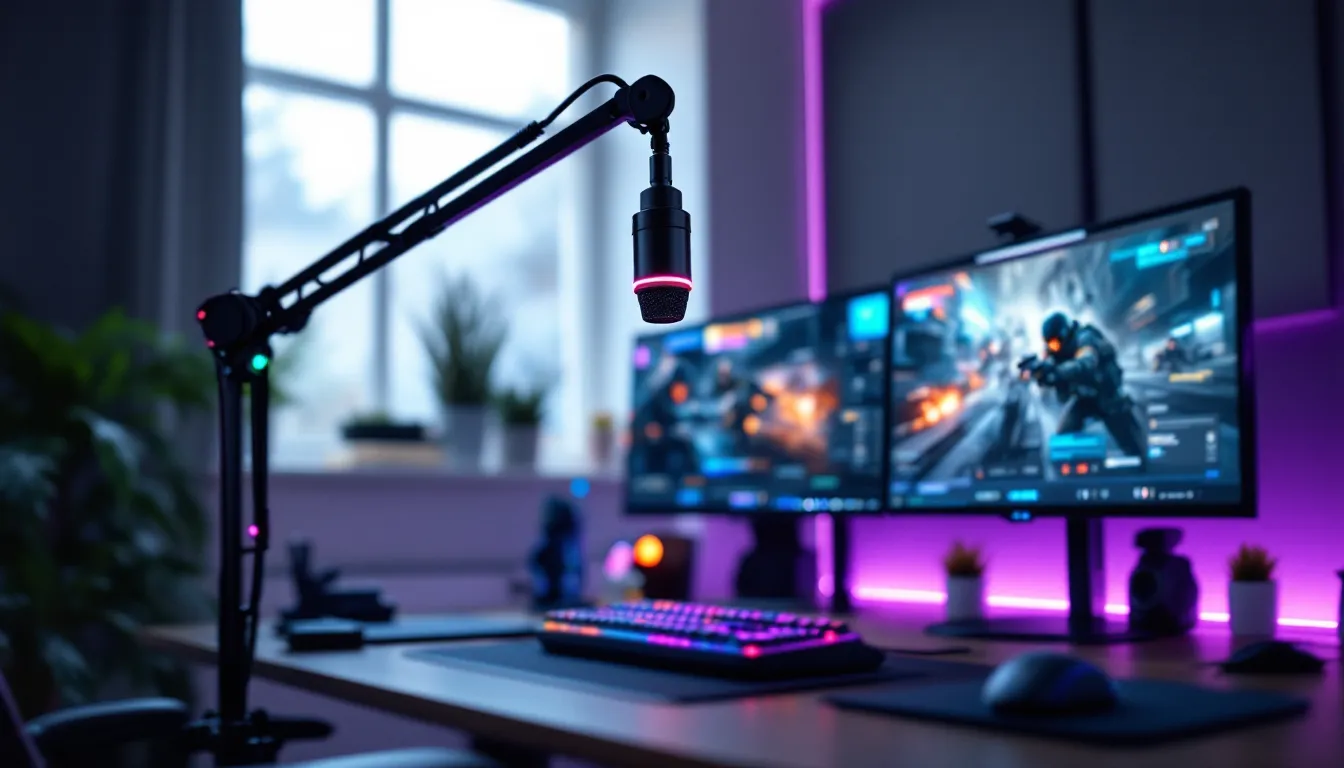
You’re mid-clutch, calling out enemy positions, and suddenly your teammate asks, “Wait, what did you say?” Your gaming skills might be top-tier, but if your microphone sounds like you’re broadcasting from inside a tin can, you’re already at a disadvantage. Communication isn’t just a nice-to-have in team-based games, it’s often the difference between coordinated victories and chaotic losses.
The right PC gaming microphone transforms how you interact with teammates, stream audiences, and Discord communities. Whether you’re grinding ranked lobbies in Valorant, leading raid callouts in Final Fantasy XIV, or building a streaming presence on Twitch, audio clarity matters. In 2026, the market offers everything from budget USB options to professional XLR setups that rival studio equipment.
This guide breaks down everything you need to know: microphone types, essential specs like polar patterns and sample rates, budget-specific recommendations, setup optimization, and troubleshooting common issues. Let’s get your voice heard the way it should be.
Key Takeaways
- A PC gaming microphone is essential for competitive play and streaming, directly impacting team coordination, audience perception, and your overall multiplayer gaming experience.
- USB microphones offer plug-and-play convenience at budget-friendly prices ($40-$200), while XLR setups deliver professional-grade audio quality and upgrade flexibility for serious streamers and content creators.
- Proper positioning—2-6 inches from your mouth at a 45-degree angle—combined with cardioid polar patterns and software noise suppression delivers better results than expensive gear used incorrectly.
- Match your microphone choice to your actual needs: competitive players benefit from headset mics for convenience, casual gamers thrive with budget USB options, and streamers require standalone microphones for professional-sounding output.
- Key specifications like 48kHz sample rate and 24-bit depth matter less than practical factors like positioning, room treatment, and gain structure when optimizing your PC gaming microphone setup.
- Common audio issues like static, low volume, and muffled sound stem from placement errors, insufficient gain, or interference rather than equipment limitations, making proper configuration critical before upgrading gear.
Why Your PC Gaming Microphone Matters More Than You Think
Audio quality directly impacts competitive performance. In tactical shooters like Counter-Strike 2 or Rainbow Six Siege, clear callouts mean faster reactions and better coordination. When your mic distorts, clips, or picks up background noise, teammates miss crucial information, and that costs rounds.
Beyond gameplay, your microphone shapes how others perceive you. Stream viewers and content consumers judge production quality within seconds. A crisp, professional-sounding mic keeps audiences engaged, while muffled or inconsistent audio sends them clicking away. Even in casual Discord calls, nobody wants to strain to understand you or constantly ask for repeats.
Modern games demand more from voice communication than ever before. Battle royales need rapid zone callouts, MMO raids require precise ability coordination, and competitive MOBAs rely on split-second target identification. Your microphone isn’t peripheral equipment, it’s core to how you experience multiplayer gaming. Investing in proper audio capture pays dividends across every session.
Types of PC Gaming Microphones Explained
USB Microphones: Plug-and-Play Convenience
USB microphones connect directly to your PC without requiring additional hardware. They contain built-in analog-to-digital converters, preamplifiers, and sometimes onboard processing. Popular models like the Blue Yeti X and HyperX QuadCast S offer multiple polar patterns, gain control, and RGB lighting, all through a single USB connection.
The primary advantage is simplicity. Plug it in, select it in Windows sound settings, and you’re recording. Most USB mics work across PC, PlayStation 5, and Xbox Series X/S without driver installations. They’re ideal for gamers who want significant audio improvement over headset mics without diving into audio engineering.
Limitations exist, though. USB mics cap out around 24-bit/96kHz sample rates, and you’re locked into the built-in preamp quality. Upgrading means replacing the entire unit. For most gaming scenarios, but, USB microphones deliver more than enough fidelity at price points ranging from $40 to $200.
XLR Microphones: Professional-Grade Audio Quality
XLR microphones require external audio interfaces or mixers, but they deliver superior sound quality and upgrade flexibility. Dynamic XLR mics like the Shure SM7B and Electro-Voice RE20 offer broadcast-level clarity with excellent background noise rejection, crucial if you game in shared spaces or noisy environments.
The modular approach lets you upgrade components independently. Pair a budget XLR mic with a quality interface like the Focusrite Scarlett 2i2, then upgrade the mic later without replacing the entire signal chain. Professional streamers and content creators overwhelmingly prefer XLR setups because they provide headroom for growth and consistent performance under demanding conditions.
The trade-off is complexity and cost. Entry into XLR territory starts around $150 for mic plus interface, and premium setups easily exceed $400. You’ll also need to understand gain staging, phantom power (for condenser mics), and potentially invest in boom arms and shock mounts. The audio quality justifies the learning curve if you’re serious about streaming or content creation.
Headset-Mounted Microphones: All-in-One Solutions
Integrated headset microphones combine audio output and input in one device. Modern gaming headsets like the SteelSeries Arctis Nova Pro and HyperX Cloud Alpha Wireless feature surprisingly capable boom mics with noise-canceling features and flip-to-mute convenience. Many esports players competing in controlled LAN environments use quality gaming headsets for their reliability and minimal desk footprint.
Headset mics excel at portability and space efficiency. They position consistently near your mouth, reducing gain requirements and background pickup. For gamers who attend LAN parties, travel frequently, or simply prefer minimal cable management, integrated solutions make sense. According to detailed headset testing, top-tier gaming headsets now achieve voice clarity that approaches entry-level standalone microphones.
The ceiling for audio quality remains lower than dedicated microphones, though. Headset mics can’t match the frequency response or dynamic range of even mid-tier USB options. They’re also non-upgradeable, when the mic degrades or you want better quality, you’re replacing the entire headset. Consider this option if convenience outweighs ultimate audio fidelity in your priorities.
Key Features to Consider When Choosing a Gaming Microphone
Polar Patterns and Directional Pickup
Polar patterns define which directions a microphone captures sound from. Cardioid patterns (heart-shaped) pick up sound from the front while rejecting rear noise, ideal for gaming setups where your PC fans and keyboard sit behind the mic. Bidirectional patterns capture front and back, useful for interviews but unnecessary for gaming. Omnidirectional patterns record equally from all directions, great for capturing room ambience but terrible for isolating your voice in typical gaming environments.
Most gaming microphones default to cardioid or offer switchable patterns. The Blue Yeti’s multi-pattern functionality sounds appealing, but 90% of gamers stick with cardioid mode permanently. Supercardioid and hypercardioid patterns offer tighter front pickup with narrow rear lobes, these work well if your noise sources are positioned to the sides.
Pattern choice matters less than proper positioning. A cardioid mic pointed toward your mouth with rejection zones aimed at noise sources outperforms any pattern used carelessly. If you game in quiet environments, pattern selection becomes less critical. In noisy spaces with roommates, mechanical keyboards, or street traffic, investing in tight directional pickup pays immediate dividends.
Sample Rate and Bit Depth
Sample rate measures how many audio snapshots the mic captures per second, expressed in kHz. CD quality is 44.1kHz, while most gaming mics offer 48kHz (standard for video/game audio) or 96kHz. Bit depth determines dynamic range, the difference between the quietest and loudest sounds captured. 16-bit provides 96dB of dynamic range, while 24-bit extends that to 144dB.
For voice communication and streaming, 48kHz/24-bit is the sweet spot. Discord and most streaming platforms compress audio anyway, so 96kHz sampling offers no practical advantage and generates larger file sizes if you’re recording. The 24-bit depth does matter, though, it provides headroom for gain adjustments and prevents clipping during loud moments like clutch reactions or excited callouts.
Don’t obsess over these specs beyond baseline requirements. A mic recording at 48kHz/16-bit with proper technique will outperform a 192kHz/24-bit mic used incorrectly. Marketing emphasizes high numbers, but positioning, room treatment, and gain structure affect your actual audio quality more than raw specifications. Verify your mic meets the 48kHz/16-bit minimum, then focus on practical factors.
Noise Cancellation and Background Suppression
Hardware noise cancellation uses microphone design and polar patterns to physically reject unwanted sound. Cardioid patterns naturally suppress rear noise. Dynamic microphones require more gain than condensers but pick up less room ambience. Tight proximity effects (bass boost when close to the mic) let you speak softly while maintaining clarity, reducing the gain needed and so background noise captured.
Software noise suppression through tools like NVIDIA RTX Voice, Krisp, or OBS noise gates processes your audio in real-time to remove background sounds. These AI-powered solutions can eliminate mechanical keyboard clicks, fan noise, and even nearby conversations. They work remarkably well as of 2026, with minimal impact on voice quality when configured properly.
Combining both approaches yields best results. Start with hardware rejection through proper mic choice and positioning, then apply software noise gates to catch remnants. Many modern gaming setups feature wireless headset options that balance convenience with active noise management. Avoid relying solely on software fixes, they can introduce artifacts or latency if overused. Build your signal chain with clean capture first, then use processing to polish the final output.
Top PC Gaming Microphones by Budget Range
Budget-Friendly Options Under $50
The Fifine K669B ($30-35) dominates the ultra-budget category with surprisingly clean audio for its price. This USB condenser mic offers cardioid pickup, a sturdy metal construction, and plug-and-play Windows compatibility. It’s perfect for casual gamers upgrading from headset mics who need clear Discord communication without investing heavily. Audio quality doesn’t rival $100+ options, but it’s leagues ahead of integrated headset mics.
TONOR TC30 ($40-45) steps up slightly with a cardioid pattern optimized for voice, quick-mute button, and improved build quality. The frequency response tailors toward speech rather than trying to capture everything, which actually benefits gaming communication. It handles loud callouts without distortion, critical during intense moments.
At this price tier, don’t expect studio-grade sound or advanced features. You’re getting functional, clear voice capture that won’t embarrass you in team lobbies or starting streams. These mics work great as interim solutions while you save for premium options, or permanent solutions if you primarily text chat and occasionally voice up.
Mid-Range Performers ($50-$150)
The HyperX QuadCast ($100-120) became a gaming staple for good reason. Built-in shock mount, tap-to-mute sensor with LED indicator, four polar patterns, and a gain dial that’s actually useful make it remarkably user-friendly. Audio quality satisfies streaming requirements with clear midrange presence and respectable low-end response. The aggressive styling screams “gaming” but doesn’t compromise functionality.
Blue Yeti X ($120-150) adds higher sample rates (24-bit/48kHz), improved Blue VO.CE software effects, and a more refined capsule design than previous Yeti generations. The built-in metering helps set proper gain levels visually, genuinely useful for beginners learning audio basics. Four pattern options cover nearly any recording scenario, though cardioid remains the go-to for gaming.
For XLR entry, the Audio-Technica AT2020 ($99) paired with a basic interface like the Behringer U-Phoria UM2 ($50) gets you into professional mic territory at $150 total. This combination outperforms USB options in its price range with cleaner signal paths and upgrade potential. You’ll need phantom power and basic gain understanding, but the audio quality justifies the minor learning curve.
Premium Choices for Streamers and Content Creators ($150+)
Shure SM7B ($400-450) remains the broadcast standard for content creators and professional streamers. This dynamic XLR mic delivers broadcast-quality voice reproduction with exceptional background rejection. It requires significant gain (60-70dB), so pair it with a Cloudlifter CL-1 ($150) or audio interface with strong preamps like the Focusrite Scarlett 2i2 ($180). Total investment approaches $700-800, but the audio quality and reliability justify the cost for serious creators.
The Electro-Voice RE20 ($450-500) competes directly with the SM7B, offering similar broadcast quality with slightly different tonal characteristics. Some streamers prefer its smoother low-end response and built-in pop filtering. Like the SM7B, it demands quality preamps and proper gain structure. Professional reviewers at PCMag consistently rank the RE20 among top broadcast microphones for voice work.
Rode PodMic ($100-130) delivers dynamic XLR performance at a more accessible price point. While not matching the SM7B’s prestige, it provides fantastic value with robust build quality and sound that punches above its cost. Paired with a decent interface, the PodMic satisfies most streaming audio requirements. It’s become popular among mid-tier streamers who want XLR quality without the premium price tag. These professional setups matter most when audio is your product, if viewers tune in specifically for your content, investing in broadcast-quality capture makes sense.
Setting Up Your Gaming Microphone for Optimal Performance
Proper Microphone Placement and Positioning
Position your microphone 2-6 inches from your mouth at roughly 45 degrees off-axis. This angle reduces plosives (harsh P and B sounds) while maintaining clarity. Speaking directly into most mics causes proximity effect bass boost and captures breath sounds, amateur mistakes that plague new streamers. Professional configurations according to ProSettings show competitive players and streamers consistently position mics just outside their peripheral vision.
Height matters as much as distance. Mount the mic at mouth level or slightly below, speaking across the capsule rather than down into it. Boom arms like the Rode PSA1 or budget-friendly Neewer scissor arms provide positioning flexibility that desktop stands can’t match. They also decouple the mic from desk vibrations caused by keyboard impacts and mouse movements.
Use pop filters for condenser mics to catch plosives that positioning alone can’t eliminate. Dynamic mics typically need less filtering but still benefit from foam windscreens. Test your positioning by recording short clips and listening back, you’ll immediately hear problematic breath sounds, plosives, or thin audio from incorrect distance. Adjust incrementally until your natural speaking voice sounds full and clear without artifacts.
Software Settings and Audio Configuration
Set your Windows input level to 70-80% maximum in Sound Settings > Input > Device Properties. This leaves headroom for loud moments without clipping while maintaining strong signal. Most USB mics have physical gain knobs, start around 50% gain and adjust upward until your speaking peaks around -12dB to -6dB in your recording or streaming software.
In Discord, enable Krisp noise suppression (nitro feature) or use native noise reduction for free accounts. Set input sensitivity to manual mode with a threshold that opens when you speak normally but closes during silence. Automatic gain control (AGC) sounds tempting but often creates volume inconsistencies, disable it and set proper gain manually.
For streaming or recording, configure OBS with a noise gate (open -35dB, close -45dB as starting points), subtle EQ to reduce low-end rumble below 80Hz, and a compressor to even out volume differences. Add a limiter at -3dB to prevent clipping during excited moments. These basic processing chains transform raw mic input into polished broadcast audio. Many streamers building their complete gaming setup overlook audio configuration initially, then revisit it after viewer feedback about audio quality.
Common Microphone Problems and How to Fix Them
Static or buzzing typically indicates electrical interference or ground loop issues. Check that your mic cable isn’t running parallel to power cables. USB mics plugged into front panel ports often pick up internal PC noise, connect directly to rear motherboard USB ports instead. For XLR setups, verify your interface has proper grounding and consider a USB isolator if buzz persists.
Low volume or weak signal usually stems from insufficient gain. USB mics have physical gain controls, turn them up. XLR dynamic mics need 50-70dB of gain from your interface or inline preamps like the Cloudlifter. Don’t just crank Windows volume to compensate: that amplifies noise along with signal. Fix gain at the source for clean audio.
Muffled or thin sound often results from incorrect positioning or polar pattern issues. If you’re speaking into the side of a side-address mic or too far away, you’ll lose presence and clarity. Condenser mics capture more room reflections than dynamics, if your space isn’t treated, switching to a dynamic mic improves clarity immediately. Check your mic’s frequency response specs: some budget models simply lack high-end extension.
Echo or reverb happens when your mic picks up audio from your speakers. Use headphones always. If echo persists, it’s likely your mic catching keyboard sounds or room reflections. Add a noise gate, improve room treatment with acoustic panels, or switch to a tighter polar pattern. Budget builds around affordable PC configurations often skimp on audio treatment, but even basic improvements dramatically enhance captured voice quality.
Intermittent cutting or dropouts point to USB power delivery issues. High-gain USB mics draw significant current: connect them to powered hubs or direct motherboard ports. Update your audio drivers and disable USB selective suspend in Windows power settings. For XLR setups, check your interface’s buffer settings, too low causes dropouts on systems with heavy CPU load.
Gaming Microphones vs. Headset Mics: Which Should You Choose?
Standalone gaming microphones deliver superior audio quality across every metric, frequency response, dynamic range, noise rejection, and upgradability. Even budget USB mics at $40 outperform $200 gaming headset boom mics. The dedicated design and larger capsules simply capture more detail with less noise. If audio quality is your primary concern and you have desk space, standalone wins decisively.
Headset mics excel in convenience and specific use cases. They require no desk space, eliminate cable management, work perfectly for LAN events or competitive tournaments, and position consistently without boom arm adjustments. Many esports pros use headset mics in competition because they’re reliable and one less variable to manage under pressure. For casual gaming where communication is functional rather than content, headset mics totally suffice.
Consider your actual needs. Competitive players who don’t stream might prioritize the integrated convenience of a headset. Streamers and content creators need standalone microphones for professional-sounding output. Players who do both often run hybrid setups, using their standalone mic for streaming and switching to a headset for competitive play where positioning and focus matter more than audio quality.
Budget factors in significantly. Spending $150 on a quality standalone mic plus existing headphones often delivers better combined audio (both input and output) than a $150 gaming headset trying to do everything adequately. Split your budget strategically based on which aspect matters more for your gaming style and content creation goals.
Upgrading Your Audio Setup: Accessories Worth Considering
Boom arms transform microphone usability by providing infinite positioning adjustments and removing desk clutter. The Rode PSA1 ($100) and Blue Compass ($100) offer professional cable management and weight capacity for heavier mics. Budget options like Neewer scissor arms ($15-25) work surprisingly well for lighter USB microphones, though they lack the smooth repositioning of premium models.
Shock mounts decouple your microphone from vibrations transmitted through your desk. Every keyboard press, mouse click, and desk bump travels directly into desktop-stand mics. Quality shock mounts use elastic suspension to isolate the mic capsule. Many mics like the HyperX QuadCast include built-in shock mounting, but standalone options like the Rode PSM1 improve performance further for threaded-mount microphones.
Pop filters eliminate plosives, those harsh bursts of air from P, B, and T sounds that cause distortion. Dual-layer nylon filters ($10-15) work great for most applications. Metal mesh filters allow better visual communication with chat if you stream with cam, though they’re slightly less effective. Position them 2-3 inches from the capsule for best results.
Audio interfaces elevate XLR microphone setups beyond basic functionality. The Focusrite Scarlett Solo ($120) and 2i2 ($180) offer clean preamps, low noise floors, and direct monitoring. Enthusiasts building prebuilt gaming systems often overlook audio interfaces initially, then add them later when upgrading to professional microphones. Higher-tier interfaces like the MOTU M2 provide better preamps and more detailed metering for precise gain staging.
Acoustic treatment might seem extreme, but even basic improvements matter. Desktop acoustic panels behind your mic absorb reflections that create hollow, echoey voices. Foam panels from Auralex or budget alternatives from Amazon ($30-60 for starter packs) positioned strategically make more difference than upgrading from a mid-tier to premium microphone. Address your recording environment for better results than chasing gear upgrades alone.
Conclusion
Your voice is as essential to modern gaming as your mouse sensitivity or graphics settings. The right microphone transforms how teammates hear callouts, how audiences engage with streams, and how communities perceive your presence. Whether you’re starting with a $35 USB mic or investing in a professional XLR broadcast setup, understanding the fundamentals, polar patterns, proper positioning, and signal chain basics, matters more than brand names or premium price tags.
Match your microphone choice to your actual needs and environment. Budget gamers in quiet spaces don’t need $500 broadcast mics. Streamers building audiences can’t rely on headset boom mics indefinitely. Consider your space, use case, and growth trajectory when deciding between USB convenience, XLR professional quality, or integrated headset solutions.
The 2026 microphone market offers better performance at every price point than ever before. Entry-level options now deliver clarity that required mid-range investments years ago, while premium choices approach studio-grade capture for content creators demanding broadcast quality. Start with proper fundamentals, invest appropriately for your situation, and your voice will come through exactly as intended.