

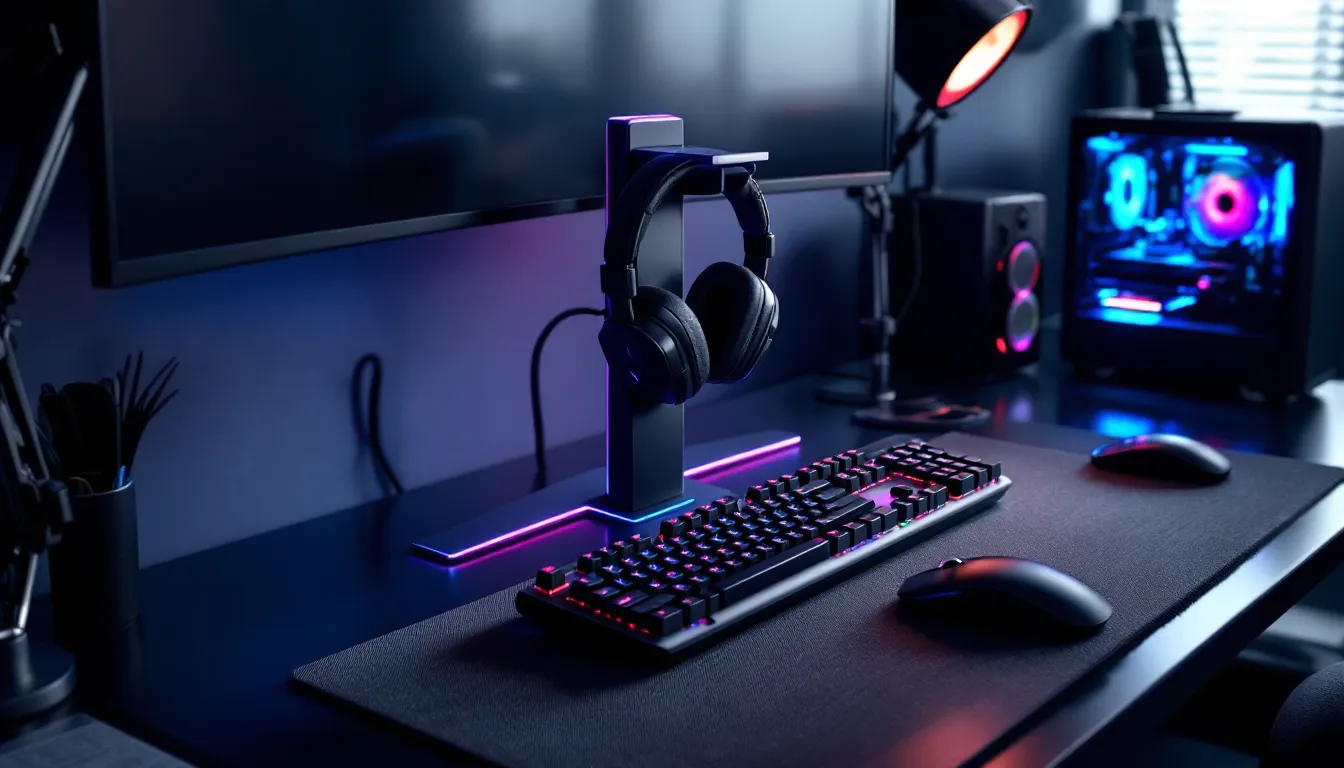
Your $200 wireless gaming headset is sitting on your keyboard, tangled in charging cables, collecting dust and possibly warping the ear cushions. Sound familiar? If you’ve invested in premium gaming audio, leaving your headset on the desk or draped over your monitor isn’t just messy, it’s slowly degrading the hardware you worked hard to afford.
A proper gaming headset stand does more than free up desk space. It protects the headband from unnecessary stress, keeps cables organized, and turns your setup from cluttered chaos into a clean battlestation worth showing off. With 2026’s models packing RGB lighting, USB hubs, and multi-device charging, these stands have evolved from simple hooks into legitimate desk accessories that pull double duty.
Whether you’re running a dual-monitor streaming rig or gaming on a compact laptop desk, there’s a headset stand designed for your setup. This guide breaks down everything from budget banana hangers to premium RGB towers, helping you find the right stand without wasting money on features you’ll never use.
Key Takeaways
- A gaming headset stand protects your investment by reducing stress on the headband, preventing dust damage to ear cushions, and eliminating cable strain at connection points—the leading cause of headset failures.
- Gaming headset stands free up desk space by using vertical storage, with quality models consuming only 4-6 inches of footprint while keeping your setup organized and camera-ready for streaming.
- Choose based on your setup: desktop stands for convenience, under-desk mounts for compact spaces, wall hangers for maximum space savings, and multi-headset stands for content creators and collectors.
- Key features to prioritize include aluminum construction for durability, stable weighted bases (at least 1-1.5 pounds), integrated cable management, and USB ports—skip RGB unless it matches your aesthetic or streaming needs.
- Proper placement within arm’s reach, regular maintenance with microfiber cloths or compressed air, and avoiding wet headsets and weight limit violations ensure your stand delivers lasting protection and organization.
Why Every Gamer Needs a Headset Stand
Throwing your headset on the desk after a session seems harmless. But over weeks and months, that casual toss adds up to real damage and frustration.
Protecting Your Investment
Headset headbands, especially on premium models with memory foam and suspension systems, aren’t designed to be stretched, compressed, or folded. Leaving your headset flat on a desk puts constant pressure on one side of the headband, leading to uneven wear and that annoying “loose” feeling after six months.
Ear cushions are even more vulnerable. Dust, oils from your hands, and direct contact with hard surfaces break down the materials faster than normal use. A stand keeps the cushions elevated and properly ventilated, which matters for both longevity and hygiene. No one wants to press sweaty, dust-caked pads against their face mid-match.
Cable stress is another silent killer. When your headset hangs off the edge of your desk or gets buried under a controller, the cable connection points take constant strain. Most headset failures happen at the cable junction, not the drivers. A stand with integrated cable management eliminates that risk entirely.
Decluttering Your Gaming Space
Desk real estate is precious, especially if you’re running multiple monitors, a full keyboard, a mouse with a giant pad, and maybe a mic arm. A headset lying flat consumes 8-10 inches of linear space, prime territory you could use for a drink, notebook, or just breathing room during intense sessions.
Vertical storage is the play here. A headset stand takes up roughly 4-6 inches of desk footprint while keeping your headset accessible and visible. No more digging under papers or knocking it off the desk when you reach for your phone.
Cable management transforms from nightmare to non-issue. Quality stands include hooks, channels, or velcro straps that route your headset cable (and often other peripherals) into neat bundles. Instead of a rat’s nest of USB, audio, and charging cables snaking across your desk, everything runs clean to your PC or hub. It’s the difference between a setup that looks like a LAN party aftermath and one that could be featured on r/battlestations.
Types of Gaming Headset Stands Explained
Not all headset stands are created equal. Your choice depends on desk space, headset count, and whether you prioritize function or aesthetics.
Desktop Stands
The most common type, a weighted base with a vertical pole and curved hanger. Desktop stands sit on your desk surface and come in materials ranging from cheap plastic to machined aluminum.
Pros: Easy to move, no installation required, widely available in every price range. Many include USB hubs, RGB lighting, or wireless charging pads built into the base.
Cons: They consume desk space and can tip over if the base isn’t heavy enough for larger headsets. Cheaper models feel flimsy and wobble when you hang or grab your headset.
Best for gamers with moderate desk space who want plug-and-play convenience. If you rearrange your setup frequently or take your gear to LANs, desktop stands travel easily.
Under-Desk Mounts and Clamp Stands
These attach to the underside or edge of your desk via clamps or adhesive mounts, keeping your headset completely off the desk surface.
Pros: Zero desk footprint. Your headset hangs out of sight but within arm’s reach. Perfect for minimalist setups or small desks where every inch counts.
Cons: Installation required, and some desks (especially those with thick or contoured edges) won’t accommodate clamps. No room for USB hubs or RGB, these are purely functional.
Ideal for compact setups, standing desks, or gamers who hate visible clutter. ProSettings.net data shows many competitive players prefer under-desk mounts to keep their playing surface completely clear during tournaments.
Wall-Mounted Headset Hangers
Simple hooks or arms that screw into your wall, often near your desk or gaming area.
Pros: Ultimate space savings. Costs $5-15 for basic models. Can mount multiple hooks for headsets, controllers, or cables.
Cons: Permanent installation means holes in your wall. Not renter-friendly unless you’re okay patching drywall later. Zero features beyond hanging your headset.
Best for dedicated gaming rooms where you can commit to wall modifications, or if you’re managing multiple headsets and peripherals. Streamers with gear walls love these for displaying collections.
Dual and Multi-Headset Stands
Designed with two or more hanging arms for gamers who own multiple headsets (e.g., wireless for gaming, wired for streaming, backup set for travel).
Pros: Consolidates storage for multiple devices. Some models include hooks for controllers, cable organizers, and extended USB hubs.
Cons: Larger footprint than single stands. Overkill if you only own one headset. Premium multi-stands can run $60-100.
Perfect for content creators, streamers, or anyone juggling a wireless gaming headset alongside wired backups. If you’re testing gear or switch between different headsets depending on the game, dual stands keep everything organized.
Key Features to Look for in a Headset Stand
Price alone doesn’t tell you which stand fits your needs. Focus on these features to separate genuine utility from marketing gimmicks.
Build Quality and Material
Aluminum stands offer the best balance of weight, durability, and aesthetics. They don’t scratch easily, handle heavy headsets without tipping, and look premium. Expect to pay $25-50 for quality aluminum construction.
Plastic stands dominate the budget tier ($10-20). They work fine for lightweight headsets but feel cheap and can crack under stress. If you own a tank like the SteelSeries Arctis Nova Pro or HyperX Cloud Orbit, plastic won’t cut it.
Wood and acrylic stands cater to aesthetic-focused setups. They look fantastic in minimalist or retro-themed builds but offer no functional advantages and often cost more than aluminum for the same stability.
Check the base weight. A good stand should weigh at least 1-1.5 pounds to prevent tipping when you grab your headset quickly during a match. Rubberized feet or non-slip pads are non-negotiable, bare plastic or metal will slide across polished desks.
RGB Lighting and Customization
RGB headset stands sync with software ecosystems like Razer Chroma, Corsair iCUE, or ASUS Aura to match your keyboard, mouse, and case lighting. Some include standalone controllers for gamers not locked into one ecosystem.
Practical value: Minimal. RGB adds $15-30 to the cost and draws power from a USB port. But if you’re building a color-coordinated setup or streaming, the visual cohesion matters. A static white or blue glow also doubles as subtle ambient lighting during late-night sessions.
Skip it if: You don’t care about aesthetics or need to save every USB port for actual peripherals.
USB Hubs and Charging Ports
This is where stands justify higher price tags. Built-in USB hubs (typically 2-4 ports) turn your headset stand into a peripheral charging station for controllers, phones, or wireless mice.
Look for USB 3.0 or higher if you plan to connect devices that transfer data (external drives, VR headsets). USB 2.0 is fine for charging only. Some 2026 models include USB-C ports and Qi wireless charging pads in the base, excellent for keeping a phone topped off between matches.
Cable management matters here. The best hub-equipped stands route all cables through the pole or base, not just hanging loose off the back. Check reviews to see if the integrated cable channels actually work or if they’re too narrow for braided cables.
Cable Management Solutions
Basic stands include a hook or clip on the pole. Better models have channels, adhesive clips, or velcro straps that bundle multiple cables together.
If you’re running a high-quality gaming headset with detachable cables, aux cords, and USB connections, cable management transforms from nice-to-have to essential. Reviewers on RTINGS consistently rate cable organization as a top factor in long-term satisfaction with desk accessories.
Top Gaming Headset Stands in 2026
These recommendations reflect current market leaders as of March 2026, based on build quality, features, and real-world user feedback.
Best Overall Headset Stand
Razer Base Station V2 Chroma – $59.99
Razer nailed it with this one. Solid aluminum construction, weighted base that doesn’t budge, and three USB 3.1 ports that actually deliver full-speed data transfer. The RGB lighting integrates seamlessly with Razer Synapse, and non-Razer users can set static colors via onboard controls.
The hanger arm fits everything from compact earbuds to massive over-ears like the Audeze Maxwell. Cable management includes a detachable rubber organizer that grips braided cables without slipping. It’s not the cheapest, but it’s the stand that does everything well without compromises.
Best for: Gamers who want a premium, feature-complete stand that’ll last years and match existing Razer gear.
Best Budget-Friendly Option
Lamicall Headphone Stand – $14.99
No frills, just function. Aluminum alloy body, rubberized base and contact points to prevent scratches, and a design that’s been market-tested for three years. Zero RGB, no USB ports, no gimmicks, just a stable place to hang your headset.
The minimalist design works with any setup aesthetic, and at under $15, it’s an easy impulse buy. Cable management is limited to a single hook on the back, but for the price, you’re not getting robbed.
Best for: Budget-conscious gamers who need basic storage and don’t care about extra features. Also great as a secondary stand for backup headsets.
Best RGB Headset Stand for Streamers
Corsair ST100 RGB – $64.99
Streamers need stands that look good on camera, and the ST100 delivers. Dual-zone RGB lighting (base and pole) syncs with Corsair iCUE, and the acrylic hanger arm diffuses light beautifully without harsh glare.
Four USB 3.0 ports and a 3.5mm headphone/mic combo jack make this a true desk hub. The inclusion of a 3.5mm analog pass-through is clutch for streamers running external DACs or mixing setups. Cable routing channels in the base keep everything hidden from camera angles.
Best for: Content creators and streamers prioritizing on-camera aesthetics alongside functionality.
Best Premium Multi-Function Stand
NZXT Puck – $29.99
Technically designed as a magnetic case mount, but the Puck doubles as an ingenious headset stand for PC gamers with windowed cases. Powerful neodymium magnets attach it to any steel PC case panel, and the rubberized cradle holds headsets, cables, or VR controllers.
No desk footprint, no installation beyond sticking it to your case. The magnetic mount supports up to 2 pounds, easily handling even heavy headsets. It won’t work for everyone, you need a steel case and need to be okay with your headset hanging on the side of your PC, but when it fits your setup, it’s brilliant.
Best for: Compact desk setups where every inch of surface space matters, or showcase builds where the headset becomes part of the display.
How to Choose the Right Stand for Your Setup
Matching a stand to your desk and headset prevents buyer’s remorse and ensures you’ll actually use it instead of going back to tossing your headset on the keyboard.
Matching Your Desk Space and Aesthetics
Measure your available desk space before buying. Desktop stands typically need a 4-6 inch square footprint. Sounds small, but if you’re already tight on space between your monitor stand, keyboard, and mousepad, that’s premium real estate.
Small desks (< 40 inches wide): Under-desk mounts or wall hangers make the most sense. You can’t afford to give up surface area.
Medium desks (40-60 inches): Desktop stands work great. You have room for a stand without sacrificing mouse movement or peripheral access.
Large desks (60+ inches) or dedicated gaming rooms: Go wild. Dual stands, RGB towers, multi-function hubs, you’ve got space to prioritize features over footprint.
Aesthetics matter more than people admit. If you’re running a clean white minimalist setup, a black RGB tower with aggressive gamer angles will look out of place. Conversely, a wood stand feels off in a neon-heavy cyberpunk build. According to PCMag accessory reviews, visual cohesion significantly impacts user satisfaction with desk setups, even when features remain identical.
Compatibility with Your Headset Type
Not all headsets play nice with all stands. Check the hanger arm width and shape.
Over-ear gaming headsets: Most stands handle these fine. Look for curved or padded arms to avoid stretching the headband over time.
Compact on-ear headsets or earbuds: Stands with narrow arms or dedicated earbud hooks prevent small devices from slipping off.
Heavy headsets (> 12 oz): Verify the stand’s weight limit. Planar magnetic headsets like the Audeze or high-end wireless models can tip lightweight stands.
VR headsets: Some stands market “VR compatibility,” but most standard headset stands can’t accommodate the weight and bulk of a Meta Quest 3 or PSVR2. If you need VR storage, look for dedicated dual-purpose stands or wall mounts.
Cable type matters too. Detachable cable systems benefit from stands with multiple cable hooks or channels. Integrated non-detachable cables need careful routing to avoid kinks at the junction point.
Setting Up and Maintaining Your Headset Stand
Buying the stand is step one. Proper placement and maintenance ensure it actually solves problems instead of creating new ones.
Proper Placement for Maximum Convenience
Your stand should be within arm’s reach from your seated position but not so close it interferes with mouse movement. Right-handed gamers typically place stands to the left of their keyboard: lefties reverse that.
Avoid these placements:
- Directly behind your monitor where you can’t see or reach it easily
- Next to your mouse pad where you’ll knock it grabbing your headset mid-match
- On top of your PC case unless it’s specifically designed for that (like the NZXT Puck)
If your stand includes USB ports, position it so the cable reaches your PC without stretching across your keyboard or mouse area. A taut USB cable is a recipe for knocking the stand over or yanking it out during gameplay.
For RGB stands, consider cable visibility. The power/data cable should route behind your monitor or through your desk’s cable management grommets, not draped across your playing surface.
Cleaning and Care Tips
Headset stands collect dust, fingerprints, and the occasional spilled energy drink residue. Maintenance takes five minutes every few weeks.
For metal stands: Wipe down with a microfiber cloth dampened (not soaked) with isopropyl alcohol. This removes oils and dust without scratching. Avoid abrasive cleaners that dull aluminum finishes.
For plastic stands: Warm water and mild dish soap on a soft cloth. Dry immediately to prevent water spots.
For RGB lighting: Dust buildup dims LEDs over time. Use compressed air to blow out vents and around light strips every month.
Cable management clips: Check these quarterly. Adhesive weakens over time, and velcro straps collect lint. Replace worn clips before they fail and dump your cables.
If your stand has USB ports, periodically check the connections. Loose ports indicate the internal solder joints may be failing, common in budget stands after 12-18 months of heavy use.
DIY Headset Stand Alternatives for Budget Gamers
Can’t justify $30-60 on a headset stand? These DIY solutions cost under $10 and work surprisingly well.
Banana stand: The classic. A $5 banana hanger from any kitchen supply store holds headsets perfectly. The curved hook fits most headbands, and the weighted base prevents tipping. Looks weird on a gaming desk, but function over form.
PVC pipe stand: Ten minutes, $3 in materials from a hardware store. Cut a PVC pipe base and vertical pole, add a curved section on top for the hanger. Spray paint it black or your setup’s accent color. Plenty of YouTube tutorials walk through the build.
Command hooks: Damage-free wall mounting for renters. A medium or large 3M Command hook ($4 for a two-pack) mounts to your wall or the side of your desk and supports up to 5 pounds. Not glamorous, but it works.
IKEA drawer knobs: $2-3 per knob. Screw them into your wall, desk side panel, or even your monitor arm pole. The knob creates a small ledge perfect for hanging headsets. Bonus: IKEA’s selection includes colors and finishes to match any setup aesthetic.
Repurposed coat hooks: Wall-mounted coat hooks with smooth, rounded arms work identically to purpose-built headset hangers. Check thrift stores for vintage brass or wood hooks if you’re going for a specific aesthetic.
These won’t give you USB hubs or RGB, but they solve the core problem, getting your headset off the desk, for pocket change. Save the difference for games, not accessories.
Common Mistakes to Avoid When Using a Headset Stand
Even with a quality stand, bad habits sabotage the benefits.
Hanging headsets while wet or damp: Post-workout or summer gaming sessions leave headsets sweaty. Moisture trapped in ear cushions leads to mold, odor, and material breakdown. Wipe cushions with a dry cloth before hanging.
Overstretching the headband on narrow stands: If your stand’s arm is too narrow, hanging the headset stretches the headband wider than designed. Over months, this ruins the fit. The hanger should support the headband at its natural resting width.
Ignoring weight limits: That $12 plastic stand rated for “most headsets” might not handle your 14-ounce planar magnetic set. Exceeding weight limits bends the arm or tips the base, defeating the purpose.
Letting cables dangle: If you’re not using the cable management features, you’re leaving half the value on the table. Dangling cables collect dust, create visual clutter, and risk getting caught when you grab the headset quickly.
Placing stands on unstable surfaces: Stands on monitor risers, speaker platforms, or uneven surfaces tip easily. They need flat, stable desk real estate to function safely.
Using RGB stands on already-maxed USB hubs: Adding another RGB device to an overloaded USB hub can cause voltage drops, affecting performance of mice, keyboards, and other peripherals. If you’re experiencing random disconnects after adding a USB hub stand, that’s likely the culprit.
Forgetting about headband padding: Some stands use bare metal or hard plastic contact points. Over time, these wear down leather or foam headband padding. Look for stands with rubber or silicone coating on the hanger arm, or wrap the contact area with electrical tape as a buffer.
Conclusion
A gaming headset stand isn’t going to improve your K/D or boost your frame rate. But it will protect your investment, reclaim desk space, and turn your setup from functional chaos into something you’re proud to game at every day.
Whether you drop $60 on a RGB-loaded hub stand or $3 on a banana hanger, getting your headset off the desk and properly stored pays dividends in longevity and organization. Match the stand type to your space, prioritize features that actually matter for your setup, and avoid the common mistakes that turn good stands into wasted purchases.
Your headset deserves better than being buried under chip bags and tangled in mouse cables. Give it a home.