

Shopping for a prebuilt gaming desktop in 2026 means navigating a sea of brands, specs, and price points, and CyberPowerPC has been a fixture in that landscape for years. Known for offering customizable rigs at competitive prices, they’ve built a loyal following among gamers who want performance without the headache of hunting down every component themselves. But are their desktops actually worth your money, or are you better off going with a competitor (or building from scratch)?
This guide breaks down everything you need to know about CyberPowerPC gaming desktops in 2026: which models deliver the best bang for your buck, what kind of performance you can expect across different price tiers, and whether their build quality and support hold up under scrutiny. Whether you’re eyeing a budget rig for 1080p gaming or a high-end beast for 4K ultra settings, you’ll find the specifics here.
Key Takeaways
- CyberPowerPC gaming desktops deliver solid value and customizable configurations across budget, mid-range, and high-end tiers, with quick hardware refreshes after new GPU and CPU launches.
- Mid-range CyberPowerPC builds with RTX 4070 Super and Ryzen 7800X3D offer the best price-to-performance balance, crushing 1440p gaming at 85–160 FPS in demanding titles.
- Expect to spend 30 minutes tweaking BIOS settings (enabling XMP/EXPO RAM profiles) and checking cable management when your CyberPowerPC desktop arrives, as these areas often ship suboptimal.
- CyberPowerPC desktops cost 10–20% more than building your own but save significant time and provide unified warranty coverage; the gap narrows during component sales and GPU restocks.
- Black Friday and Cyber Monday sales deliver 15–25% discounts on CyberPowerPC systems—the best time to buy—while post-holiday clearance in January–February offers steep markdowns on older-generation hardware.
- Budget RTX 4060 models handle 1080p gaming at 100+ FPS but lack storage capacity, making a secondary drive upgrade essential; high-end RTX 4090 configs enable 4K ultra gaming at 60–100+ FPS across most titles.
What Is CyberPowerPC and Why Choose Their Gaming Desktops?
Company Background and Reputation in the Gaming Industry
CyberPowerPC launched in 1998 and has spent nearly three decades carving out a niche in the prebuilt gaming PC market. They operate primarily through their website and major retailers like Best Buy and Amazon, offering systems that range from entry-level 1080p machines to enthusiast-grade builds with the latest GPUs and CPUs.
Their reputation sits somewhere in the middle of the pack. They’re not the premium boutique builder with flawless cable management and hand-picked components, but they’re also not the bargain-bin brand cutting corners on every part. Most user reviews from 2025 and early 2026 highlight solid performance for the price, though complaints about customer service response times and occasional DOA (dead on arrival) units do pop up. According to recent hardware reliability surveys, CyberPowerPC averages slightly above the industry standard for prebuilt failures within the first year, which isn’t stellar but also isn’t disastrous.
One thing they’ve nailed is timing. CyberPowerPC tends to refresh their lineup quickly after new GPU and CPU launches, so you’re rarely stuck buying last-gen hardware at current-gen prices.
Key Advantages of CyberPowerPC Over Building Your Own
Building your own PC is the go-to recommendation in gaming circles, but CyberPowerPC offers a few legit advantages that make their desktops appealing even to experienced builders.
Convenience and time savings top the list. Hunting for components during GPU shortages or navigating BIOS updates for new Ryzen or Intel chips can eat up hours. CyberPowerPC handles all of that, delivering a system that’s tested and (usually) ready to game out of the box.
Warranty coverage is another big plus. When you build your own, each component has its own warranty, and diagnosing which part failed can turn into a nightmare. CyberPowerPC covers the entire system under one warranty (typically 1 year for parts and labor, with options to extend), and they handle RMA processes for you.
Pricing during component scarcity has historically worked in their favor. During the GPU crisis of 2021-2023, prebuilt systems often offered better value than buying a graphics card alone at scalper prices. While the market stabilized in 2024-2025, CyberPowerPC still occasionally bundles deals that undercut piecing together the same build yourself, especially during Black Friday or back-to-school sales.
That said, if you value the learning experience of a DIY gaming build or want absolute control over every component brand and model, building yourself still wins.
Top CyberPowerPC Gaming Desktop Models in 2026
Budget-Friendly Options for Casual Gamers
For gamers on a tight budget, CyberPowerPC’s Gamer Xtreme series remains a solid pick in 2026. These systems typically start around $700-$900 and target 1080p gaming at medium to high settings.
A current standout is the Gamer Xtreme VR, which ships with:
- Intel Core i5-14400F or AMD Ryzen 5 7600 (depending on configuration)
- NVIDIA GeForce RTX 4060 (8GB GDDR6)
- 16GB DDR5 RAM (often single-channel, upgradeable)
- 500GB NVMe SSD (usually a no-name brand like Inland or their house brand)
- Basic air cooling and a generic mid-tower case
This setup handles Fortnite, Valorant, and Apex Legends at 1080p with framerates comfortably above 100 FPS. Heavier titles like Cyberpunk 2077 or Starfield will require dialing back settings to medium, but it’s absolutely playable. The RTX 4060 also brings DLSS 3 frame generation to the table, which can nearly double FPS in supported games.
The main compromises here are storage capacity (you’ll want to add a secondary drive) and component quality. PSU brands in this tier are often unbranded or lower-tier (APEVIA, Azza), which isn’t a dealbreaker for light gaming but worth noting.
Mid-Range Performance Builds for Competitive Gaming
The $1,200-$1,800 range is where CyberPowerPC shines, offering configurations that balance price and performance for competitive and AAA gaming.
The Gamer Master series dominates this tier. A typical mid-2026 configuration includes:
- Intel Core i7-14700F or AMD Ryzen 7 7800X3D
- NVIDIA GeForce RTX 4070 Super (12GB GDDR6X)
- 32GB DDR5 RAM (dual-channel, 5600MHz or faster)
- 1TB NVMe Gen 4 SSD (brands like WD Black or Samsung 980 Pro)
- 240mm AIO liquid cooler (often a CyberPowerPC-branded or DeepCool unit)
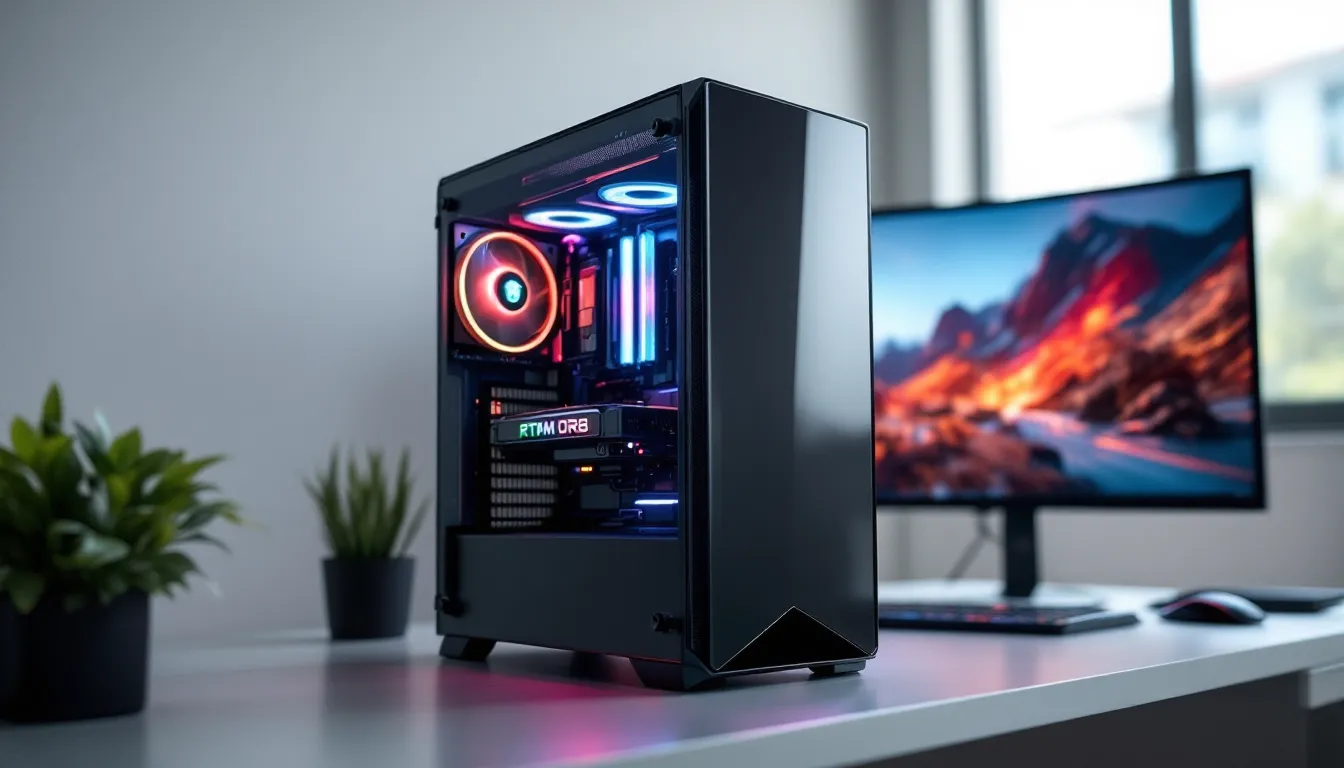
- Mid-tower case with tempered glass and RGB fans
This combo crushes 1440p gaming. In Call of Duty: Modern Warfare III (2024), expect 140-160 FPS at ultra settings. Baldur’s Gate 3 runs at 90+ FPS in demanding areas like Act 3’s city. The Ryzen 7800X3D variant is particularly strong for competitive shooters due to its massive L3 cache, which reduces frame time variance and keeps 1% lows high, critical for smooth gameplay in fast-paced matches.
CyberPowerPC also typically includes a better-quality PSU in this range (Thermaltake Toughpower, EVGA Supernova), and cable management improves noticeably compared to budget models. Those considering similar prebuilt options will find CyberPowerPC competitive on price, though iBUYPOWER sometimes edges ahead on aesthetic polish.
High-End and Enthusiast-Grade Powerhouses
For gamers chasing 4K gaming, max settings, or serious streaming and content creation, CyberPowerPC’s Gamer Infinity and Gamer Supreme lines deliver flagship performance, at flagship prices.
A top-tier 2026 build might feature:
- Intel Core i9-14900K or AMD Ryzen 9 7950X3D
- NVIDIA GeForce RTX 4090 (24GB GDDR6X)
- 64GB DDR5 RAM (6000MHz+, dual-channel)
- 2TB NVMe Gen 4 SSD + optional secondary storage
- 360mm AIO liquid cooler (Corsair iCUE or NZXT Kraken)
- Full-tower case (Lian Li O11 Dynamic, Corsair 5000D, or similar)
- 1000W+ 80 Plus Gold or Platinum PSU
Prices for these systems start around $3,500 and can push past $5,000 with maxed-out configs and premium peripherals bundled in.
Performance is predictably monster-tier. The RTX 4090 handles 4K ultra in virtually every current title at 60+ FPS, with many games hitting 100+ (especially with DLSS enabled). The 7950X3D excels in mixed workloads, streaming Warzone at 1440p while rendering video in the background barely makes it break a sweat.
Build quality takes a leap here. Expect cleaner cable management, premium components (Samsung 990 Pro SSDs, Corsair Vengeance RGB RAM), and more attention to cooling airflow. That said, you’re paying a hefty premium over building it yourself, often 15-20% more than sourcing parts individually.
Performance Breakdown: What to Expect from CyberPowerPC Systems
Gaming Performance Across Popular Titles
CyberPowerPC desktops perform in line with their specs, no magic optimization happening under the hood, but also no significant performance penalties compared to self-built systems with identical hardware.
Here’s a snapshot of what different tiers deliver in 2026’s most popular games:
Budget Tier (RTX 4060, i5-14400F)
- Fortnite (1080p competitive settings): 180-220 FPS
- Valorant (1080p high): 250+ FPS
- Cyberpunk 2077 (1080p medium, DLSS Balanced): 70-85 FPS
- Starfield (1080p medium): 55-65 FPS
Mid-Range (RTX 4070 Super, Ryzen 7800X3D)
- Call of Duty: Modern Warfare III (1440p ultra): 140-160 FPS
- Baldur’s Gate 3 (1440p ultra): 85-100 FPS
- Elden Ring (1440p max): 120+ FPS (capped at 120)
- Counter-Strike 2 (1440p high): 300+ FPS
High-End (RTX 4090, i9-14900K)
- Cyberpunk 2077 (4K ultra, DLSS Quality): 90-110 FPS
- The Last of Us Part I (4K ultra): 70-85 FPS
- Remnant II (4K ultra, DLSS Balanced): 80-100 FPS
- Microsoft Flight Simulator 2024 (4K ultra): 55-70 FPS
These numbers align closely with benchmarks from independent testing outlets, confirming that CyberPowerPC isn’t throttling performance with poor cooling or power delivery. The Ryzen 7800X3D configurations consistently punch above their weight in CPU-bound games, making them a smart pick for competitive titles where frame time consistency matters.
One occasional hiccup: budget and some mid-range models ship with single-channel RAM, which can cost 5-10% performance in certain games. Switching to dual-channel (or adding a matching stick) is an easy fix.
Streaming and Content Creation Capabilities
If you’re planning to stream, record gameplay, or edit videos, the CPU and RAM configuration matters as much as the GPU.
Budget systems with 6-core CPUs (i5-14400F, Ryzen 5 7600) and 16GB RAM can handle basic streaming via NVIDIA’s NVENC encoder built into RTX cards. You’ll stream at 1080p/60fps without major frame drops in less demanding games, but AAA titles might see a 10-15% FPS hit even with GPU encoding. Editing in DaVinci Resolve or Premiere Pro is possible but slow, expect longer render times and occasional stutters with 4K footage.
Mid-range builds with 8-core CPUs (Ryzen 7800X3D, i7-14700F) and 32GB RAM are the sweet spot for content creators. The extra cores let you stream at 1080p/60fps (or even 1440p/60fps) without noticeable performance loss, and video editing becomes genuinely pleasant. The Ryzen 7800X3D’s cache helps keep frame rates high even while streaming, and 32GB RAM means you can run OBS, Discord, Chrome, and your game without memory bottlenecks.
High-end systems with 16-core CPUs (Ryzen 9 7950X3D, i9-14900K) and 64GB RAM are overkill for pure gaming but shine for professional-level content creation. Rendering 4K video with effects in Premiere Pro is 2-3x faster than on mid-range chips, and you can stream at 4K/60fps if your upload bandwidth supports it. The RTX 4090’s NVENC AV1 encoder also delivers better quality-per-bitrate than older NVENC H.264, which is great for Twitch or YouTube streaming.
Customization and Configuration Options Explained
Processor and Graphics Card Selection
CyberPowerPC’s online configurator lets you tweak nearly every component before purchase, which is both a blessing and a potential trap if you don’t know what you’re doing.
CPU options in 2026 span Intel’s 14th-gen (Raptor Lake Refresh) and AMD’s Ryzen 7000 series. Here’s the quick breakdown:
- Intel i5-14400F / i5-14600KF: Best budget-to-midrange value. The 14400F is locked (no overclocking) but runs cool and efficient. The 14600KF unlocks overclocking but needs better cooling.
- AMD Ryzen 5 7600 / 7600X: Slight edge in power efficiency over Intel, similar gaming performance. The 7600X runs hotter but clocks higher.
- Intel i7-14700F / i7-14700K: Strong all-rounder for gaming and productivity. The K variant overclocks but demands a 240mm+ AIO.
- AMD Ryzen 7 7800X3D: King of gaming CPUs in 2026. The extra cache crushes 1% lows in competitive titles. Not great for heavy multi-threaded work compared to the 7950X.
- AMD Ryzen 9 7950X / 7950X3D: Best for mixed workloads. The X3D variant has gaming advantages but costs more.
- Intel i9-14900K / i9-14900KS: Fastest Intel chip, great for high-refresh 1080p/1440p gaming and streaming, but power-hungry (200W+ under load).
GPU options range from the RTX 4060 up to the RTX 4090, with AMD’s RX 7000 series occasionally available but less common in CyberPowerPC builds. Stick with NVIDIA if you care about ray tracing, DLSS, or streaming (NVENC is superior to AMD’s encoder). AMD cards sometimes undercut NVIDIA on raster performance per dollar, but driver stability has been shakier in 2025-2026.
One tip: CyberPowerPC often bundles older-gen cards (RTX 3060 Ti, RX 6700 XT) at steep discounts during sales. These can offer excellent value if you’re targeting 1080p or 1440p gaming and don’t need the latest features.
Memory, Storage, and Cooling Upgrades
RAM: Default configs often include 16GB DDR5, which is adequate for gaming but limiting for multitasking or content creation. Upgrading to 32GB costs $60-$100 and is worth it for most users. Pay attention to whether it ships as single-channel (1x16GB) or dual-channel (2x8GB), dual-channel delivers 5-10% better performance. Speed matters less than capacity and channel config, but 5600MHz or faster is ideal for DDR5.
Storage: Budget systems typically include a 500GB NVMe SSD. That fills up fast with modern games (Call of Duty alone eats 150GB+). Upgrading to 1TB is a no-brainer, and adding a 2TB secondary SSD or HDD costs $50-$150. CyberPowerPC sometimes uses house-brand SSDs (Inland, their own label) on cheaper builds, these are fine for boot drives but slower than Samsung or WD in sustained transfers.
Cooling: Budget air coolers (single-tower, 120mm fan) struggle with higher-end CPUs. If you’re configuring an i7 or Ryzen 7+, upgrade to at least a 240mm AIO. CyberPowerPC’s in-house liquid coolers work but aren’t quiet, Corsair or NZXT upgrades are worth the $30-$50 premium. For i9 or Ryzen 9 chips, go 360mm AIO to avoid thermal throttling.
One quirk: CyberPowerPC charges a premium for brand-name components (Corsair RAM, Samsung SSDs) compared to buying them separately. If you’re comfortable upgrading later, stick with the base config and DIY the upgrades post-purchase.
RGB Lighting and Case Aesthetic Choices
CyberPowerPC leans heavy into RGB and tempered glass, which is either a selling point or an eyeroll depending on your taste.
Case options include budget options like the CyberPowerPC proprietary mid-towers (functional but unremarkable airflow), mid-tier choices like the NZXT H510 Flow or Corsair 4000D (excellent airflow, clean aesthetic), and premium picks like the Lian Li O11 Dynamic or Corsair 5000X (show-off cases with tons of RGB real estate).
Airflow matters. The budget cases sometimes choke high-end GPUs with poor front intake. If you’re configuring an RTX 4070 or higher, opt for a mesh-front case (Corsair 4000D Airflow, Fractal Torrent) to keep temps in check.
RGB lighting can be customized via the configurator, fan color, strip placement, etc. Most systems use standard ARGB headers, so you can add or replace lighting later. CyberPowerPC’s own RGB software is clunky: expect to control lighting via motherboard software (ASUS Aura, MSI Mystic Light) instead.
If RGB doesn’t matter to you, selecting a no-frills case saves $50-$100 and often improves cooling.
Build Quality, Warranty, and Customer Support
Cable Management and Component Assembly Standards
CyberPowerPC’s build quality varies depending on price tier and which assembly team handles your order (they have multiple facilities).
Budget systems often feature minimal cable management, expect loose cables zip-tied to the side or stuffed behind the motherboard tray without much care. It’s functional but not pretty, and airflow can suffer if cables block intake fans. GPU sag is occasionally an issue on heavier cards (RTX 4070 Ti and up) without a support bracket.
Mid-range and high-end builds show better attention to detail. Cables are routed more cleanly, and premium cases have more room to hide excess length. GPU support brackets appear more consistently, and AIO coolers are mounted correctly (though always check radiator orientation when your system arrives, top-mounted radiators with tubes-up can cause pump noise).
Component seating is generally solid. RAM and GPUs click in properly, and thermal paste application on CPUs is adequate (not too much, not too little). Occasionally, users report loose screws or a fan header not plugged in, annoying but easy to fix.
One area where CyberPowerPC cuts corners: BIOS optimization. Systems often ship with RAM running at JEDEC speeds (4800MHz for DDR5) instead of the advertised XMP/EXPO profile. You’ll need to enable XMP in BIOS yourself to get the full rated speed, which is a 2-minute fix but shouldn’t be necessary on a prebuilt.
Understanding Your Warranty Coverage
CyberPowerPC includes a 1-year parts and labor warranty on most systems, with the option to upgrade to 2 or 3 years at checkout. This covers hardware failures but not user damage (overclocking gone wrong, spilled drinks, etc.).
The warranty process involves contacting their support team, diagnosing the issue (often via phone or email), and either shipping the defective part for replacement or sending the entire system back for repair. Turnaround times in 2025-2026 have averaged 2-3 weeks, which is slower than competitors like NZXT BLD (typically 1 week).
One major gotcha: if you open the case and upgrade components yourself (add RAM, swap GPU, etc.), CyberPowerPC claims the warranty remains intact, but user reports suggest support sometimes blames upgrades for unrelated failures. Document your system’s condition before modifying anything, and keep original parts if you plan to RMA.
Lifetime tech support is included (toll-free phone and email), but reviews are mixed. Response times can stretch to 48+ hours during busy periods, and first-tier support often sticks to scripted troubleshooting. Reddit and CyberPowerPC’s own forums are sometimes faster for niche issues.
Extended warranties cost $100-$300 depending on system price and length. They’re worth considering if you’re buying a $2,500+ rig and don’t want to troubleshoot yourself, but the base 1-year warranty suffices for most users.
Pricing Analysis: Are CyberPowerPC Desktops Worth the Investment?
Value Comparison with Competitors
CyberPowerPC’s value proposition hinges on competitive pricing and frequent sales. Compared to other prebuilt brands in 2026, here’s how they stack up:
vs. iBUYPOWER: Nearly identical pricing and component options (both owned by the same parent company, Allied Gaming). iBUYPOWER sometimes offers slightly better aesthetic customization (more case options, cleaner builds), while CyberPowerPC runs sales more aggressively. Pick whichever has the better deal when you’re shopping.
vs. NZXT BLD: NZXT charges 10-15% more for similar specs but delivers cleaner builds, better cable management, and faster customer support. Worth the premium if aesthetics and service matter: skip it if you’re chasing pure FPS-per-dollar.
vs. Alienware/Dell: Dell’s gaming desktops cost 20-30% more than CyberPowerPC for equivalent hardware, and proprietary parts (PSU, motherboard) make future upgrades a nightmare. Avoid unless you’re locked into Dell’s ecosystem.
vs. Building Your Own: In early 2026, building yourself saves 10-20% on average if you’re patient and shop sales. CyberPowerPC’s advantage narrows during GPU restocks or component price drops, but their bundled Windows license and warranty still add value. If you’re targeting a budget gaming rig, building yourself stretches dollars further.
According to recent comparisons on PC hardware forums, CyberPowerPC consistently ranks in the top three for price-to-performance among major prebuilt brands, trailing only Micro Center’s in-house PowerSpec line (which isn’t available online).
When to Buy: Seasonal Deals and Discount Opportunities
CyberPowerPC runs sales year-round, but certain times offer deeper discounts:
Black Friday / Cyber Monday (late November): Expect 15-25% off across the board, plus free upgrades (RAM, storage, RGB fans). This is the single best time to buy. Popular configs sell out fast, so have your build ready in advance.
Back to School Sales (late July through August): 10-15% off, targeted at students but open to everyone. Good for mid-range systems.
Post-Holiday Clearance (January-February): CyberPowerPC discounts older-gen hardware (RTX 3000 series, 12th-gen Intel) to make room for new releases. Great for budget hunters who don’t need the latest tech.
New GPU/CPU Launches: When NVIDIA or AMD drops new cards, CyberPowerPC often bundles last-gen components at steep discounts. The RTX 4060 Ti saw 20% price cuts after the RTX 4070 launched in 2024, watch for similar patterns.
Avoid buying in March-April or September-October unless there’s a specific sale. Prices sit at MSRP, and new hardware announcements often happen in these windows, making your purchase outdated within weeks.
Common Issues and How to Troubleshoot Them
CyberPowerPC desktops ship with a few recurring issues that are easy to fix if you know what to look for.
RAM Not Running at Full Speed
This is the most common complaint. Systems ship with XMP/EXPO profiles disabled, so your 5600MHz DDR5 runs at 4800MHz. Boot into BIOS (spam Delete or F2 during startup), navigate to the memory or overclocking section, and enable XMP (Intel) or EXPO (AMD). Save and reboot. Verify with CPU-Z or Task Manager.
GPU Sag or Loose Connections
Heavier GPUs (RTX 4070 Ti, 4080, 4090) sometimes ship with visible sag or a loose PCIe connection. Power off, unplug, open the case, and reseat the GPU, press firmly until the retention clip clicks. If sag persists, add a support bracket (Amazon sells them for $10-$20) or use a creative solution (Lego tower, action figure) to prop up the far end.
High Idle Temps on CPU
If your CPU idles at 50-60°C, check AIO pump power. CyberPowerPC sometimes plugs the pump into a fan header instead of the dedicated AIO_PUMP header, causing it to run at low RPM. Move the cable to the correct header or set it to 100% speed in BIOS. Also verify the AIO is mounted correctly, tubes should exit from the bottom of the radiator, not the top, to avoid air bubbles in the pump.
No Display Output / Black Screen
Make sure your monitor cable is plugged into the GPU, not the motherboard’s video output. CPUs with an “F” suffix (i5-14400F, i7-14700F) lack integrated graphics, so the motherboard ports do nothing. If the GPU still doesn’t output, reseat it and check that both PCIe power cables are firmly connected.
Loud Fan Noise / Rattling
Budget case fans are loud, especially under load. Check fan curves in BIOS or via software (MSI Afterburner, Fan Control) and set a custom curve that prioritizes quiet operation under 60°C. If rattling persists, a fan bearing might be failing, contact support for a replacement under warranty.
Windows Not Activated or Missing Drivers
CyberPowerPC preinstalls Windows, but occasionally the license doesn’t activate automatically. Check Settings > Activation and contact support if it’s not genuine. Missing drivers (especially chipset or GPU) are rare, but run Windows Update and check the GPU manufacturer’s website (NVIDIA, AMD) for the latest drivers.
Upgrading Your CyberPowerPC Desktop: Best Practices
One advantage of CyberPowerPC desktops is upgradeability, they use standard components, so swapping parts is straightforward.
RAM Upgrades
Most systems ship with 2 or 4 DIMM slots. If you have 16GB (2x8GB), add another matching 2x8GB kit to hit 32GB. If you have 1x16GB (single-channel), buy a second 16GB stick and enable dual-channel for an instant performance bump. Stick to the same speed and timings to avoid compatibility headaches. DDR5 prices dropped significantly in 2025, making 32GB affordable ($80-$120).
Storage Expansion
Most motherboards include 2+ M.2 slots. Adding a second NVMe SSD (Samsung 990 Pro, WD Black SN850X) takes 5 minutes: remove the heatsink, slot the drive, screw it down, replace the heatsink, and boot. Windows detects it automatically. If you’re installing lots of games, a 2TB SATA SSD or 4TB HDD (~$60-$100) offers cheap bulk storage.
GPU Upgrades
Upgrading the GPU is the single best performance boost. Make sure your PSU has enough wattage and the correct PCIe power connectors:
- RTX 4070 or lower: 650W PSU is fine
- RTX 4070 Ti / 4080: 750W minimum
- RTX 4090: 850W or higher
Check the case clearance, some budget cases max out around 320mm GPU length. Uninstall old GPU drivers with DDU (Display Driver Uninstaller) before swapping cards to avoid conflicts.
Cooling Upgrades
If you upgrade to a higher-TDP CPU, you might need better cooling. Swapping a 120mm air cooler for a 240mm AIO costs $60-$100 and drops temps by 15-20°C under load. Make sure your case has mounting points for the radiator (top or front).
PSU Considerations
CyberPowerPC’s budget PSUs (500-650W, 80 Plus Bronze) are adequate for their stock configs but lack headroom for upgrades. If you plan to drop in an RTX 4080 or overclock, swap to a 750W+ 80 Plus Gold unit (Corsair RM750x, EVGA Supernova) before upgrading other parts. Modular cables make installation cleaner.
One tip: before upgrading, compare the cost of the new component against trading in your system and buying a higher-tier CyberPowerPC config during a sale. Sometimes the math favors a full system swap, especially if you can sell your old rig locally.
Conclusion
CyberPowerPC gaming desktops occupy a solid middle ground in the prebuilt market, competitive pricing, reasonable performance, and enough customization to tailor a system to your needs. They’re not flawless (cable management can be sloppy, customer service is hit-or-miss), but they deliver on the core promise: a gaming-ready PC without the hassle of sourcing parts yourself.
If you’re shopping in 2026, focus on mid-range configs with RTX 4070-class GPUs and current-gen CPUs, that’s where the value peaks. Budget builds work for casual 1080p gaming, but you’ll outgrow them fast. High-end systems are impressive but expensive: make sure you actually need 4K performance before dropping $4,000+.
Time your purchase around Black Friday or post-launch sales to maximize savings, and be prepared to spend 30 minutes tweaking BIOS settings and cable management when your system arrives. Do that, and you’ll have a capable rig that holds its own for years.