

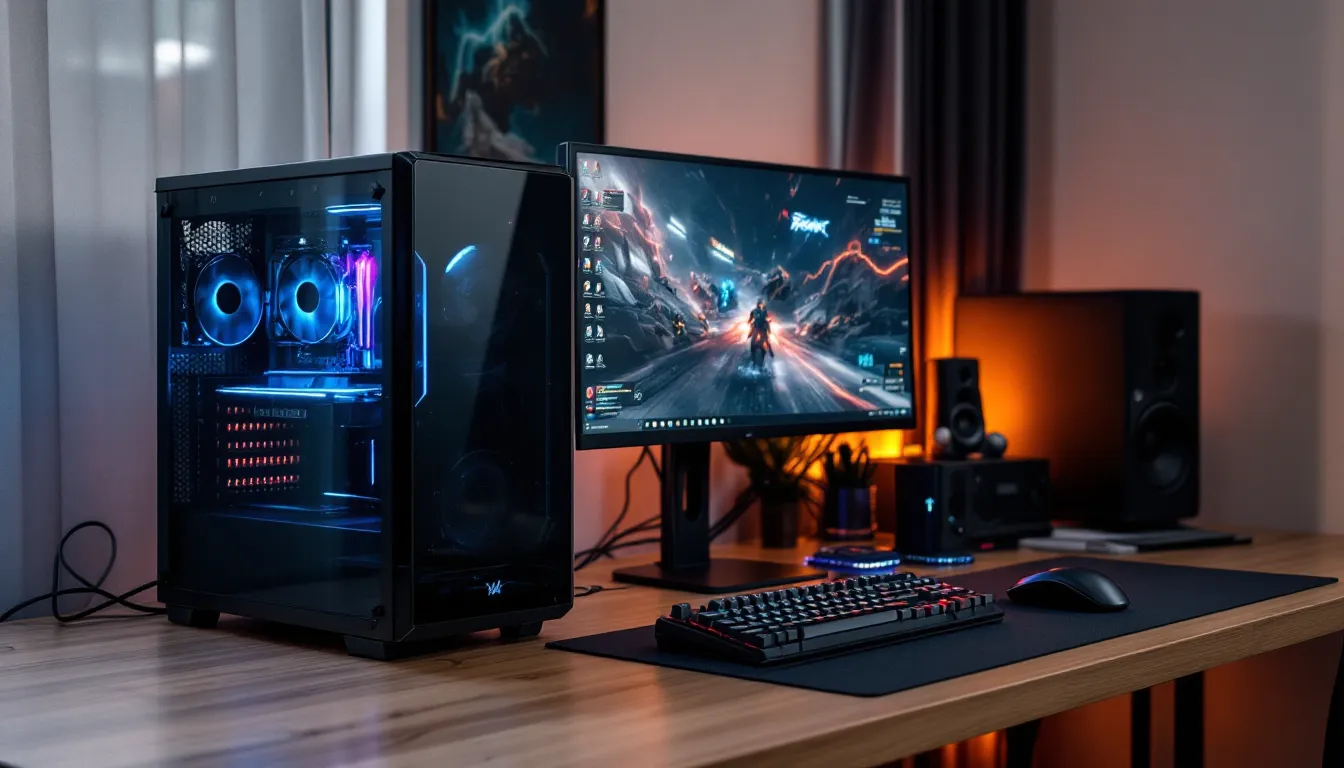
Building or buying a gaming PC under $500 sounds impossible in 2026, right? Wrong. While the days of $300 killer rigs are long gone, the $500 sweet spot still delivers surprisingly solid 1080p gaming if you know where to look and what compromises to accept. The best gaming pc under 500 won’t run Cyberpunk 2077 at ultra settings, but it’ll crush esports titles and handle most AAA games at medium settings with playable frame rates.
The trick isn’t finding magical hardware that doesn’t exist, it’s understanding what performance you actually need versus what YouTubers tell you to want. A good gaming pc under 500 in 2026 means strategic part selection, hunting deals like your rank depends on it, and sometimes accepting that “good enough” is actually pretty damn good. Whether you’re eyeing pre-builts or rolling up your sleeves for a custom build, this guide cuts through the BS to show you what’s genuinely achievable at this price point.
Key Takeaways
- A gaming PC under 500 delivers solid 1080p performance at 45-60 FPS on medium-high settings for AAA games and 100+ FPS for esports titles like Valorant and CS2.
- The GPU is your most critical component for gaming performance; allocate $150-180 of your budget to cards like the RX 6600 or RTX 3050, and compromise elsewhere before compromising here.
- Building your own gaming PC under 500 offers superior component quality, upgrade flexibility, and access to used markets compared to pre-built systems, though DIY requires 3-5 hours of assembly time.
- Strategic settings adjustments—disabling ray tracing, reducing shadows, and enabling upscaling tech like FSR or XeSS—enable a gaming PC under 500 to maintain playable framerates in demanding AAA titles.
- Never skimp on the power supply; invest in a reliable 500-550W 80+ Bronze unit from reputable brands to avoid hardware failures that could cost far more than the initial savings.
- Plan your upgrade path starting with GPU improvements in 12-18 months, followed by RAM expansion and storage additions, keeping your initial $500 investment relevant for 3-4 years of gaming.
What to Expect from a $500 Gaming PC
Performance Capabilities and Limitations
Let’s set realistic expectations. A gaming pc 500 dollars build in 2026 targets 1080p gaming as its primary resolution. You’re looking at medium to high settings on most modern titles with frame rates between 45-60 FPS, depending on the game’s optimization. Esports titles like Valorant, League of Legends, CS2, and Fortnite? Those will run at 100+ FPS easily, often maxed out.
The biggest limitation is GPU power. At this budget, you’re typically working with entry-level or used graphics cards, think AMD RX 6500 XT, Intel Arc A580, or if you’re lucky with used markets, an RTX 3050 or RX 6600. These aren’t powerhouses, but they’re competent.
CPU performance won’t be a major bottleneck if you choose wisely. Budget processors like AMD’s Ryzen 5 5500 or Intel’s i3-12100F offer quad-core or six-core performance that handles modern games without choking. You won’t be streaming at 1080p60 while gaming, but pure gaming performance? Totally viable.
Storage and RAM are where you’ll feel the pinch most. Expect 500GB SSDs (not the terabyte drives in premium builds) and 8GB-16GB of RAM. That 8GB floor is rough in 2026, some newer titles are pushing past that threshold, so 16GB should be the target even if it means sacrificing elsewhere.
Gaming Resolution and Frame Rates
1080p is your home. The best 500 dollar gaming pc isn’t touching 1440p gaming in any meaningful way, and 4K is a fantasy. At 1920×1080, though, the experience is genuinely solid.
For competitive shooters and MOBAs, you’re hitting 100-144 FPS regularly. Valorant easily pushes 150+ FPS on high settings. Rocket League, Overwatch 2, and Apex Legends all stay above 60 FPS on medium-high configurations. These are the games where a budget build shines, high refresh rates matter more than graphical fidelity, and you’ve got the horsepower.
AAA titles tell a different story. Expect 45-60 FPS on medium settings for games like Hogwarts Legacy, Starfield (with FSR enabled), or Modern Warfare III. You’ll need to tweak settings, dropping shadows to medium, reducing anti-aliasing, and using upscaling tech like FSR or XeSS becomes mandatory. It’s not pretty on paper, but 50 FPS at medium still looks and feels good when you’re in the moment.
The best gaming computer under 500 won’t give you ray tracing in any practical sense. Technically some budget cards support it, but enabling ray tracing at this tier drops you into the 20-30 FPS range. Just turn it off and enjoy smoother gameplay instead.
Pre-Built vs. Custom Build: Which Is Right for You?
Advantages of Pre-Built Gaming PCs
Pre-builts offer the path of least resistance. You order, it arrives, you plug it in, you game. For someone who’s never opened a PC case or doesn’t want to troubleshoot POST errors at midnight, that’s worth something.
Warranty coverage is the big draw. Most pre-built systems come with 1-year warranties covering the entire machine. If something dies, you’re not diagnosing which component failed, you just call support. That peace of mind has value, especially for first-time PC gamers.
In early 2026, some retailers occasionally bundle deals where pre-builts hit competitive pricing, especially during sales events. Brands like CyberPowerPC, iBUYPOWER, and Skytech sometimes offer configurations that undercut DIY pricing when they’ve secured bulk component deals. It’s rare at the $500 mark, but it happens.
The downside? Pre-built gaming computers under $500 often cheap out on invisible components. You’ll see a decent CPU and GPU advertised, but the motherboard will be a bare-bones OEM board with no upgrade path, the power supply will be an unbranded 80+ unit, and the case will have airflow that would embarrass a cardboard box. These compromises matter if you plan to upgrade later.
Why Building Your Own Saves Money
DIY building gives you control over every dollar spent. At the $500 price point, that control is critical. You can prioritize a better GPU by choosing a cheaper case, or spring for 16GB of RAM by going with a used processor. Pre-builts don’t offer that flexibility, you take the configuration they give you.
Component quality is another win. When you’re building, you can choose a reliable 500W 80+ Bronze PSU from a reputable brand instead of the generic unit in most budget pre-builts. You can select a motherboard with actual upgrade potential, making your rig future-proof.
The used market is accessible when building yourself. Platforms like eBay, r/hardwareswap, Facebook Marketplace, and Mercari let you snag previous-generation components at steep discounts. A used Ryzen 5 5600 or RTX 3050 can transform your build’s performance without blowing the budget. Pre-built companies don’t shop the used market for you.
Building also teaches you how your system works. When something eventually needs upgrading or troubleshooting, you’ll know your way around. That knowledge compounds over time. But, according to extensive hardware testing and component analysis, first-time builders should expect 3-5 hours for assembly and setup, which some people consider a dealbreaker.
Top Pre-Built Gaming PCs Under $500
Finding quality pre-builts at exactly $500 or under in 2026 requires patience and deal-hunting. Most configurations hover closer to $600-650, but sales and refurbished units bring options into range.
HP Pavilion Gaming Desktop (Refurbished) – Commonly available in the $450-500 range through HP’s official outlet or Best Buy refurbished section. Typical specs include a Ryzen 5 5500, Radeon RX 6400, 8GB RAM, and 256GB SSD. The RX 6400 is weak by modern standards, but upgradeable. The case and PSU are proprietary HP parts, which limits future upgrades significantly. It’s a solid starter for esports-focused gamers who won’t tinker much.
CyberPowerPC Gamer Xtreme (On Sale) – Periodically drops to $499 during holiday sales. You’ll typically see an Intel i3-12100F, GTX 1650, 8GB DDR4, and 500GB SSD. The GTX 1650 is aging but still handles 1080p esports and lighter titles. CyberPowerPC uses standard ATX components, making upgrades easier than HP’s proprietary builds. The catch? Build quality can be inconsistent, expect some cable management chaos and potentially flimsy case construction.
Skytech Blaze III (Refurb/Open Box) – Around $480-520 when refurbished units surface on Newegg or Amazon Warehouse. Specs usually include Ryzen 5 4500, RX 6500 XT, 8GB RAM, and 500GB SSD. The RX 6500 XT performs slightly better than the 6400, making this a meaningful step up from the HP option. Skytech’s cases have better airflow than most budget competitors, though RGB lighting is minimal (if you care about that).
Dell G15 Gaming Desktop (Outlet) – Dell’s outlet store occasionally lists G15 units under $500, typically with i3 processors and GTX 1650 or Intel Arc A380 graphics. Like HP, Dell uses proprietary parts that complicate upgrades. The Arc A380 is interesting, it underperforms in older DirectX 11 titles but handles modern DirectX 12 games surprisingly well thanks to Intel’s driver improvements through 2024-2025.
The reality? Most best gaming pc under $500 pre-builts require compromise. You’re either buying refurbished, catching a rare sale, or accepting components that were budget-tier even when they were new. They’ll game, but they won’t impress anyone. For building your own rig, many enthusiasts turn to detailed assembly tutorials that break down each step systematically.
Best $500 Custom Gaming PC Build
CPU: Choosing the Right Processor
The processor is your build’s foundation, but don’t overspend here, GPU matters more for gaming. Two strong choices dominate the budget space:
AMD Ryzen 5 5500 ($75-85 new, ~$60 used) – Six cores, twelve threads, solid gaming performance. It’s a previous-generation chip that still punches well above its weight in 2026. Most games don’t benefit from more than six cores, so this hits the performance-per-dollar sweet spot. The 5500 uses the AM4 socket, which has a clear upgrade path to Ryzen 5600X or 5700X3D if you find a deal later.
Intel Core i3-12100F ($85-95 new, ~$70 used) – Four cores, eight threads, but with 12th-gen architecture that delivers strong single-threaded performance. The “F” designation means no integrated graphics, but you’re buying a dedicated GPU anyway. It runs slightly cooler than the Ryzen option and can boost higher in lightly-threaded games. Uses the LGA1700 socket, giving you an upgrade path to 13th or 14th-gen Intel chips down the line.
Avoid the temptation to cheap out with a Ryzen 3 4100 or older Intel 10th-gen chips. That $15-20 savings isn’t worth the performance hit. Similarly, don’t splurge on a Ryzen 5 5600X or i5, that extra $30-40 should go toward your GPU instead.
Both processors come with adequate stock coolers. They’re not quiet or pretty, but they keep temps under control at stock speeds. Save money here, aftermarket coolers are an unnecessary expense on a $500 build.
GPU: Graphics Cards for Budget Gaming
The GPU is where your gaming experience lives or dies. Allocate roughly $150-180 of your $500 budget here, compromise elsewhere before you compromise on graphics.
AMD Radeon RX 6600 ($160-180 new, ~$130-150 used) – The king of budget 1080p gaming in 2026. Eight GB of VRAM, excellent 1080p performance, and support for FSR upscaling. It outperforms the RTX 3050 in most titles and handles AAA games at high settings with 60+ FPS. The used market is flooded with these after the crypto crash, making them easy to find at great prices.
NVIDIA RTX 3050 ($150-170 new/used) – Slightly weaker than the RX 6600 in raw performance, but supports DLSS upscaling and has better ray tracing capability (though still not practical at this tier). If you play a lot of NVIDIA-optimized titles or want that RTX badge, it’s viable. Eight GB VRAM keeps it relevant.
Intel Arc A580 ($140-160 new) – The wildcard. Intel’s Arc drivers matured significantly through 2024-2025, and the A580 now competes directly with the RX 6600 in modern titles. It struggles in older DirectX 11 games but excels in DirectX 12 and Vulkan. If your library is mostly post-2020 games, it’s a legitimate option. Plus, it supports XeSS upscaling.
AMD Radeon RX 6500 XT ($120-140 new) – Only if you’re truly desperate. Four GB of VRAM is its death sentence, some modern games won’t even let you select high textures. It’ll handle esports and older titles fine, but you’re building for 2026, not 2020.
Used previous-gen cards offer incredible value. GTX 1660 Super, RX 5600 XT, or even GTX 1070 Ti units show up for $100-130 and still deliver. Just verify the seller’s reputation and that the card wasn’t mining 24/7 for years. Independent testing from benchmark specialists shows that mining cards often have reduced lifespans, though gaming-only used cards typically perform like new.
RAM, Storage, and Motherboard Essentials
RAM – Target 16GB (2x8GB) DDR4-3200 CL16. It typically costs $35-45 for a kit from brands like Corsair Ventura, Team Group, or Silicon Power. Yes, you can get by with 8GB and save $20, but you’ll immediately feel it in 2026. Games like Starfield, Hogwarts Legacy, and even Call of Duty are pushing 10GB+ usage. Don’t bottleneck your system here.
DDR5 is irrelevant at this budget. The motherboards that support it cost significantly more, and the performance gains don’t justify the price premium for gaming.
Storage – A 500GB NVMe SSD is the minimum viable option at $25-35. Brands like Kingston NV2, Crucial P3, or TeamGroup MP33 offer adequate speeds. Skip SATA SSDs, NVMe drives cost the same now and are noticeably faster for game load times.
Can you survive on 500GB? If you’re selective about what’s installed, yes. Call of Duty alone eats 150GB, so you’ll be managing space. If you can stretch to a 1TB drive for $45-50, do it. Your sanity is worth $15.
Motherboard – Pair your CPU choice with the appropriate budget board:
-
For Ryzen 5 5500: ASRock B450M-HDV ($60-70) or Gigabyte B550M DS3H ($75-85). The B450 is barebones but functional. The B550 adds PCIe 4.0 support and better VRMs if you want upgrade headroom.
-
For Intel i3-12100F: ASRock B660M-HDV ($80-90) or MSI PRO B660M-A ($85-95). The B660 chipset is the sweet spot, H610 boards lack features, and Z690 is overkill for a locked processor.
All these boards support the basics: four RAM slots, M.2 NVMe storage, and PCIe x16 for your GPU. They won’t have RGB headers, fancy heatsinks, or Wi-Fi, but they work.
Power Supply and Case Recommendations
Power Supply – Don’t cheap out. A failing PSU can fry your entire system. Target a 500-550W 80+ Bronze unit from reputable brands:
- EVGA 500 BR ($40-45) – Reliable, widely available, 3-year warranty.
- Thermaltake Smart 500W ($35-40) – Budget-friendly but adequate for this build.
- Corsair CV550 ($45-50) – Slightly better build quality and quieter operation.
Avoid unbranded units from Amazon or ultra-cheap options under $30. The $10 you save isn’t worth the risk of a dead motherboard. Modular cables are a luxury you can’t afford here, deal with the cable spaghetti.
Case – You need something with airflow and enough space for a standard ATX PSU and your GPU. At $35-50, options are limited but serviceable:
- Thermaltake Versa H18 ($40-45) – MicroATX, mesh front panel for airflow, includes one rear fan.
- Cougar MX330 ($40-50) – Clean design, tempered glass side panel if aesthetics matter to you.
- Montech X1 ($45-50) – Three included RGB fans (if you care), decent build quality for the price.
Skip cases under $35. They’re typically solid metal boxes with no airflow and sharp edges that’ll cut you during assembly. Your GPU will thermal throttle, and you’ll hate the building experience. Many PC enthusiasts reference comprehensive hardware guides when selecting compatible components for budget builds.
Where to Find the Best Deals on Gaming PC Parts
Building a gaming computer under $500 means becoming a deal hunter. Prices fluctuate weekly, and patience saves serious money.
Amazon – Obvious but inconsistent. Use CamelCamelCamel to track price history and set alerts for components on your list. Lightning deals occasionally drop GPUs or CPUs by 15-20%, but you need to move fast. Amazon Warehouse deals (open box or returned items) can save another 10-15% with minimal risk thanks to Amazon’s return policy.
Newegg – Particularly strong for combo deals. They’ll bundle a motherboard + CPU or GPU + power supply with discounts that beat buying separately. Newegg’s refurbished section and open-box items are also worth monitoring. Their shuffle system for in-demand GPUs is mostly dead in 2026, but flash sales still happen.
Micro Center (In-Store Only) – If you’re within driving distance of a Micro Center location, you’ve struck gold. Their CPU + motherboard combo deals are legendary, often $20-50 off compared to online pricing. Open-box items and clearance shelves hide gems. Call ahead to verify stock before making the trip.
Best Buy – Not traditionally a PC builder’s destination, but their open-box and clearance sections occasionally stock GPUs and components at steep discounts. Their refurbished pre-builts are worth checking if you’re considering that route instead of DIY.
r/buildapcsales (Reddit) – The single best resource for tracking deals in real-time. Community members post price drops the moment they happen, and comment sections quickly verify if a deal is legitimate or trash. Check it daily when you’re ready to buy. Set up alerts for specific components using keyword tracking.
Used Markets – eBay, r/hardwareswap, Facebook Marketplace, OfferUp, and Mercari all host active used component markets. Used GPUs from the 2020-2022 mining boom are everywhere at 40-50% off original MSRP. Used CPUs rarely fail, making them low-risk purchases. Motherboards and RAM are hit or miss, buy from sellers with strong feedback ratings.
For used deals, always verify the exact model number, ask for timestamps in photos, and use PayPal Goods & Services for buyer protection. On Facebook Marketplace and OfferUp, meet in public places and test components if possible.
Manufacturer Outlets – Dell, HP, and Lenovo’s official outlet stores sell refurbished systems and components with warranties. If a pre-built makes more sense for your situation, these outlets beat third-party refurbished units.
Timing matters. Black Friday, Cyber Monday, back-to-school sales (late July-August), and Prime Day (July) all feature PC component deals. If you’re not in a rush, waiting for these events can stretch your budget by 10-15%.
Games You Can Play on a $500 Gaming PC
Popular Esports Titles
This is where your best gaming computer under $500 absolutely dominates. Competitive games are optimized for accessibility, meaning they run on damn near anything, and they’ll run well on your budget build.
Valorant – Expect 150-200+ FPS on high settings at 1080p with an RX 6600 and Ryzen 5 5500. Riot’s engine is incredibly well-optimized. Even on medium settings, you’re comfortably above 144 FPS, making high-refresh monitors viable.
League of Legends – 200+ FPS maxed out. Seriously, you could run this on a potato, but your build makes it buttery smooth.
CS2 (Counter-Strike 2) – 120-150 FPS on high settings. Source 2 engine demands more than CS:GO did, but your budget rig handles it without breaking a sweat.
Fortnite – 100-120 FPS on high settings, 140+ on medium/competitive settings. Enable performance mode for even higher framerates if you’re chasing every advantage.
Rocket League – 120-150+ FPS maxed out at 1080p. Zero compromises needed.
Apex Legends – 80-100 FPS on high, 100-130 on medium settings. The texture streaming can be demanding, but 16GB of RAM handles it fine.
Overwatch 2 – 100-130 FPS on high settings. Blizzard’s optimization is excellent, and the game scales well across hardware tiers.
Dota 2 – 100+ FPS on high settings, even during chaotic teamfights. Valve’s commitment to performance shows.
Every single one of these titles is completely playable at competitive framerates. You’re not at a hardware disadvantage against players with $2000 rigs in these games, skill matters infinitely more than your extra 50 FPS above 144.
AAA Games and Settings Optimization
AAA titles require more realistic expectations and smarter settings adjustments. You’re not maxing out The Last of Us Part I, but you’re also not stuck at low settings staring at PS3-era graphics.
Cyberpunk 2077 (Patch 2.1+) – 40-50 FPS on medium settings at 1080p with FSR Quality mode enabled. Disable ray tracing entirely. It’s playable, though not as smooth as competitive titles. Lower crowd density and shadow quality to medium for a few extra frames.
Starfield – 45-55 FPS on medium-high settings with FSR enabled. Bethesda’s optimization improved significantly post-launch. Reduce shadow distance and volumetric lighting for better consistency.
Baldur’s Gate 3 – 50-60 FPS on high settings in most areas. Act 3’s city sections drop to 40-45 FPS due to CPU load, but it’s a turn-based RPG where framerate matters less.
Hogwarts Legacy – 45-55 FPS on medium settings with FSR. Drop ray-traced shadows and reflections (they’re subtle anyway), and you’ll hover around 50 FPS consistently.
Call of Duty: Modern Warfare III – 70-90 FPS on medium-high settings. Call of Duty’s engine remains one of the best-optimized in the AAA space. You can push high settings on most options and maintain 60+ FPS.
Red Dead Redemption 2 – 45-55 FPS on a mix of medium-high settings. This game is demanding, but it’s also gorgeous even at medium. Reduce water physics and volumetric lighting for the best balance.
Elden Ring – Locked 60 FPS on high settings (the game’s capped at 60). FromSoftware’s engine isn’t particularly demanding by 2026 standards.
Spider-Man Remastered – 55-70 FPS on medium-high settings. Insomniac’s PC ports are excellent, and the game scales well. Use medium ray tracing if you want slightly prettier reflections without tanking performance.
The pattern? Medium settings at 1080p with upscaling (FSR, XeSS, or DLSS if you went RTX 3050) deliver 45-60 FPS in almost everything. That’s legitimately playable. You’re not suffering through 30 FPS console-style experiences. According to analysis from hardware testing publications, upscaling technologies have become essential for budget gaming in 2026, often providing 20-30% performance improvements with minimal visual compromise.
Settings to drop first: Ray tracing (always), shadow quality (high to medium saves 5-10 FPS), ambient occlusion (SSAO instead of HBAO+), and volumetric lighting/fog (medium or low). These changes have minimal visual impact but significant performance gains.
Upgrading Your Budget Gaming PC Over Time
The beauty of building your own gaming computer under 500 is the upgrade path. You’re not locked into a static configuration, you can evolve the system as budgets allow and bottlenecks appear.
GPU First – In 12-18 months when you’ve saved another $200-300, upgrading your GPU delivers the biggest performance jump. An RX 6600 can step up to an RX 7600 or RTX 4060, instantly pushing you from medium to high-ultra settings in AAA games. Your CPU, RAM, and motherboard won’t bottleneck a midrange GPU, making this a clean upgrade.
Used market timing matters. When the RTX 5000 or RX 8000 series launches, previous-gen cards flood the used market at 30-40% discounts. That RX 7600 XT that costs $300 new? It’ll be $180-200 used six months after the next generation drops.
RAM Second – If you started with 8GB (because budget was really tight), bumping to 16GB is your first upgrade. It costs $25-30 for another 8GB stick and takes 30 seconds to install. The performance improvement in modern games is immediate and noticeable.
If you’re already at 16GB, jumping to 32GB is unnecessary unless you’re streaming, video editing, or running heavily modded games. Pure gaming doesn’t benefit from 32GB in 2026.
Storage as Needed – When your 500GB drive fills up, adding a second NVMe or SATA SSD is cheap and easy. A 1TB SATA SSD costs $40-50 and takes five minutes to install. Most budget motherboards have at least one additional M.2 slot or multiple SATA ports.
Don’t bother with HDDs in 2026. The speed difference is too significant, and SSDs are cheap enough that the capacity savings don’t justify the performance hit.
CPU Later – Your Ryzen 5 5500 or i3-12100F will remain viable for 3-4 years in gaming workloads. When you eventually upgrade, the AM4 and LGA1700 platforms support significantly faster processors without changing motherboards. A used Ryzen 5 5600X or i5-12400F will cost $80-100 in a couple years and drop right into your existing board.
Peripherals Matter – If you’re gaming on a 60Hz monitor with a membrane keyboard and cheap mouse, upgrading peripherals often improves the experience more than internal hardware. A 1080p 144Hz monitor ($120-150 used) transforms competitive gaming. A decent mechanical keyboard ($40-60) and gaming mouse ($25-40) improve comfort and responsiveness.
Don’t upgrade just to upgrade. Identify your actual bottleneck, is it GPU framerate? Storage space? RAM causing stutters?, and address that specific issue. Sequential, targeted upgrades maximize value. For those looking to further enhance performance, PC optimization techniques can squeeze additional FPS from existing hardware without spending a dollar.
Common Mistakes to Avoid When Buying a Budget Gaming PC
Budget builds are unforgiving, every mistake costs you performance or money you don’t have to waste.
Skimping on the PSU – The $25 no-name power supply from Amazon will work for three months, then fry your motherboard and GPU. It’s not worth the $15-20 savings. Stick to reputable brands with at least 80+ Bronze certification and actual warranties. This isn’t paranoia, cheap PSUs have measurably higher failure rates.
Buying Too Little RAM – 8GB was borderline in 2024. It’s inadequate in 2026. Games are using 10-14GB at high settings now. Starting with 8GB means you’ll upgrade within months, effectively wasting that initial purchase. Spend the extra $20-25 upfront for 16GB.
Ignoring Used Markets – New components feel safer, but you’re leaving 30-40% performance on the table by refusing to buy used. A used RX 6600 for $140 outperforms a new RX 6500 XT at the same price. Used CPUs almost never fail. As long as you buy from reputable sellers with return policies, the risk is minimal.
Overspending on Aesthetics – RGB lighting, tempered glass panels, and fancy cable sleeves don’t increase FPS. That $20 extra for a prettier case could’ve gone toward a better GPU or more storage. Aesthetics are fine when you have budget headroom, at $500, function beats form every time.
Choosing the Wrong Resolution – Don’t build a $500 PC to game at 1440p. You’ll be disappointed. A 1080p 144Hz monitor costs less than 1440p 60Hz and delivers a better experience with your hardware. Match your expectations to your build tier.
Forgetting Windows Licensing – Windows 10/11 costs $100+ at retail. That’s 20% of your build budget. Legally gray options exist (cheap OEM keys for $10-20, using Windows unactivated with a watermark), but factor this into planning. Some people forget entirely and then have to drop another $100 post-build.
Buying Outdated Components – Just because a used GTX 1050 Ti is cheap doesn’t make it a deal. Check benchmarks before buying older hardware. Sometimes a “bargain” is just obsolete. A $60 GTX 1050 Ti gets demolished by a $100 RX 6500 XT, the extra $40 matters.
Ignoring Clearance – Measure your GPU length against your case specs. Measure your CPU cooler height. “It’ll probably fit” leads to frantic midnight returns when your 310mm GPU doesn’t fit in your 290mm case. Five minutes with a tape measure or spec sheet prevents this.
Impatience with Deals – Buying everything immediately at current prices can cost $50-75 more than waiting 2-4 weeks for sales. If you’re not in a rush, patience stretches your budget significantly. Set up price alerts and wait for components to drop 10-15%.
Overlooking Bottlenecks – Pairing a high-end CPU with a terrible GPU, or vice versa, wastes money. A balanced build means your CPU and GPU are appropriate for each other. A Ryzen 7 with an RX 6500 XT is silly, drop to a Ryzen 5 and upgrade the GPU. For comparison shopping and build ideas, checking resources like gaming PC comparisons helps identify balanced configurations at various price points.
Forgetting Peripherals and Accessories – Your $500 gaming PC needs a monitor, keyboard, mouse, and possibly a desk and chair if you’re starting from scratch. If the total setup budget is $500, the PC itself needs to cost $300-350, leaving room for peripherals. Plan the full setup cost, not just the tower.
Conclusion
A good gaming pc under 500 in 2026 is absolutely achievable, it just requires strategy, patience, and realistic expectations. You’re not building a 4K powerhouse or a streaming rig, but you’re absolutely capable of smooth 1080p gaming in both esports titles and modern AAA games with smart settings management.
The DIY route gives you the best performance per dollar and future upgrade flexibility. Used components extend your budget significantly without meaningful risk. Pre-builts offer convenience and warranties but typically compromise on component quality and upgradeability at this price tier.
Hunt deals aggressively, prioritize GPU and RAM in your budget allocation, and don’t cheap out on the power supply. Build balanced, no point in an expensive CPU paired with a terrible GPU. Most importantly, understand what you’re building for: 1080p gaming at medium-high settings with competitive framerates in esports titles and playable experiences in AAA games.
That’s not a compromise, that’s a legitimate gaming experience for $500. And when you’re ready to upgrade in a year or two, you’ve got a solid foundation that accepts better GPUs, more storage, and faster processors without rebuilding from scratch. Start hunting those deals, and you’ll be gaming at a level that would’ve cost $800-1000 just a few years ago.