

Android gaming has evolved from simple touchscreen taps to a full-blown console experience that fits in your hands. The dedicated Android gaming console market has exploded over the past few years, carving out a niche between smartphones and traditional gaming systems. These devices pack console-quality gaming into portable form factors, complete with physical controls, optimized cooling, and hardware tailored specifically for gaming marathons.
If you’re tired of draining your phone’s battery mid-game or fumbling with awkward touchscreen controls during crucial moments, an Android gaming console might be exactly what you need. This guide breaks down everything you need to know about these specialized devices, from the top models dominating 2026 to the technical specs that actually matter when you’re dropping cash on new hardware.
Key Takeaways
- Android gaming consoles deliver console-quality gaming with integrated physical controls, eliminating the touchscreen limitations and battery drain of traditional smartphones.
- The Android gaming console market offers options at every price point—budget models like the Retroid Pocket 5 at $249 for retro gaming, mid-range devices around $400-500 for balanced performance, and premium options like the Razer Edge 2 at $599 for maximum specs.
- Superior cooling systems and larger batteries (6,000-10,000mAh) allow Android gaming consoles to sustain 4-8 hours of demanding gameplay without thermal throttling, significantly outlasting smartphones during extended gaming sessions.
- Access to Google Play Store, cloud gaming services (Xbox Game Pass, GeForce NOW), and emulation capabilities makes Android gaming consoles vastly more versatile than locked-down competitors like Nintendo Switch.
- Look for mid-range devices with Snapdragon 8 Gen 2 processors or better, 120Hz AMOLED displays, hall-effect analog sticks, and 9,000+ mAh batteries to balance performance, portability, and real-world gaming experience.
What Is an Android Gaming Console?
An Android gaming console is a dedicated handheld or portable device that runs Android OS specifically optimized for gaming. Unlike your everyday smartphone, these devices prioritize gaming performance over camera quality, business apps, or general productivity features.
These consoles typically feature built-in physical controllers, enhanced cooling systems, and hardware configurations that push the boundaries of what mobile chips can handle. They’re designed to run Android games from the Google Play Store, support cloud gaming platforms, and often excel at emulation for retro titles.
Think of them as the middle ground between a gaming smartphone and a Nintendo Switch, but with access to Android’s massive game library instead of locked-down proprietary ecosystems.
How Android Gaming Consoles Differ from Traditional Consoles
Traditional consoles like the PlayStation 5 or Xbox Series X are stationary powerhouses tethered to your TV, drawing hundreds of watts and requiring external controllers. Android gaming consoles sacrifice raw graphical horsepower for portability and versatility.
The biggest difference is the game library. Traditional consoles rely on AAA exclusives and physical/digital stores controlled by Sony, Microsoft, or Nintendo. Android gaming consoles tap into Google Play’s thousands of titles, cloud gaming services like Xbox Cloud Gaming and GeForce NOW, plus the entire retro gaming scene through emulation.
Another key distinction: price and accessibility. While a PS5 or Series X demands $500+ before you even buy games, most Android gaming consoles land between $200-$600, often with immediate access to free-to-play titles and subscription services. The tradeoff? You won’t be playing cutting-edge AAA releases at native 4K with ray tracing, but you’ll get impressive mobile gaming performance anywhere you go.
Why Choose an Android Gaming Console Over Smartphones or Tablets?
Smartphones can technically run the same games as dedicated Android gaming consoles, so why bother with a separate device? The answer comes down to purpose-built design, performance optimization, and long-term value.
Your flagship smartphone might pack a Snapdragon 8 Gen 3 or equivalent chip, but it’s juggling notifications, background apps, OS bloat, and thermal throttling within minutes of intensive gameplay. Dedicated consoles streamline everything toward one goal: sustained gaming performance.
Enhanced Controls and Ergonomics
Touchscreen controls are the weakest link in mobile gaming. Even with customizable on-screen buttons, you’re blocking precious screen real estate with your thumbs while trying to execute precise movements. Try playing a competitive shooter or complex RPG with virtual controls and you’ll quickly hit a skill ceiling.
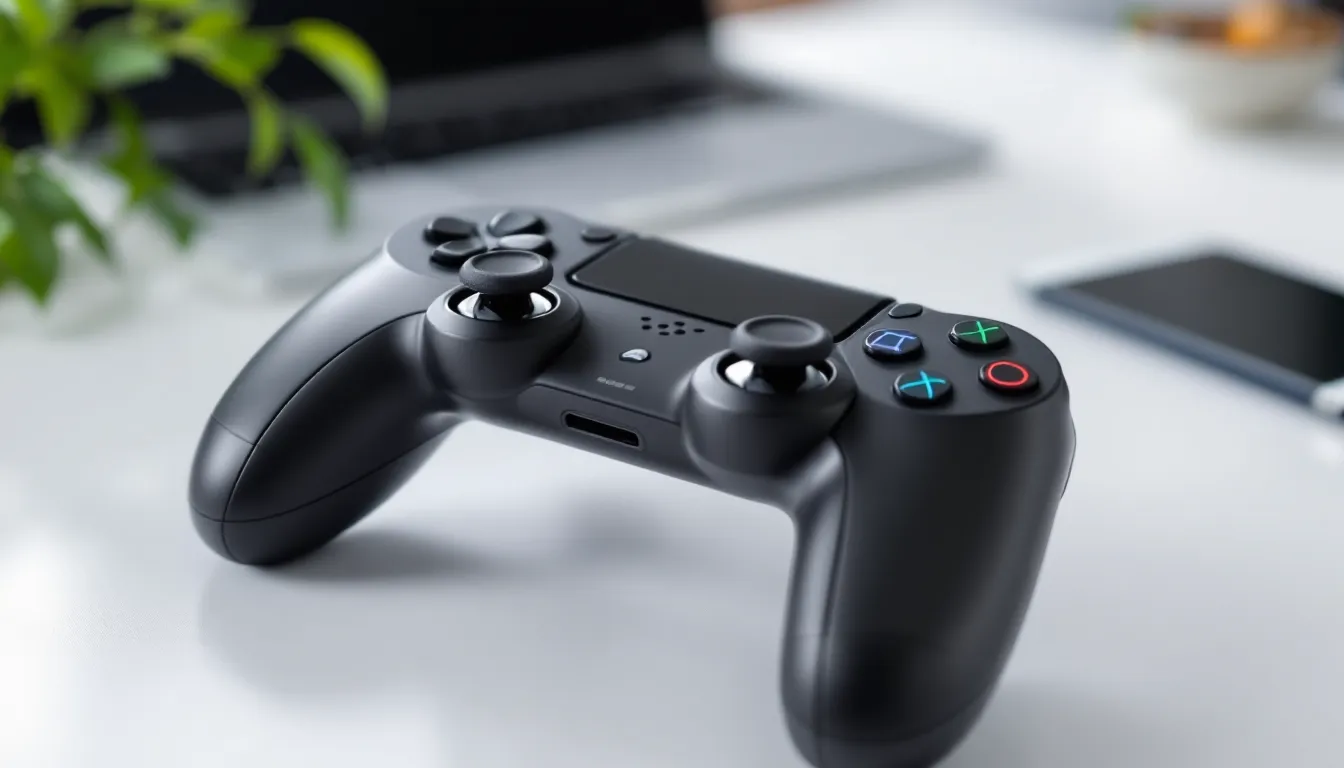
Android gaming consoles integrate physical buttons, analog sticks, and triggers directly into the device chassis. The ergonomics rival traditional console controllers, some models even feature hall-effect triggers and programmable back buttons that serious mobile gaming enthusiasts have been demanding.
The difference in gameplay feel is night and day. Precision aiming in Call of Duty Mobile, combo execution in fighting games, and platforming in Sonic titles all improve dramatically with proper physical controls.
Superior Performance and Cooling
Smartphones throttle performance when temperatures climb because overheating damages internal components and makes the device uncomfortable to hold. Gaming consoles don’t need to compromise.
Most Android gaming consoles in 2026 feature active cooling solutions, vapor chambers, copper heat pipes, and even tiny fans that keep chipsets running at peak clock speeds during extended sessions. This translates to higher sustained frame rates, better graphical fidelity, and zero thermal throttling during hour-long gaming marathons.
Battery capacity is another major advantage. While flagship phones pack 4,500-5,500mAh batteries that need to last all day for mixed use, gaming consoles routinely ship with 6,000-10,000mAh cells dedicated entirely to gameplay. You’re looking at 4-8 hours of actual gaming time depending on settings and titles.
Dedicated Gaming Experience
Using a smartphone for gaming means constant interruptions, texts, calls, social media notifications, and email alerts all compete for your attention. An Android gaming console eliminates these distractions entirely.
These devices let you keep your primary phone free for communication while dedicating a separate device to gaming. Your phone battery stays charged for actual phone duties, and you’re not dealing with notification spam during clutch moments in ranked matches. It’s the same reason people buy dedicated e-readers instead of reading on their phones, single-purpose devices simply work better.
Top Android Gaming Consoles in 2026
The Android gaming console market has matured significantly, with several manufacturers delivering genuinely compelling hardware. Here’s the current lineup dominating 2026.
Best Premium Option for Performance Enthusiasts
The Razer Edge 2 takes the crown for raw performance in 2026. This second-generation device fixed most of the original’s shortcomings while doubling down on what worked.
Key specs:
- Qualcomm Snapdragon 8 Gen 3 processor
- 8.5-inch AMOLED display at 144Hz
- 12GB LPDDR5X RAM
- 256GB UFS 4.0 storage (expandable via microSD)
- 8,000mAh battery with 65W fast charging
- Xbox-style controller with hall-effect sticks
- Active cooling with vapor chamber
The Razer Edge 2 handles everything you throw at it, Genshin Impact at max settings maintains 60fps without breaking a sweat, cloud gaming streams look pristine, and emulation up to PS2/GameCube runs flawlessly. The 144Hz display makes competitive mobile titles feel responsive and smooth.
Downsides? It’s pricey at $599 for the base model, and the device is bulkier than competitors. But for performance-first gamers who want the absolute best, it’s worth the premium.
Best Budget-Friendly Android Gaming Console
The Retroid Pocket 5 delivers shocking value at just $249. While it makes compromises compared to flagship models, it nails the essentials that most gamers actually care about.
Key specs:
- MediaTek Dimensity 9200+ processor
- 6-inch IPS LCD at 90Hz
- 8GB RAM
- 128GB storage (expandable)
- 5,500mAh battery
- Compact form factor at just 7.2 inches wide
This console targets retro gaming enthusiasts and casual mobile gamers rather than flagship AAA title chasers. It absolutely crushes emulation through N64, Dreamcast, and PSP while handling most Google Play titles at medium-to-high settings. The compact size makes it genuinely pocketable, something premium models can’t claim.
The 90Hz display won’t wow competitive gamers, and demanding titles like Honkai: Star Rail require graphics compromises. But for the price, the Retroid Pocket 5 is an absolute steal that punches way above its weight class.
Best Portable Android Gaming Console
The AYN Odin 2 Pro strikes the perfect balance between performance, portability, and battery life. It’s become the go-to recommendation for gamers who prioritize gaming on the go over specs bragging rights.
Key specs:
- Qualcomm Snapdragon 8 Gen 2 processor
- 6.5-inch AMOLED display at 120Hz
- 10GB RAM
- 256GB storage
- 9,600mAh battery with 45W charging
- Ergonomic grip design
- Dual front-facing speakers
What sets the Odin 2 Pro apart is its battery efficiency. That massive 9,600mAh cell delivers 6-8 hours of actual gameplay in demanding titles, more than enough for cross-country flights or full day trips. The ergonomics are also top-tier, with contoured grips that make extended sessions comfortable.
Performance sits between the budget and premium tiers. It won’t quite match the Razer Edge 2’s peak frame rates, but it handles modern console-quality mobile titles admirably while maintaining better battery life. At $449, it represents the sweet spot for most buyers.
Key Features to Look for When Buying an Android Gaming Console
Not all Android gaming consoles are created equal. These are the specs and features that actually impact your gaming experience.
Processor and GPU Capabilities
The chipset determines everything, frame rates, graphical fidelity, emulation performance, and future-proofing. In 2026, you want at minimum a Snapdragon 8 Gen 2, Dimensity 9200, or equivalent.
Performance tiers:
- Budget: Dimensity 9000 series, Snapdragon 8+ Gen 1 (handles most titles at medium settings)
- Mid-range: Snapdragon 8 Gen 2, Dimensity 9200+ (high settings for most games, excellent emulation)
- Premium: Snapdragon 8 Gen 3, Dimensity 9300 (max settings, future-proofed for 2-3 years)
The GPU matters more than CPU for gaming. Adreno 740 and above (found in Snapdragon 8 Gen 2+) or Mali-G715 and above (MediaTek) deliver the graphical horsepower needed for demanding titles.
Don’t get hung up on benchmark numbers, look for real-world gaming tests with the specific titles you plan to play. A device that maintains consistent 60fps with stable frame times beats one that hits 90fps but stutters constantly.
Display Quality and Refresh Rate
Display specs directly impact visual experience and competitive performance. Three factors matter most: panel type, resolution, and refresh rate.
Panel type: AMOLED displays deliver superior contrast, deeper blacks, and better color reproduction compared to IPS LCD. The difference is especially noticeable in dark environments and visually rich games. OLED also consumes less power when displaying darker content.
Resolution: Most Android gaming consoles in 2026 ship with 1080p displays, which is the sweet spot for 6-8 inch screens. Higher resolutions like 1440p exist but tank battery life and performance for minimal visual improvement at this size.
Refresh rate: This is where competitive gamers should pay attention. According to recent analysis from The Verge, the jump from 60Hz to 120Hz provides tangible responsiveness improvements in fast-paced titles. Going beyond 120Hz to 144Hz offers diminishing returns unless you’re playing competitive shooters or fighting games.
For most gamers, a 120Hz AMOLED at 1080p represents the optimal configuration.
Battery Life and Charging Speed
Battery capacity means nothing without context, a 10,000mAh battery paired with an inefficient chip and bright display might deliver worse gaming time than a 6,000mAh cell with better optimization.
Look for real-world gaming battery tests rather than manufacturer claims. Most quality Android gaming consoles in 2026 should deliver:
- 4-5 hours in demanding AAA mobile titles at high settings
- 6-8 hours in mid-tier games or cloud gaming
- 10+ hours for retro emulation and lightweight titles
Fast charging is equally important. When you’ve got limited time between gaming sessions, 45W+ charging that refills 50% capacity in 30 minutes makes a huge practical difference. Some newer models support 65W or even 100W charging, though diminishing returns kick in above 65W.
Controller Design and Button Layout
Physical controls are the entire point of buying a dedicated gaming console instead of using your phone with a clip-on controller. Several factors separate good controllers from great ones.
Analog stick quality: Hall-effect sensors eliminate stick drift entirely, the plague that ruins traditional potentiometer-based sticks after 6-12 months of heavy use. In 2026, this feature is becoming standard on mid-range and premium models.
Button feel: Membrane buttons feel mushy and imprecise. Look for tactile mechanical switches with clear actuation points. Travel distance matters too, shallow buttons cause missed inputs while overly deep buttons slow response times.
Trigger design: Analog triggers with adjustable tension and travel distance let you customize for different game genres. Racing games benefit from full analog travel, while shooters often work better with hair-trigger modes that reduce pull distance.
Ergonomics: The best specs mean nothing if the device is uncomfortable during hour-long sessions. Contoured grips, proper weight distribution, and button placement that doesn’t require stretching are non-negotiable for serious gaming.
Popular Game Compatibility and Ecosystem
Hardware means nothing without games. The Android gaming ecosystem in 2026 offers unprecedented variety across native titles, cloud gaming, and emulation.
Google Play Store Access and Game Selection
Every Android gaming console provides full Google Play Store access, giving you immediate entry to thousands of titles. The mobile gaming landscape has evolved dramatically, what started as casual time-killers now includes console ports, original AAA productions, and competitive esports titles.
Top genres thriving on Android in 2026:
- Battle Royales: PUBG Mobile, Call of Duty Mobile, Apex Legends Mobile
- MOBAs: Mobile Legends, League of Legends: Wild Rift, Honor of Kings
- RPGs: Genshin Impact, Honkai: Star Rail, Tower of Fantasy
- Strategy: Clash Royale, Teamfight Tactics, Marvel SNAP
- Console Ports: Dead Cells, Stardew Valley, GRID Autosport, Resident Evil 4
The advantage of Android gaming consoles over traditional handhelds is the constant influx of new free-to-play titles. You’re not locked into a single publisher’s ecosystem or forced to pay $40-60 per game.
One caveat: not all Play Store games support physical controllers. Most premium titles do, but check compatibility before purchasing games if controller support is critical for your use case.
Cloud Gaming Services Compatibility
Cloud gaming has matured into a genuinely viable option in 2026, especially for Android devices. Every major service now supports Android, turning your handheld console into a portal for AAA PC and console titles.
Major services compatible with Android gaming consoles:
- Xbox Cloud Gaming (Game Pass Ultimate): Best overall library with 400+ titles including day-one first-party releases
- GeForce NOW: Plays games you already own on Steam, Epic, and other PC storefronts with excellent performance
- PlayStation Plus Premium: Stream PS4 and PS5 titles with growing library support
- Amazon Luna: Solid performance and rotating library, though smaller than competitors
As reported by Digital Trends, latency has dropped significantly with recent infrastructure improvements, making cloud gaming viable even for action titles. You’ll still want a solid WiFi connection (5GHz minimum, wired when possible), but gone are the days of 100ms+ input lag ruining the experience.
Cloud gaming transforms Android consoles into remarkably versatile devices. Suddenly you’re not limited to mobile-optimized titles, you’ve got access to Starfield, Baldur’s Gate 3, Cyberpunk 2077, and other PC/console exclusives through streaming.
Emulation Capabilities for Retro Gaming
Emulation is where Android gaming consoles truly shine. The combination of powerful ARM processors, excellent controller integration, and mature emulator apps makes these devices perfect for revisiting classic titles.
Emulation performance in 2026 (mid-range devices and above):
- NES/SNES/Genesis: Flawless across all devices
- N64/PS1/Dreamcast: Perfect on budget devices and above
- GameCube/PS2/Xbox: Requires mid-range specs minimum, excellent on premium devices
- Wii/PSP: Smooth on mid-range and above
- Nintendo DS/3DS: DS perfect everywhere, 3DS needs mid-range minimum
- Switch: Early titles playable on premium devices, newer games struggle
Popular emulators like RetroArch, AetherSX2 (PS2), Dolphin (GameCube/Wii), and Citra (3DS) are all actively maintained with Android optimization. The retro gaming community continues developing better cores and performance improvements throughout 2026.
Legal note: Emulation itself is legal, but downloading ROMs of games you don’t own physical copies of enters murky territory. Dumping your own game files from cartridges and discs you purchased is the safest approach legally.
Setting Up Your Android Gaming Console for Optimal Performance
Unboxing your new Android gaming console is just step one. Proper configuration makes the difference between good performance and great performance.
Initial Configuration and Account Setup
First boot takes 10-15 minutes as the device installs system updates and configures Android. Don’t skip updates, early firmware often contains critical performance patches and bug fixes.
Essential first steps:
- Google account linking: Sign in with your existing account to immediately access purchased games and saved progress
- Display calibration: Adjust brightness, color temperature, and refresh rate to your preference (higher refresh rates drain battery faster)
- Controller mapping: Test all buttons, triggers, and analog sticks to verify everything registers correctly
- Storage management: If your device supports microSD expansion, format and configure external storage for game installations
- Network setup: Connect to WiFi (5GHz band when available) and test cloud gaming latency if you plan to use streaming services
Most Android gaming consoles ship with custom launcher overlays that prioritize games over standard Android apps. Familiarize yourself with the interface, it’s usually more game-console-like than smartphone-like.
Performance Optimization Tips
Out-of-box settings prioritize balanced performance over maximum gaming capability. These tweaks extract better frame rates and smoother gameplay.
Performance-focused settings:
- Enable Developer Options: Tap build number 7 times in About Device, then access advanced settings
- Force GPU rendering: In Developer Options, enable “Force GPU rendering” for apps that don’t automatically leverage GPU
- Reduce background processes: Limit background process limit to “At most 2 processes” to free RAM for games
- Disable animations: Turn off window animations and transition animations for snappier interface response
- Performance mode: Switch power profile from balanced to performance mode (expect 15-20% battery life reduction)
- Cooling optimization: If your device has active cooling, ensure vents aren’t blocked during gameplay
For specific demanding titles, consider these game-level tweaks:
- Lower shadow quality first, it’s the biggest performance hog with minimal visual impact
- Reduce render distance before dropping texture quality
- Disable motion blur and depth of field effects (they tank FPS and most gamers prefer them off anyway)
- Lock frame rate to 60fps instead of unlocked if you’re experiencing frame time inconsistency
Testing performance is straightforward. Most games include FPS counters in settings, or you can use overlay apps like GameBench to monitor real-time frame rates, frame times, and temperature.
Android Gaming Console vs. Other Gaming Platforms
How do Android gaming consoles stack up against the competition? Here’s the honest comparison.
Android Gaming Console vs. Nintendo Switch
The Switch remains the king of handheld gaming with its exclusive first-party titles and hybrid design. But Android consoles offer advantages Nintendo can’t match.
Nintendo Switch advantages:
- Unbeatable first-party exclusives (Zelda, Mario, Pokémon, Metroid, etc.)
- Seamless TV docking for big-screen gaming
- Local multiplayer focus with detachable Joy-Cons
- Massive library of quality indie titles optimized for the platform
- Established online infrastructure with Nintendo Switch Online
Android gaming console advantages:
- Superior hardware specs and display quality (Switch OLED is only 60Hz 720p handheld)
- Access to thousands of free-to-play games vs. $60 Nintendo titles
- Cloud gaming expands library beyond mobile-optimized titles
- Emulation capabilities for retro gaming
- Better multimedia capabilities (streaming apps, web browsing, etc.)
- More affordable entry point for most models
The choice comes down to priorities. If Nintendo’s exclusive games are must-haves, the Switch is non-negotiable. If you value hardware performance, display quality, and game library variety over specific titles, Android consoles deliver better bang for buck.
Android Gaming Console vs. Steam Deck
Valve’s Steam Deck brought PC gaming to handheld form factor with impressive results. It’s the most powerful portable gaming device available in 2026, but comes with significant tradeoffs.
Steam Deck advantages:
- Massive PC game library through Steam, Epic, GOG, and other storefronts
- Runs full AAA PC titles natively (Elden Ring, Cyberpunk 2077, Baldur’s Gate 3)
- Superior raw performance for demanding games
- Active modding community and SteamOS customization
- Excellent value at $399 starting price
Android gaming console advantages:
- Better battery life (Steam Deck averages 2-4 hours vs. 4-8 for Android)
- Significantly lighter and more portable (Steam Deck weighs 1.47 lbs)
- Faster boot times and instant resume
- Better suited for mobile titles and touchscreen games
- Cloud gaming often performs better on Android’s optimized apps
- Lower learning curve, no Linux troubleshooting or Proton compatibility issues
The Steam Deck is essentially a portable PC that can technically run Android apps. Android consoles are mobile-first devices that can access PC games through cloud streaming. Different philosophies for different audiences. PC gamers with existing Steam libraries lean toward Steam Deck, while mobile-focused gamers prefer Android’s ecosystem.
Android Gaming Console vs. Gaming Smartphones
Gaming smartphones like the ASUS ROG Phone 8 Pro or RedMagic 9 Pro blur the line between phones and dedicated consoles. They pack console-level specs into devices that also function as your daily driver.
Gaming smartphone advantages:
- Consolidates two devices into one
- Often features cutting-edge flagship specs
- Full smartphone functionality (camera, 5G, daily app use)
- External controller accessories available
- Sometimes includes advanced features like shoulder triggers
Android gaming console advantages:
- Integrated physical controls provide superior ergonomics
- Dedicated gaming doesn’t drain your phone battery
- No interruptions from calls, texts, or notifications during gaming
- Often cheaper than flagship gaming phones ($600+ for ROG Phone vs. $250-600 for consoles)
- Better sustained performance through superior cooling
- Larger batteries dedicated entirely to gaming
Gaming phones make sense if you refuse to carry two devices and can afford the premium ($900-1,400 for current flagships). For everyone else, a mid-range smartphone plus dedicated Android gaming console costs less while delivering better specialized performance for both tasks.
Common Issues and Troubleshooting Tips
Even quality Android gaming consoles encounter problems. Here are the most common issues and their fixes.
Overheating and Thermal Management
Thermal throttling remains the Achilles heel of mobile gaming. When temperatures climb above 45-50°C, chips automatically reduce clock speeds to prevent damage, tanking your frame rates.
Symptoms of overheating:
- Sudden FPS drops after 15-30 minutes of gameplay
- Device becomes uncomfortably hot to hold
- System warnings about high temperature
- Automatic dimming of display brightness
- Game crashes or unexpected shutdowns
Solutions and prevention:
- Remove case during gaming: Many protective cases trap heat: remove them for demanding titles
- Enable performance mode fan: If your device has active cooling, ensure it’s set to maximum when gaming
- Reduce graphical settings: Lower settings generate less heat, drop from Ultra to High settings for 5-10°C temperature reduction
- Improve ventilation: Don’t game under blankets or in direct sunlight: ensure vents aren’t blocked
- Use cooling accessories: External clip-on fans or cooling pads make measurable differences (5-8°C drops)
- Lower screen brightness: Displays generate significant heat: reducing brightness to 70-80% helps
- Avoid charging while gaming: Simultaneous charging and gaming compounds heat generation
If overheating persists even though these measures, you might have a hardware defect. Vapor chamber failures or improperly applied thermal paste from factory occasionally slip through QA. Contact manufacturer support if temperatures exceed 60°C during normal gameplay.
Controller Connection Problems
Integrated controllers should work flawlessly, but software bugs and hardware issues occasionally cause problems.
Common controller issues:
- Buttons not registering or double-inputting
- Analog stick drift (phantom movement when sticks are centered)
- Triggers not responding or stuck at partial activation
- Inconsistent input delay
- Controller disconnects in specific games
Troubleshooting steps:
- Calibrate controls: Most Android gaming consoles include controller calibration tools in settings, run full calibration to reset dead zones and sensitivity
- Update firmware: Controller firmware updates often fix input bugs: check for system updates
- Check game compatibility: Some Play Store games have poor controller support: verify in forums whether others report similar issues
- Clean around buttons: Dust and debris cause phantom inputs: carefully clean around buttons with compressed air
- Factory reset controller: Some devices allow controller-specific resets without wiping game data
- Test in different apps: If problems only occur in one game, it’s likely a game-specific bug rather than hardware failure
Stick drift is the most frustrating issue. Unlike replaceable controllers on traditional consoles, integrated controllers can’t be easily swapped. Hall-effect stick models eliminate drift entirely, it’s worth paying extra for devices with this technology if you plan to use your console heavily.
Conclusion
Android gaming consoles have carved out a legitimate space in the gaming landscape in 2026. They’re not trying to replace your PlayStation 5 or gaming PC, they’re offering something different: portable, versatile gaming that doesn’t compromise on controls or performance.
Whether you’re commuting daily, traveling frequently, or just want gaming separate from your phone, these devices deliver real value. The top models now rival or exceed Nintendo Switch hardware while offering superior displays and broader game library access through Google Play, cloud gaming, and emulation.
The sweet spot for most buyers sits around $400-500, where you get flagship mobile chips, quality displays with 120Hz refresh rates, all-day battery life, and physical controls that don’t suck. Budget options below $300 serve retro gaming enthusiasts admirably, while premium models above $550 push mobile gaming performance to its current limits.
As mobile gaming continues evolving with better optimization, more console ports, and improved cloud infrastructure, Android gaming consoles are positioned to grow alongside it. They’re no longer niche curiosities, they’re legitimate gaming platforms worth considering for anyone who values gaming on the go without the compromises of smartphone touchscreens.