

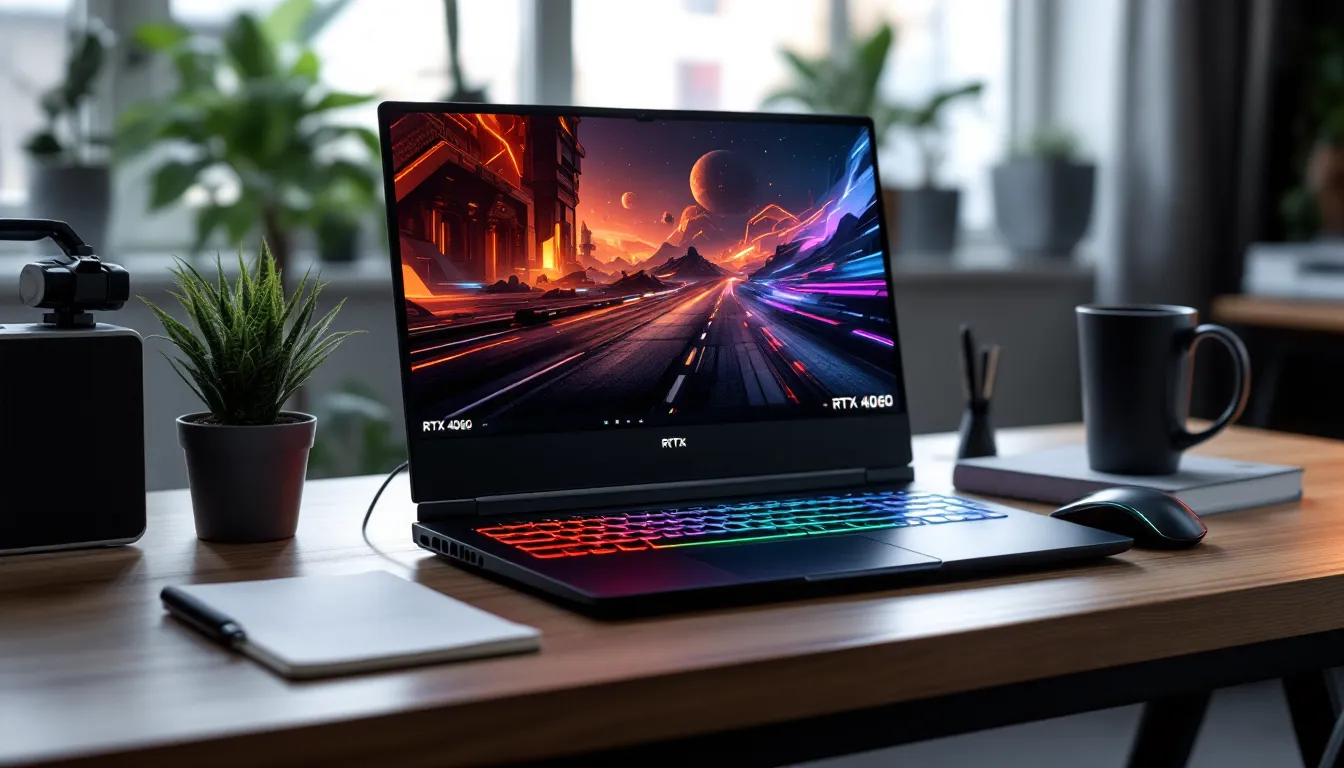
The RTX 4060 mobile GPU has quietly become the sweet spot for gamers who want serious performance without mortgaging their RGB setup. It’s not the flashiest card NVIDIA offers, but in early 2026, it’s the one that makes the most sense for the majority of players, especially if you’re jumping between AAA titles, competitive shooters, and the occasional streaming session.
What changed? NVIDIA’s Ada Lovelace architecture brought DLSS 3.5 and refined ray tracing down to the mid-tier, meaning you’re no longer sacrificing modern features just because you didn’t drop two grand on a laptop. Combined with better power efficiency and TGP tuning across manufacturers, RTX 4060 laptops now deliver 1080p ultra gaming and respectable 1440p framerates without thermal meltdowns or jet-engine fans.
This guide breaks down everything you need to know: which laptops actually deliver on the hardware promise, what benchmarks look like in real games, and how to avoid the common traps that turn a smart purchase into buyer’s remorse. Whether you’re upgrading from a 10-series mobile card or buying your first dedicated gaming rig, here’s how to get the most out of your RTX 4060 laptop in 2026.
Key Takeaways
- The RTX 4060 mobile GPU delivers a perfect balance of performance and affordability, enabling 1080p ultra gaming and solid 1440p framerates without thermal issues or excessive noise.
- DLSS 3.5 with Frame Generation provides 60-80% performance boosts in supported AAA titles, transforming the gaming laptop 4060 from competitive to future-proof for modern games.
- TGP (Total Graphics Power) ranges from 75W to 140W across different models, creating significant performance variations—prioritize higher-TGP variants and robust cooling solutions to avoid thermal throttling.
- The RTX 4060 excels at both gaming and content creation, with hardware encoding for streaming, CUDA acceleration for video editing, and Tensor cores for AI workloads, making it ideal for hybrid workflows.
- A gaming laptop 4060 pairs best with mid-to-high tier H-series CPUs (Intel i7-14700HX or AMD Ryzen 9 8945HS), DDR5 RAM, and displays optimized for your priority—1080p 240Hz for esports or 1440p OLED for AAA titles.
- Early 2026 is the optimal time to buy an RTX 4060 laptop due to competitive pricing, mature ecosystem options, and upcoming generational transitions that often trigger sales on current stock.
What Makes the RTX 4060 a Game-Changer for Mobile Gaming
The RTX 4060 mobile isn’t just a spec bump over the 30-series, it’s a fundamental rethink of what mid-range mobile gaming looks like. NVIDIA built the Ada Lovelace architecture with efficiency and AI acceleration in mind, and that philosophy trickles down hard to the 4060 tier.
DLSS 3.5 and Ray Tracing Capabilities
DLSS 3.5 (including Frame Generation and Ray Reconstruction) is the real MVP here. In supported titles like Cyberpunk 2077: Phantom Liberty, Alan Wake 2, and Starfield, you’re looking at framerates that jump 60-80% with DLSS enabled. Frame Generation essentially doubles your FPS in many scenarios, turning a native 45fps experience into a smooth 90fps one.
Ray tracing on the 4060 is no longer the slideshow it used to be on older mobile GPUs. You won’t max out RT settings in every game at 1440p, but selective RT features, like RT reflections in Forza Motorsport or RT shadows in Resident Evil 4 Remake, are absolutely playable at 1080p with DLSS Quality mode. The third-gen RT cores handle BVH traversal more efficiently, meaning less performance penalty per ray traced.
The catch? Game support matters. DLSS 3 Frame Generation only works in 100+ titles as of early 2026, so older games or indies won’t benefit. But if your library skews toward modern AAA or competitive titles with active dev support, you’re golden.
Power Efficiency and Thermal Performance
Ada Lovelace’s 5nm process (via TSMC) gives the RTX 4060 mobile a huge thermal advantage over Ampere. Most configurations run between 75-115W TGP (Total Graphics Power), and the card can dynamically shift power between GPU and CPU depending on load. This means better battery life when you’re not gaming, often 4-6 hours of mixed use compared to the 2-3 hours you’d get from a 3060 Ti laptop under similar conditions.
Thermal headroom is noticeably improved. In sustained gaming loads, quality laptops with vapor chamber cooling keep the 4060 in the 70-80°C range, well below the thermal throttle point. That translates to more consistent framerates and quieter fan curves. Cheaper models with basic heat pipe setups will still get toasty, but even budget builds handle the 4060 better than they did the 3060.
The efficiency gains also mean thinner chassis are viable. You’re seeing 4060 laptops in sub-20mm profiles that don’t cook themselves alive, a big deal if portability matters to you as much as performance.
Top Gaming Laptops with RTX 4060 in 2026
Picking the right RTX 4060 laptop depends on where you land on the budget-to-features spectrum. Here are the standouts in each category as of Q1 2026.
Best Overall: Performance and Build Quality Leaders
ASUS ROG Strix G16 (2026)
- CPU: Intel Core i7-14700HX (20-core, 28-thread)
- RAM/Storage: 16GB DDR5-5600 / 1TB PCIe Gen 4
- Display: 16″ QHD (2560×1600), 240Hz, 100% DCI-P3
- TGP: 140W (115W + 25W Dynamic Boost)
- Price: ~$1,499
The Strix G16 nails the balance. The 140W TGP is among the highest you’ll find for a 4060, meaning performance closer to a lower-TGP 4070. Build quality is tank-like, the keyboard is excellent for long sessions, and the QHD 240Hz panel is overkill in the best way. Cooling is handled by liquid metal on the CPU and a robust vapor chamber. It’s not thin, but if you want maximum 4060 performance in a laptop, this is the target.
Lenovo Legion Pro 5i (Gen 9)
- CPU: Intel Core i7-14650HX
- RAM/Storage: 16GB DDR5-5600 / 512GB PCIe Gen 4
- Display: 16″ WQXGA (2560×1600), 165Hz, 100% sRGB
- TGP: 140W
- Price: ~$1,349
Lenovo’s Legion Pro line has been rock-solid for years, and the Gen 9 continues that trend. Slightly cheaper than the Strix, with near-identical performance and a more understated design. The port selection is stellar (including two USB-C with DP Alt Mode), and Lenovo’s Vantage software is less bloated than most. If you value function over gamer aesthetics, this is your pick.
Best Budget: Value-Focused Options Under $1,200
MSI Cyborg 15 (2026)
- CPU: Intel Core i5-13420H
- RAM/Storage: 16GB DDR5 / 512GB NVMe
- Display: 15.6″ FHD (1920×1080), 144Hz
- TGP: 105W
- Price: ~$999
The Cyborg 15 is MSI’s budget-conscious answer to portable gaming rigs. The i5-13420H won’t blow you away, but it’s adequate for 1080p gaming, and the 105W 4060 still delivers strong frames. Build quality is plasticky, but the display is surprisingly good for this price point, decent color accuracy and minimal ghosting. Compromises are obvious (mediocre speakers, basic cooling, no RGB overkill), but if you need a functional 4060 laptop for under a grand, this delivers.
Acer Nitro 16 (AN16-51)
- CPU: AMD Ryzen 7 7735HS
- RAM/Storage: 16GB DDR5 / 512GB NVMe
- Display: 16″ WUXGA (1920×1200), 165Hz
- TGP: 105W
- Price: ~$1,099
Acer’s Nitro line has always punched above its weight, and the 2026 Nitro 16 is no exception. The Ryzen 7 7735HS pairs well with the 4060 for productivity tasks, and the 16:10 display gives you extra vertical space. Cooling is adequate but not exceptional, expect higher fan noise under load. Still, for $1,100, you’re getting solid performance and a roomy screen.
Best Premium: High-End Features and Display Quality
Razer Blade 16 (2026)
- CPU: Intel Core i9-14900HX
- RAM/Storage: 32GB DDR5-5600 / 1TB PCIe Gen 4
- Display: 16″ QHD+ (2560×1600), 240Hz, Mini-LED, G-Sync
- TGP: 130W
- Price: ~$2,399
The Blade 16 is for players who want a 4060 laptop that doesn’t look like a gaming laptop. CNC aluminum chassis, per-key RGB via Razer Chroma, and the Mini-LED display is absolutely stunning, peak brightness over 1000 nits with excellent HDR performance. The premium here isn’t just aesthetics: Razer’s cooling design keeps the system whisper-quiet compared to competitors. You’re paying a Razer tax, but if build quality and display tech matter as much as framerates, it’s justified.
ASUS ROG Zephyrus G16 (2026)
- CPU: AMD Ryzen 9 8945HS
- RAM/Storage: 32GB LPDDR5X / 1TB PCIe Gen 4
- Display: 16″ OLED (2560×1600), 240Hz, 100% DCI-P3
- TGP: 115W
- Price: ~$2,199
The Zephyrus G16 is the thin-and-light champion. At 19.5mm and 1.85kg, it’s insanely portable for a 4060 machine. The OLED panel is the star, perfect blacks, vibrant colors, and 0.2ms response time. Performance is slightly lower than the chunkier Strix due to the 115W TGP, but the tradeoff is acceptable if you travel frequently. AMD’s Ryzen 9 8945HS also gives you better efficiency in non-gaming workloads.
Performance Benchmarks: What to Expect from RTX 4060 Laptops
Let’s cut through the marketing and look at real-world numbers. These benchmarks are averaged from multiple 4060 laptops with TGPs ranging from 105-140W, tested in early 2026.
AAA Gaming at 1080p and 1440p
1080p Ultra Settings (DLSS Off):
- Cyberpunk 2077: Phantom Liberty: 65-75 FPS (RT off), 40-48 FPS (RT Ultra)
- Starfield: 55-65 FPS
- Hogwarts Legacy: 70-80 FPS
- Alan Wake 2: 45-55 FPS (RT Medium)
- Resident Evil 4 Remake: 90-110 FPS
1080p Ultra with DLSS Quality:
- Cyberpunk 2077: 95-110 FPS (RT off), 70-85 FPS (RT Ultra + Frame Gen)
- Starfield: 75-90 FPS
- Alan Wake 2: 80-95 FPS (RT Medium + Frame Gen)
1440p High Settings (DLSS Quality):
- Cyberpunk 2077: 60-70 FPS (RT off), 55-65 FPS (RT Ultra + Frame Gen)
- Starfield: 55-65 FPS
- Hogwarts Legacy: 60-75 FPS
The takeaway? 1080p is the 4060’s native resolution for max settings, but 1440p is absolutely viable if you’re willing to tweak settings or lean on DLSS. According to independent tests from gaming laptop reviewers, the 4060 mobile consistently outperforms the desktop RTX 3060 and sits between the 3060 Ti and 3070 desktop cards in most scenarios.
Esports Titles and High Refresh Rate Gaming
If you’re into competitive shooters or MOBAs, the 4060 is overkill in the best way. Here’s what you’re looking at with a 240Hz panel:
- CS2 (Counter-Strike 2): 280-320 FPS (1080p Low-Medium)
- Valorant: 350-450 FPS (1080p High)
- Apex Legends: 200-240 FPS (1080p High)
- Overwatch 2: 220-270 FPS (1080p Epic)
- Dota 2: 180-220 FPS (1080p Max)
- League of Legends: 300+ FPS (1080p Max)
You’ll easily saturate a 240Hz display, and in lighter titles, even a 360Hz panel isn’t wasted. Input latency via NVIDIA Reflex is in the single-digit milliseconds, making these laptops viable for semi-pro play or high-ranked grinding.
Content Creation and Streaming Capabilities
The 4060 isn’t just a gaming card. NVIDIA’s encoder (NVENC) handles streaming and recording with minimal performance hit:
- Streaming: 1080p60 on Twitch/YouTube via NVENC with <5% FPS loss in-game. Quality is excellent at 6-8 Mbps bitrate.
- Video Editing: DaVinci Resolve, Premiere Pro, and Final Cut (via Boot Camp) all benefit from CUDA acceleration. 4K timeline scrubbing is smooth, and render times for h.264/h.265 exports are competitive with desktop 3070 machines.
- Blender: Optix ray tracing speeds up viewport rendering. Not as fast as a 4080, but perfectly functional for freelance 3D work or hobbyist projects.
- AI Workloads: Tensor cores accelerate Stable Diffusion, Topaz AI, and Photoshop’s neural filters. Generation times are 2-3x faster than CPU-only processing.
If you’re a streamer or content creator who games on the side (or vice versa), the 4060 handles both roles without breaking a sweat.
Key Specs to Look for Beyond the GPU
The GPU is the headline, but a balanced build matters just as much. Here’s what to prioritize.
CPU Pairing: Intel vs AMD for RTX 4060 Laptops
Your CPU choice impacts gaming, productivity, and thermal balance.
Intel 13th/14th Gen (Raptor Lake/Raptor Lake Refresh):
- Best for: High-refresh gaming, single-threaded tasks
- Top picks: i7-14700HX, i7-13700HX, i9-14900HX
- Pros: Slightly higher gaming FPS in CPU-bound scenarios, wider laptop availability
- Cons: Higher power draw, more heat under sustained loads
AMD Ryzen 7000/8000 Series:
- Best for: Battery life, productivity multitasking
- Top picks: Ryzen 7 7745HX, Ryzen 9 8945HS
- Pros: Better efficiency, lower temps, integrated RDNA 3 graphics for light tasks
- Cons: Slightly lower peak gaming FPS in some titles (1-5% on average)
For pure gaming, Intel edges ahead. For mixed workloads or better thermals, AMD is the smarter pick. Either way, pair the 4060 with at least a mid-tier H-series chip (45W+). Budget laptops with U-series or low-power chips will bottleneck the GPU in CPU-heavy games like Total War, Starfield, or Baldur’s Gate 3.
RAM, Storage, and Upgradeability Options
RAM:
- Minimum: 16GB DDR5-4800
- Recommended: 16GB DDR5-5600 or 32GB if you multitask heavily
- Check: Is it soldered or SO-DIMM slots? SO-DIMM means you can upgrade later.
Most 2026 models use DDR5, which gives a small but measurable boost in 1% lows compared to DDR4. If you’re editing video or running VMs alongside gaming, 32GB is worth the upcharge.
Storage:
- Minimum: 512GB PCIe Gen 4 NVMe
- Recommended: 1TB PCIe Gen 4
- Bonus: Extra M.2 slot for expansion
Modern games are massive, Call of Duty: Modern Warfare III alone is 150GB+. For players building a library that includes content creation software, a custom gaming PC mentality applies: buy as much storage as you can afford upfront or confirm a second M.2 slot exists.
Upgradeability:
Many thin-and-light models solder RAM and use single M.2 slots. Thicker gaming laptops (Lenovo Legion, ASUS ROG Strix) often include two RAM slots and two M.2 slots, making future upgrades easy. If you plan to keep the laptop 3-4 years, prioritize upgradeable designs.
Display Considerations: Resolution and Refresh Rate
Your display choice should match your gaming priorities.
1080p 144Hz/165Hz:
- Best for: Competitive gamers, esports focus
- Why: Lower GPU load, consistently high FPS, cheaper panels
1440p (2560×1600 or 2560×1440) 165Hz/240Hz:
- Best for: AAA gamers who want sharper visuals without going full 4K
- Why: Sweet spot for the 4060’s power: noticeable clarity bump over 1080p
OLED panels:
- Best for: Single-player story games, HDR content
- Why: Perfect blacks, insane contrast, vibrant colors
- Warning: OLED burn-in is rare but possible with static UI elements over years
Mini-LED:
- Best for: HDR gaming without OLED burn-in risk
- Why: High peak brightness, excellent contrast, durable
Refresh rate matters more than resolution for competitive players. If you’re grinding ranked in Valorant or CS2, prioritize 240Hz+ over resolution bumps. For single-player RPGs or adventure games, 1440p OLED is a game-changer.
RTX 4060 vs RTX 4050 vs RTX 4070: Which GPU Tier Is Right for You?
NVIDIA’s 40-series mobile lineup gives you options, but which one makes sense?
Price-to-Performance Comparison
RTX 4050 Mobile:
- Price range: $800-$1,100
- Performance: ~15-20% slower than 4060
- Best for: 1080p Medium-High gaming, esports, strict budget constraints
- Skip if: You want ray tracing or plan to keep the laptop 3+ years
RTX 4060 Mobile:
- Price range: $1,000-$1,500
- Performance: Baseline for this comparison
- Best for: 1080p Ultra / 1440p High gaming, DLSS 3 titles, balanced performance
- Buy if: You want the best price-to-performance in 2026
RTX 4070 Mobile:
- Price range: $1,500-$2,200
- Performance: ~20-30% faster than 4060 (depending on TGP)
- Best for: 1440p Ultra gaming, future-proofing, 4K gaming with DLSS
- Skip if: You’re mostly playing esports or sticking to 1080p
The 4060 sits in the Goldilocks zone. The 4050 forces too many compromises for meaningful savings, and the 4070 offers diminishing returns unless you’re targeting 1440p Ultra or 4K with DLSS. Most gamers are better served saving the $300-500 difference and upgrading sooner rather than overspending now.
Gaming at Different Settings and Resolutions
Here’s a quick decision matrix:
| Your Priority | Recommended GPU | Display Target |
|---|---|---|
| Esports, competitive FPS | RTX 4050 or 4060 | 1080p 240Hz+ |
| AAA 1080p Ultra, ray tracing | RTX 4060 | 1080p 165Hz or 1440p 165Hz |
| AAA 1440p Ultra, future-proofing | RTX 4070 | 1440p 240Hz or 4K 120Hz |
| Budget gaming, older titles | RTX 4050 | 1080p 144Hz |
| Content creation + gaming | RTX 4060 or 4070 | 1440p IPS/OLED |
The 4060 handles 1080p with ease and can stretch to 1440p in most titles with settings tweaks. If you’re unsure, default to the 4060, it’s the safest bet for performance longevity. Professional reviews at technology outlets consistently rank it as the mid-range value king for 2026.
Common Pitfalls When Buying an RTX 4060 Gaming Laptop
Not all RTX 4060 laptops are created equal. Here’s how to avoid buyer’s remorse.
Understanding TGP and GPU Variants
TGP (Total Graphics Power) is the biggest performance variable. The RTX 4060 mobile can run anywhere from 75W to 140W, and that spread creates massive performance gaps.
- 75-90W: Budget models, often thin-and-lights. Expect ~15-20% lower FPS than 140W variants.
- 105-115W: Mid-range sweet spot. Good performance without extreme heat or noise.
- 130-140W: Flagship laptops with beefy cooling. Maximum 4060 performance, sometimes matching low-TGP 4070 laptops.
Where to find TGP: Manufacturers rarely advertise this prominently. Check reviews from tech sites or forums like Reddit’s r/GamingLaptops. Tools like GPU-Z can confirm TGP after purchase.
Dynamic Boost adds another wrinkle, some laptops dynamically shift power between CPU and GPU, so a “115W” card might hit 130W in GPU-only loads. Look for laptops with Dynamic Boost 2.0 or higher.
Cooling Solutions and Thermal Throttling
A high-TGP GPU means nothing if the laptop can’t cool it. Here’s what separates good cooling from bad:
Good cooling systems include:
- Vapor chamber or multiple heat pipes (5+)
- Liquid metal thermal compound on CPU
- Dual or triple fan designs
- Proper exhaust venting (rear + sides)
- Thermal pads on VRMs and VRAM
Red flags:
- Single heat pipe designs
- Bottom-only exhaust (hot air recirculates)
- Plastic chassis with no ventilation gaps
- “Silent” mode that throttles performance to keep fans quiet
Testing for thermal issues:
- Run a stress test (3DMark Time Spy Stress Test, Unigine Heaven looped)
- Monitor GPU temps with HWiNFO64 or MSI Afterburner
- Watch for clock speed drops after 15-20 minutes (thermal throttling)
If GPU temps exceed 85°C sustained or clocks drop more than 10% under load, cooling is inadequate. Quality 4060 laptops stay in the 70-80°C range during gaming.
Pro tip: Laptop cooling pads help, but they’re a band-aid. If a model needs one out of the box to avoid throttling, it’s poorly designed. Buy a laptop that cools itself properly.
Where to Find the Best Deals on RTX 4060 Laptops
Timing and retailer choice make a huge difference in price.
Best times to buy:
- Q1 2026 (now): Post-holiday sales, last-gen clearance if 50-series mobile launches rumors heat up
- Back-to-School (July-August): Student discounts and bundle deals
- Black Friday/Cyber Monday: Deepest discounts, but stock sells out fast
- Prime Day (July): Amazon-specific deals, often matching Black Friday pricing
Where to shop:
- Amazon: Wide selection, easy returns, frequent Lightning Deals
- Best Buy: Price matching, Totaltech membership perks, open-box deals
- Newegg: Flash sales, combo deals with peripherals, student discounts
- Manufacturer direct (ASUS, Lenovo, Dell): Exclusive configurations, customization options, occasional coupon codes
- Micro Center (in-store): No tax in some states, bundled accessories, knowledgeable staff
- Costco: Extended warranty included, excellent return policy (90 days)
Deal-hunting tactics:
- Set price alerts on CamelCamelCamel (Amazon) or Honey (multi-site)
- Join r/LaptopDeals on Reddit for real-time deal posts
- Check refurbished/open-box sections, manufacturer refurbs often come with full warranty
- Stack discounts: Student/military discounts + cashback sites (Rakuten, TopCashback) + credit card rewards
- Price match: Best Buy, Micro Center, and Amazon match competitor pricing if you ask
Avoiding scams:
- Stick to authorized retailers (check NVIDIA’s partner list)
- Be wary of eBay/Facebook Marketplace “new” laptops at steep discounts, often stolen or gray market
- Verify warranty transferability if buying used (some brands void warranty on resale)
For budget-conscious gamers exploring alternatives, understanding when building a desktop rig makes more financial sense versus laptop portability is worth considering, especially if you don’t need mobility and have tighter budget constraints.
If you’re patient, waiting 2-3 months after a model’s launch usually sees $100-200 price drops as newer SKUs arrive. The ASUS ROG Strix G16, for example, launched at $1,699 in late 2025 and now regularly hits $1,499 or lower during sales.
For those weighing whether prebuilt systems with customizable options fit their needs better, checking out offerings from manufacturers like iBUYPOWER can provide useful comparison points for value.
Conclusion
The RTX 4060 mobile GPU hits a rare sweet spot in 2026: strong enough for modern AAA gaming, efficient enough for decent battery life, and affordable enough that you’re not taking out a loan. It’s the card that makes sense for most gamers, whether you’re grinding ranked matches, exploring open-world RPGs, or dabbling in content creation between sessions.
Key takeaways: prioritize TGP specs and cooling design over flashy branding, match your display to your gaming priorities (1080p high-refresh for esports, 1440p for AAA immersion), and don’t overspend on a 4070 unless you’re committed to 1440p Ultra or future 4K gaming. The 4060 delivers exactly what it promises, no compromises, no buyer’s remorse, just solid performance at a price that won’t wreck your wallet.
If you’ve been waiting for the right time to upgrade or jump into PC gaming, early 2026 is it. The 4060 laptop ecosystem is mature, prices are competitive, and you’ve got more quality options than ever. Do your assignments on TGP and thermals, wait for a sale if you can, and you’ll land a machine that handles everything you throw at it for the next 3-4 years minimum.