

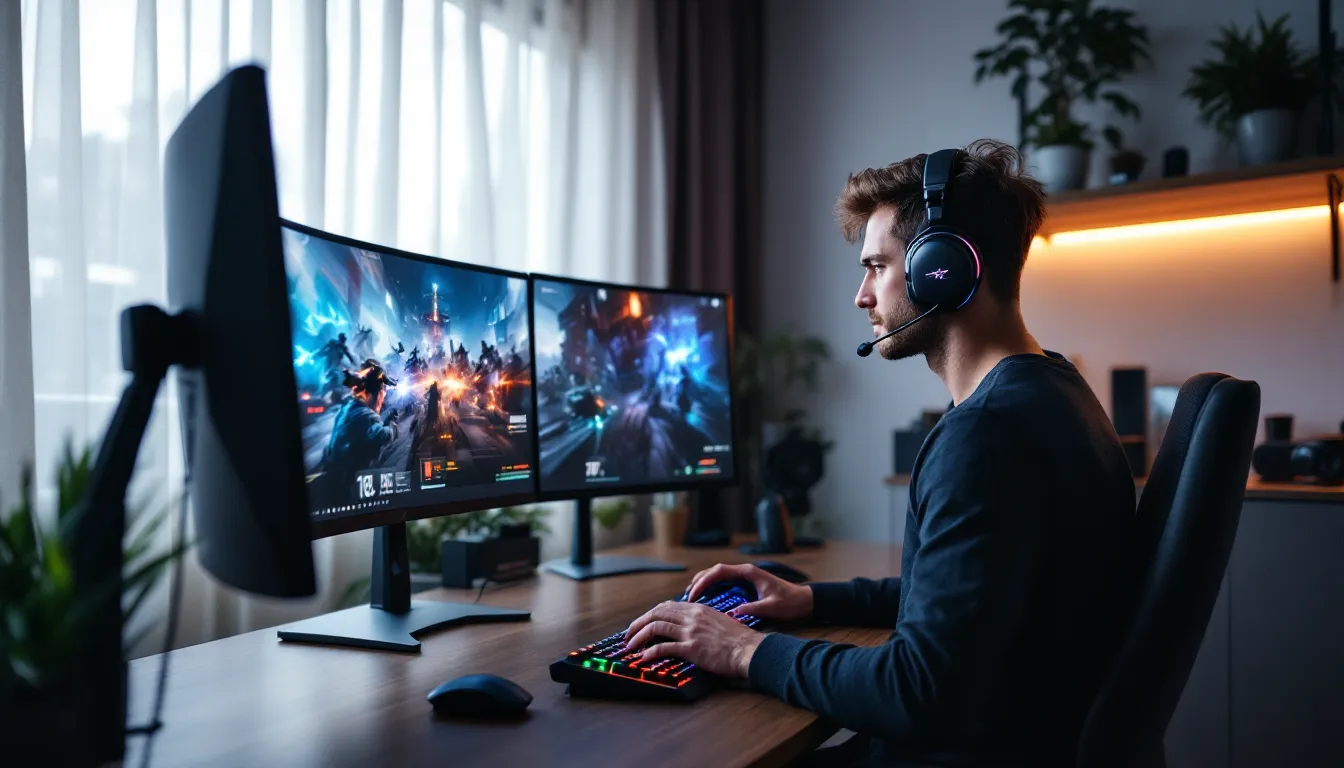
The tangle of cables across a gaming desk used to be a badge of honor, proof of a serious setup. But in 2026, cutting the cord isn’t about sacrifice anymore. Wireless gaming headphones have evolved past the compromises that held them back for years: battery anxiety, noticeable latency, and sound quality that couldn’t match wired alternatives. Today’s wireless headsets deliver tournament-grade audio, sub-20ms latency, and battery life that outlasts marathon sessions.
Whether someone’s hunting footsteps in a competitive FPS, coordinating callouts in a ranked match, or losing themselves in a story-driven RPG, wireless freedom has become the default for good reason. This guide breaks down everything gamers need to know about wireless gaming headphones in 2026, what features matter, which technologies deliver, and how to pick the right pair for any platform or budget.
Key Takeaways
- Wireless gaming headphones now deliver sub-20ms latency with 20-40 hour battery life, eliminating the performance compromises that once made wired headsets necessary.
- Proprietary 2.4GHz wireless technologies from SteelSeries, Logitech, and Razer outperform standard Bluetooth for competitive gaming, while newer Bluetooth 5.3 codecs bring lag down to 40-60ms for casual play.
- The $150-$250 price range offers the best long-term value for daily gamers, balancing premium build quality, battery life, and features like hot-swappable batteries and multi-device connectivity.
- Wireless gaming headphones support simultaneous connections across platforms (PC, Xbox, PlayStation, mobile), eliminating the need for cable swapping or multiple headsets.
- Optimal performance requires firmware updates, strategic dongle placement away from 2.4GHz interference sources, and custom EQ tuning matched to your gaming style—competitive players should boost mid-range frequencies for footstep clarity.
- For console gamers, verify Xbox Wireless or dongle support before purchasing, as PlayStation accepts any USB-A dongle while Xbox has stricter compatibility requirements.
Why Wireless Gaming Headphones Have Become Essential for Modern Gamers
The shift to wireless isn’t just about convenience, it’s about removing friction from the gaming experience. Cable drag during a fast flick in Valorant or CS2 can throw off muscle memory. Getting yanked back mid-lean in a tense ranked match breaks immersion and flow. Wireless headphones eliminate those physical interruptions entirely.
But the real tipping point came when latency dropped below perceptible thresholds. Modern 2.4GHz wireless technology and proprietary systems from brands like SteelSeries, Logitech, and Razer now deliver audio lag in the 15-20ms range, imperceptible even to competitive players. That’s a huge leap from the 100+ms Bluetooth lag that plagued early wireless gaming headsets.
Multi-platform compatibility has also pushed wireless adoption. Gamers who switch between PC, Xbox Series X, PlayStation 5, and even mobile want one headset that works everywhere without swapping cables or adapters. Many wireless headsets now support simultaneous connections, letting players take a Discord call on PC while gaming on console.
Finally, battery tech has caught up. Where first-gen wireless headsets struggled to hit 10 hours, today’s best wireless gaming headsets routinely deliver 20-40 hours per charge, with quick-charge features offering hours of playtime from a 15-minute plug-in. That longevity means wireless isn’t a daily charging hassle, it’s truly set-and-forget.
Key Features to Look for in Wireless Gaming Headphones
Not all wireless gaming headphones are built the same. Here’s what separates the best from the rest.
Audio Quality and Sound Signature
Driver size matters, but tuning matters more. Most good gaming headphones use 40-50mm drivers, but the real difference comes from how manufacturers tune frequency response. Competitive gamers want clear highs and mids for footstep clarity and directional cues, bass-heavy “gamer” tuning can muddy positional audio.
Look for headsets with customizable EQ through companion software. SteelSeries Sonar, Razer Synapse, and Logitech G Hub all offer granular control over sound profiles. Spatial audio support, whether that’s Windows Sonic, Dolby Atmos, or DTS Headphone:X, can enhance immersion in single-player games, though competitive players often prefer stereo for accuracy.
Latency and Connection Technology
This is the make-or-break spec for wireless gaming. Standard Bluetooth hovers around 100-200ms of latency, unacceptable for anything competitive. Proprietary 2.4GHz wireless (SteelSeries’ Quantum 2.0, Logitech’s Lightspeed, Razer’s HyperSpeed) typically delivers sub-20ms latency, which is imperceptible and competitive-viable.
Some newer headsets support Bluetooth 5.3 with low-latency codecs like aptX Low Latency or LC3, bringing Bluetooth lag down to 40-60ms. That’s acceptable for casual gaming and essential for mobile gaming compatibility.
Connection range also varies. Most 2.4GHz dongles offer 30-40 feet of reliable range, but obstacles and interference can cut that down. Metal PC cases, routers, and other wireless devices all contribute to signal degradation.
Battery Life and Charging Options
Anything under 15 hours is a dealbreaker in 2026. The best wireless gaming headsets push 30-50 hours on a single charge. Independent testing from RTINGS shows real-world battery performance often falls 10-15% short of manufacturer claims, so budget accordingly.
Charging convenience matters too. USB-C charging has become standard, and quick-charge features are increasingly common, 15 minutes of charging for 3-6 hours of playtime is typical on premium models. Some headsets still use micro-USB (looking at older HyperX models), which is outdated but functional.
Wireless charging pads are rare but appreciated on high-end models. A few headsets offer hot-swappable batteries, though that’s mostly a niche enthusiast feature.
Comfort and Build Quality for Extended Sessions
The most comfortable gaming headset is the one a gamer forgets they’re wearing. Weight is critical, anything over 350 grams starts to feel heavy after 2-3 hours. Premium materials like aluminum and steel offer durability but add weight: quality plastics and composites strike the best balance.
Ear cup material and padding make or break long sessions. Memory foam with breathable fabric (mesh, velour) beats leatherette for temperature regulation, though leatherette offers better passive noise isolation. Look for replaceable ear cushions, they’re the first component to wear out.
Clamping force is subjective but important. Too tight causes headaches: too loose creates pressure points. Adjustable headbands with multiple size stops and swivel/tilt on the ear cups help achieve proper fit across different head shapes.
Microphone Performance for Team Communication
Good gaming headsets need clear, intelligible voice chat. Flip-to-mute or retractable boom mics are standard and convenient. Detachable mics offer flexibility but create another piece to lose.
Frequency response around 100Hz-10kHz captures voice clearly without picking up excessive bass rumble or harsh sibilance. Noise cancellation and background rejection vary widely, AI-powered noise suppression in software (like Nvidia Broadcast or SteelSeries ClearCast) often outperforms hardware-only solutions.
Built-in monitoring (sidetone) lets gamers hear their own voice in the headset, preventing the “shouting because you can’t hear yourself” problem. Adjustable sidetone levels are ideal.
Wireless vs. Wired Gaming Headphones: Making the Right Choice
Wireless has come a long way, but wired still holds specific advantages. Here’s how they stack up.
Advantages of Going Wireless
Freedom of movement is the obvious win. Stand up between matches, lean back in a chair, or spin around to grab a drink without yanking cables or getting caught on armrests. For VR gaming, wireless is practically mandatory.
Multi-device connectivity is huge. Many wireless headsets support simultaneous connections via 2.4GHz dongle and Bluetooth, letting gamers take a call or listen to Spotify while gaming without switching devices.
Desk aesthetics matter to some. Eliminating one more cable reduces clutter and makes cable management easier, especially in clean, minimalist setups.
Cross-platform flexibility wins here too. One Xbox gaming headset can work seamlessly across Xbox Series X, PC, and mobile with the same dongle or Bluetooth pairing.
When Wired Might Still Be Better
Wired connections still offer zero latency. For ultra-competitive esports players in games like Valorant, CS2, or Rainbow Six Siege, every millisecond counts. Even 15ms can matter at the highest level, though most players won’t notice the difference.
No battery anxiety is a real consideration. Wired headsets don’t need charging, won’t die mid-match, and don’t degrade in battery capacity over time. For streamers or competitive grinders who game 8+ hours daily, that’s one less thing to manage.
Audio fidelity can be marginally better on wired headsets at the same price point, since manufacturers don’t have to allocate budget to wireless tech and batteries. High-impedance audiophile-grade headphones require wired connections to external DACs/amps for proper power delivery.
Cost is a factor too. Wireless tech adds $30-$80 to the price. A $150 wired headset often outperforms a $150 wireless model on pure audio and build quality.
Best Wireless Gaming Headphones for Different Gaming Platforms
Platform compatibility can be tricky. Here’s what works best where.
Top Picks for PC Gaming
PC gamers have the most flexibility since almost any wireless connection works, USB dongle, Bluetooth, or even analog wireless. The SteelSeries Arctis Nova Pro Wireless remains a top-tier choice in 2026, with dual-battery hot-swap, multi-platform support, and stellar audio quality. Its Quantum 2.0 wireless delivers sub-20ms latency.
The Logitech G Pro X 2 Lightspeed is another standout, favored by esports pros for its lightweight design (340g), 50-hour battery, and Lightspeed wireless tech. It supports both PC and PlayStation natively.
For best gaming headset for pc considerations, software support matters. Headsets with robust companion apps (like Razer Synapse, SteelSeries GG, or Logitech G Hub) offer EQ customization, firmware updates, and RGB control.
Console Gaming: PlayStation and Xbox Compatibility
Xbox has historically been pickier about wireless headsets. The Xbox Wireless protocol (distinct from standard Bluetooth) is required for direct connection without a dongle. The SteelSeries Arctis 9X and Turtle Beach Stealth 700 Gen 2 MAX both support Xbox Wireless natively, making them plug-and-play for Xbox Series X
|
S.
PlayStation 5 works with any USB-A dongle-based wireless headset, plus Sony’s proprietary Tempest 3D AudioTech. The SteelSeries Arctis Nova 7P and Audeze Maxwell for PlayStation are optimized for PS5’s spatial audio.
Many headsets now offer universal compatibility. The Razer BlackShark V2 Pro (2023) works across Xbox (via included dongle), PlayStation, PC, and Switch with a single USB-C wireless dongle. Reviewers at PCMag have noted this kind of cross-platform versatility as a major selling point for gamers with multiple consoles.
For headset for xbox or xbox series x headset needs, always verify Xbox Wireless support or dongle compatibility before buying.
Mobile Gaming on the Go
Mobile gaming demands Bluetooth support. Look for headsets with Bluetooth 5.2 or newer for better battery efficiency and lower latency. The Razer Barracuda Pro excels here, offering hybrid wireless (2.4GHz and Bluetooth 5.2) with THX spatial audio and a slim, portable design.
SteelSeries Arctis Nova 7 also shines for mobile, with simultaneous 2.4GHz and Bluetooth connections, perfect for taking Discord calls on mobile while gaming on PC or console.
Foldable designs and included carrying cases are rare but valuable for mobile-focused gamers. Battery life becomes even more critical since charging on the go isn’t always convenient.
Understanding Wireless Technologies: Bluetooth, 2.4GHz, and Proprietary Systems
Connection tech determines latency, range, and compatibility. Here’s how each works.
Bluetooth is universal and convenient but traditionally slow. Standard Bluetooth audio (SBC codec) can hit 150-250ms latency, unplayable for anything reaction-based. Modern codecs improve this: aptX Low Latency cuts delay to ~40ms, aptX Adaptive adjusts dynamically, and LC3 (part of Bluetooth 5.2+) offers similar performance. Still, Bluetooth alone isn’t ideal for competitive gaming, it’s better for mobile, media consumption, and casual play.
2.4GHz wireless uses a dedicated USB dongle and operates on the same frequency band as WiFi. Proprietary implementations from major brands, SteelSeries Quantum 2.0, Logitech Lightspeed, Razer HyperSpeed, deliver 15-20ms latency, imperceptible to human reaction time. Range typically hits 30-40 feet with line of sight, though walls and interference degrade signal.
The downside? These systems require a USB-A or USB-C dongle, which can be annoying on devices with limited ports. Losing the dongle essentially bricks the wireless functionality, though some brands sell replacements.
Xbox Wireless is Microsoft’s proprietary protocol, used by Xbox consoles and some PC accessories. It offers low latency similar to 2.4GHz dongles but connects directly to Xbox consoles without any dongle, a huge convenience factor for console gamers.
Hybrid systems are increasingly common. Many 2026 headsets support simultaneous 2.4GHz and Bluetooth connections, letting gamers layer a voice call or music over game audio. The Audeze Maxwell and Razer Barracuda Pro both offer this dual-wireless capability.
Interference management matters too. 2.4GHz is crowded with WiFi routers, wireless mice, keyboards, and smart home devices. Placing the wireless dongle closer to the headset, using a USB extension cable, can improve stability and range significantly.
How to Optimize Your Wireless Gaming Headphone Performance
Getting the most out of wireless headphones requires some fine-tuning.
Firmware Updates and Software Customization
Manufacturers regularly push firmware updates that improve latency, fix bugs, and add features. SteelSeries, Razer, and Logitech all offer companion software that auto-checks for updates. Running outdated firmware can result in worse battery life, connectivity drops, and subpar audio performance.
Custom EQ profiles make a noticeable difference. Competitive players often boost mid-range frequencies (2kHz-5kHz) to emphasize footsteps and voice comms while reducing bass that can mask positional cues. Single-player and media consumption benefit from more balanced or bass-forward tuning.
Some software suites, like SteelSeries Sonar, offer parametric EQ with 10+ bands, letting power users dial in precise audio signatures. Others provide simple presets (FPS, RPG, Music, etc.).
Spatial audio settings (Windows Sonic, Dolby Atmos, DTS:X) are hit-or-miss. They can enhance immersion in games designed for 3D audio but sometimes reduce positional accuracy in competitive shooters. Test both stereo and spatial modes to find what works best for specific games.
Placement of Wireless Receivers and Interference Management
Dongle placement is criminally underrated. Plugging a 2.4GHz USB dongle into a rear PC port surrounded by metal can cut effective range in half. Use a USB extension cable to place the dongle on the desk, closer to the headset and away from interference sources.
Keep the dongle away from WiFi routers, especially those on the 2.4GHz band. Even a foot of separation can improve signal clarity. If possible, use 5GHz WiFi for the PC to reduce 2.4GHz congestion.
Wireless mice and keyboards on 2.4GHz can also interfere. Some manufacturers (like Logitech) design their dongles to share bandwidth intelligently, but cross-brand interference is common. If experiencing audio dropouts, try moving peripherals or switching USB ports.
Metal PC cases and RGB lighting controllers can create electromagnetic interference. Running the dongle through a powered USB hub sometimes helps, as it isolates the signal path from the case’s grounding.
For those serious about wireless gaming headset pc optimization, consider a USB-C to USB-A adapter for placement flexibility, especially on laptops with limited port access.
Budget Considerations: What to Expect at Different Price Points
Wireless gaming headsets span a massive price range. Here’s what each tier delivers.
Under $80: Budget wireless is tough. Expect compromises in build quality, battery life (10-15 hours), and audio fidelity. Latency might creep into noticeable territory (30-50ms). The Corsair HS65 Wireless and HyperX Cloud Stinger Core Wireless sit here, offering acceptable performance for casual gaming but lacking premium features.
$80-$150: The sweet spot for most gamers. Expect solid build quality, 20-30 hour battery life, sub-20ms latency, and decent audio. The SteelSeries Arctis Nova 7, Logitech G535, and Razer Barracuda X all deliver excellent value here. Software support improves dramatically in this range, with full EQ customization and firmware updates.
$150-$250: Premium territory. Build quality jumps to metal frames and premium ear cushions. Battery life hits 30-50 hours. Microphone quality improves noticeably. Multi-device connectivity becomes standard. The Logitech G Pro X 2, SteelSeries Arctis Nova Pro Wireless, and Razer BlackShark V2 Pro dominate this tier. Expect features like hot-swappable batteries, active noise cancellation, and broadcast-quality mics.
$250+: Enthusiast and audiophile-grade wireless. Planar magnetic drivers (like the Audeze Maxwell at $329) deliver exceptional audio fidelity that rivals wired audiophile headphones. Build quality is best-in-class with metal construction, leather cushions, and modular designs. Battery life can exceed 80 hours. According to testing by TechRadar, these headsets compete with dedicated studio monitors in frequency response accuracy.
This range also includes niche features: active noise cancellation (ANC), multi-point Bluetooth, lossless wireless audio, and swappable batteries.
What’s worth paying for? If gaming is a daily multi-hour activity, the $150-$250 range offers the best long-term value. Budget options work for casual players or secondary setups, but the quality-of-life improvements in the mid-premium tier pay off over years of use.
Common Issues and Troubleshooting Tips
Even the best wireless gaming headsets run into problems. Here’s how to fix the most common ones.
Audio cutting out or crackling: Usually caused by interference or weak signal. Move the USB dongle closer to the headset using an extension cable. Check for other 2.4GHz devices nearby (routers, wireless peripherals) and create distance. Try different USB ports, some share bandwidth or power delivery that can cause instability. Firmware updates often fix connectivity bugs, so check manufacturer software.
Mic not working or low volume: Verify the headset is set as the default recording device in system sound settings (Windows: Sound Control Panel > Recording: macOS: System Preferences > Sound > Input). Check that the mic boom is fully extended or unmuted, many headsets auto-mute when the boom is flipped up. Confirm mic monitoring/sidetone isn’t set to zero in companion software, which can make users think the mic is dead.
Battery draining faster than expected: Disable RGB lighting if present, it can cut battery life by 20-30%. Lower volume levels drain less power. Some headsets offer power-saving modes that reduce wireless range slightly to extend battery. Leaving Bluetooth active while using 2.4GHz drains battery faster on dual-wireless models, disable unused connections. Lithium batteries degrade over time: after 2-3 years, expect 70-80% of original capacity.
Latency feels noticeable: Ensure the headset is using its proprietary 2.4GHz connection, not Bluetooth. On PC, disable audio enhancements in Windows sound settings (right-click speaker icon > Sounds > Playback > Headset > Properties > Enhancements > Disable all). Some spatial audio processing adds latency, try disabling Dolby Atmos or Windows Sonic. Check game audio settings for “audio buffering” or similar options and reduce if possible.
Headset won’t pair or connect: Hard reset the headset (usually holding power button for 10-15 seconds). Re-pair by holding the pairing button (consult manual). Try the dongle in a different USB port. On Xbox, ensure the headset explicitly supports Xbox Wireless protocol. Update firmware through manufacturer software, pairing issues are common bugs that get patched.
Comfort issues during long sessions: Loosen headband adjustment, overtightening causes pressure headaches. Rotate ear cups slightly to align with ear angle. Replace ear cushions if they’ve compressed or worn out (usually after 1-2 years of heavy use). Take breaks every 90-120 minutes: even the most comfortable gaming headset benefits from periodic removal to restore circulation.
Conclusion
Wireless gaming headphones in 2026 have reached the point where they’re no longer the compromise option, they’re often the smarter choice for most gamers. The latency gap has closed to imperceptible levels, battery life stretches through weekend marathons, and audio quality rivals dedicated wired setups.
The right pair depends on platform, budget, and priorities. PC gamers have the widest selection and benefit most from software-rich ecosystems. Console players, especially on Xbox, need to verify compatibility carefully, whether that’s native Xbox Wireless or dongle support. Mobile gamers should prioritize Bluetooth performance and portability.
Features like hot-swappable batteries, multi-device connectivity, and premium build quality add genuine value for daily drivers. But even budget wireless headsets in 2026 deliver performance that would’ve been flagship-tier just a few years ago. The era of “good enough” wireless gaming audio is over. Now it’s about finding the perfect fit for how someone actually plays.