

Your gaming setup is only as good as what you’re sitting on. While most gamers obsess over refresh rates, response times, and GPU benchmarks, there’s one piece of gear that gets overlooked until your back starts screaming during hour three of a marathon session: the couch.
Whether you’re grinding ranked matches on console, hosting fight night with friends, or streaming from your living room, the right gaming couch can be the difference between peak performance and walking away with neck pain and regret. In 2026, the market’s flooded with options, from budget-friendly two-seaters to feature-packed gaming sofas with built-in everything. This guide breaks down exactly what to look for, how to optimize your setup, and which styles actually deliver on comfort without killing your wallet.
Key Takeaways
- A quality gaming couch directly improves reaction time and focus during extended sessions by keeping your spine aligned and reducing physical discomfort that splits your attention.
- Optimal gaming couch features include 20-24 inches of seat depth, adjustable lumbar support, breathable performance fabrics, and a solid hardwood or metal frame that supports 500+ pounds.
- Choose a gaming couch for console and multiplayer gaming, a gaming chair for competitive PC play, or both for maximum flexibility across different gaming styles.
- Positioning your couch 5-8 feet from a 55″ TV or 6-10 feet from a 65″ display with the screen centered at or slightly below eye level minimizes neck strain and eye fatigue.
- Mid-range gaming couches ($800-1,500) offer the best value with power recline, lumbar support, and durable construction that lasts 7-10 years with proper maintenance.
- Regular maintenance including weekly vacuuming, monthly deep cleaning, and immediate spill treatment extends your gaming couch’s lifespan while keeping it hygienic for long sessions.
Why Your Gaming Couch Matters More Than You Think
Most players don’t think twice about seating until something goes wrong. A stiff neck after a Warzone session. Lower back pain that lingers for days. Dead legs from sitting cross-legged on a cheap futon. The truth is, your couch isn’t just furniture, it’s part of your gaming rig.
Impact on Performance and Comfort During Long Sessions
Comfort directly impacts reaction time, focus, and endurance. When you’re uncomfortable, your brain splits attention between the game and the discomfort signals your body’s sending. That split-second hesitation? It’s the difference between clutching a round and watching the killcam.
A quality gaming sofa keeps your spine aligned, supports your lumbar region, and distributes weight evenly. This means less fidgeting, fewer breaks, and better concentration over 4+ hour sessions. Pro players and streamers have known this for years, there’s a reason top-tier gaming setups include ergonomic seating as a non-negotiable.
The difference is especially noticeable in genres that demand precision and endurance. Fighting game players running long training sessions, JRPG fans deep in 80-hour playthroughs, and competitive FPS grinders all benefit from seating that doesn’t turn into a torture device after the first hour.
Health Considerations for Console and PC Gamers
Sitting for extended periods is unavoidable in gaming, but poor posture accelerates the damage. Slouching on a saggy couch compresses your spine, restricts blood flow, and strains your neck. Over time, this leads to chronic pain, tension headaches, and even nerve issues.
Console gamers face unique challenges. Unlike PC players with adjustable desk chairs, console setups often involve leaning forward or craning your neck to see the TV. A gaming room couch with proper lumbar support and the right seat depth helps maintain a neutral spine position, reducing long-term strain.
Circulation matters too. Couches with firm, supportive cushions prevent the blood pooling that causes numbness and dead legs. Look for high-density foam that supports rather than swallows you. Your future self will thank you when you can stand up after a raid without your legs feeling like static.
Key Features to Look for in a Gaming Couch
Not all couches are built for gaming. The couch that works great for movie nights might fail completely when you’re leaning forward with a controller or need to react quickly. Here’s what actually matters.
Ergonomic Design and Lumbar Support
Lumbar support is non-negotiable. Your lower back has a natural curve that needs support to maintain proper posture. Look for couches with built-in lumbar bolsters or the option to add lumbar pillows without them sliding around.
Seat depth is critical but often ignored. Too deep, and you can’t reach the backrest without your legs dangling. Too shallow, and your thighs lose support. Aim for 20-24 inches of seat depth, enough to support your thighs without forcing you to choose between back support and leg comfort.
Armrest height matters for controller and keyboard users. Adjustable or lower armrests (around 6-8 inches from the seat) let you rest your arms naturally without hunching your shoulders. Some gaming sofa chairs even feature padded, wide armrests that double as elbow rests during intense sessions.
Material and Durability for Heavy Use
Gaming furniture takes abuse. Spilled energy drinks, chip crumbs, temperature fluctuations from body heat, your couch needs to handle it. Material choice directly impacts longevity and maintenance.
Leather and faux leather are easy to clean and durable, but they can get sticky during summer sessions and cold in winter. They’re ideal if you prioritize easy cleanup over breathability.
Microfiber and performance fabrics resist stains while staying breathable. Modern performance fabrics shed liquid and resist odors, making them perfect for long gaming sessions. They’re also more forgiving temperature-wise.
Mesh-backed options offer maximum breathability but sacrifice some cushioning. They’re better for gaming chairs than full couches, but some hybrid designs incorporate mesh panels for airflow.
Frame construction matters too. Look for hardwood or metal frames, not particleboard. Check weight capacity, a quality gaming couch should handle 500+ pounds without creaking or sagging.
Size and Space Optimization
Measure your space before you fall in love with a couch. Seriously. Account for:
- Viewing distance: Your couch should sit 5-8 feet from a 55″ TV, 6-10 feet from a 65″ or larger screen.
- Traffic flow: Leave at least 30 inches between the couch and other furniture for easy movement.
- Door clearance: Can the couch actually fit through your door and hallways? Modular sectionals solve this problem.
For smaller setups, a 2 seater gaming sofa or compact loveseat maximizes seating without dominating the room. For multiplayer-focused spaces, sectionals or L-shaped configurations offer flexibility.
Built-In Features: Cup Holders, Storage, and USB Ports
Built-in features separate gaming couches from regular furniture. These aren’t gimmicks, they’re quality-of-life upgrades that keep you in the game longer.
Cup holders prevent spills and keep drinks within arm’s reach. Look for deep, rubberized holders that fit everything from cans to oversized water bottles.
Storage compartments in armrests or under seats hold controllers, cables, and accessories. No more digging between cushions for your headset.
USB charging ports are becoming standard in higher-end models. Built-in ports mean you can charge controllers, phones, or headsets without running cables across the room. Some premium models even include wireless charging pads.
Reclining mechanisms let you adjust position on the fly. Manual recliners are reliable and budget-friendly. Power recliners offer precise adjustment and memory settings but cost more and require an outlet.
Gaming Couch vs. Gaming Chair: Which Is Right for You?
The couch-versus-chair debate is ongoing, and the answer depends entirely on your gaming style and setup.
Comfort and Flexibility Comparison
Gaming chairs win on precision and adjustability. They offer lumbar support, adjustable armrests, seat height control, and tilt mechanisms. For PC gamers at a desk or anyone who needs to maintain an upright, active posture, chairs are hard to beat.
Gaming couches win on comfort and versatility. They accommodate multiple positions, upright, reclined, or sprawled out, without needing adjustments. They’re also better for social gaming, where multiple people need to sit comfortably.
A gaming couch chair splits the difference: individual seats with adjustability and couch-level comfort. These work well for console gaming setups where you want the ergonomics of a chair with the relaxed vibe of a couch.
Best Use Cases for Each Seating Type
Choose a gaming chair if you:
- Play primarily on PC at a desk
- Need precise posture control for competitive play
- Have limited space and game solo
- Prioritize back and neck support over lounging
Choose a gaming couch if you:
- Play on console with a TV setup
- Host multiplayer sessions regularly
- Want flexibility to shift positions during long sessions
- Value comfort and versatility over competitive ergonomics
Choose a hybrid gaming couch chair if you:
- Want the best of both worlds
- Switch between casual and competitive play
- Have space for dedicated gaming furniture
- Don’t mind spending more for flexibility
Many serious gamers end up with both: a chair for competitive PC gaming and a couch for console sessions, co-op nights, and single-player story games. If you’re choosing between gaming laptop vs PC, your seating choice might follow a similar flexible approach.
Top Gaming Couch Styles for Different Gaming Setups
Different gaming styles demand different furniture. Here’s how to match your couch to your setup.
Sectional Couches for Multiplayer and Social Gaming
Sectionals are multiplayer champions. L-shaped or U-shaped configurations seat 4-6 players comfortably, and modular designs let you reconfigure for different group sizes.
Pros:
- Maximum seating capacity for fight nights and co-op sessions
- Modular pieces adapt to room layout changes
- Often include corner wedges with storage or cup holders
Cons:
- Require significant floor space (plan for 10×10 feet minimum)
- Harder to move and rearrange
- Can be overkill for solo gamers
Ideal for: Party game enthusiasts, Smash Bros. tournaments, FIFA leagues, and anyone who regularly hosts gaming sessions. Sectionals also work great in dedicated game rooms where seating is the focal point.
Recliners and Loungers for Solo Console Gaming
Recliners are the solo gamer’s dream. Power recliners with memory foam cushioning, lumbar support, and built-in features let you dial in the perfect position for marathon sessions.
Look for models with:
- Adjustable headrests to prevent neck strain during long cutscenes
- Footrests that extend fully for proper leg support
- Wide seats (22+ inches) for cross-legged comfort or position shifting
Rocker-recliners add a gaming-specific feature: the ability to rock gently while playing, which some players find helps with focus and reduces restlessness during long sessions. They’re popular with performance-focused gaming setups where every detail matters.
Swivel recliners let you pivot between multiple screens or easily reach side tables without standing. They’re clutch for streamers who need to monitor chat, alerts, and gameplay simultaneously.
Compact Loveseats for Small Spaces
Not everyone has room for a sectional. Loveseats and compact two-seaters deliver gaming-focused features in a smaller footprint.
A quality gaming sofa in loveseat size (55-65 inches wide) fits apartments, dorm rooms, and bedroom setups while still accommodating two players for co-op sessions. Look for:
- Firm cushions that support rather than sag
- Low-profile designs that don’t block floor-level TVs
- Slim armrests to maximize seat width
Some compact gaming couches sacrifice depth for width, which works if you’re primarily sitting upright. Others prioritize lounging depth at the cost of width, choose based on whether you game solo or with a partner.
How to Position Your Gaming Couch for Optimal Viewing
Even the best couch fails if positioned wrong. Viewing angle, distance, and height all affect comfort and performance.
Screen Distance and Angle Recommendations
Optimal viewing distance depends on screen size and resolution. For gaming:
- 1080p displays: Sit 1.5-2.5x the screen’s diagonal size away (7-9 feet for 55″ TVs)
- 4K displays: You can sit closer, 1-1.5x the diagonal (5-7 feet for 55″ TVs), without seeing pixels
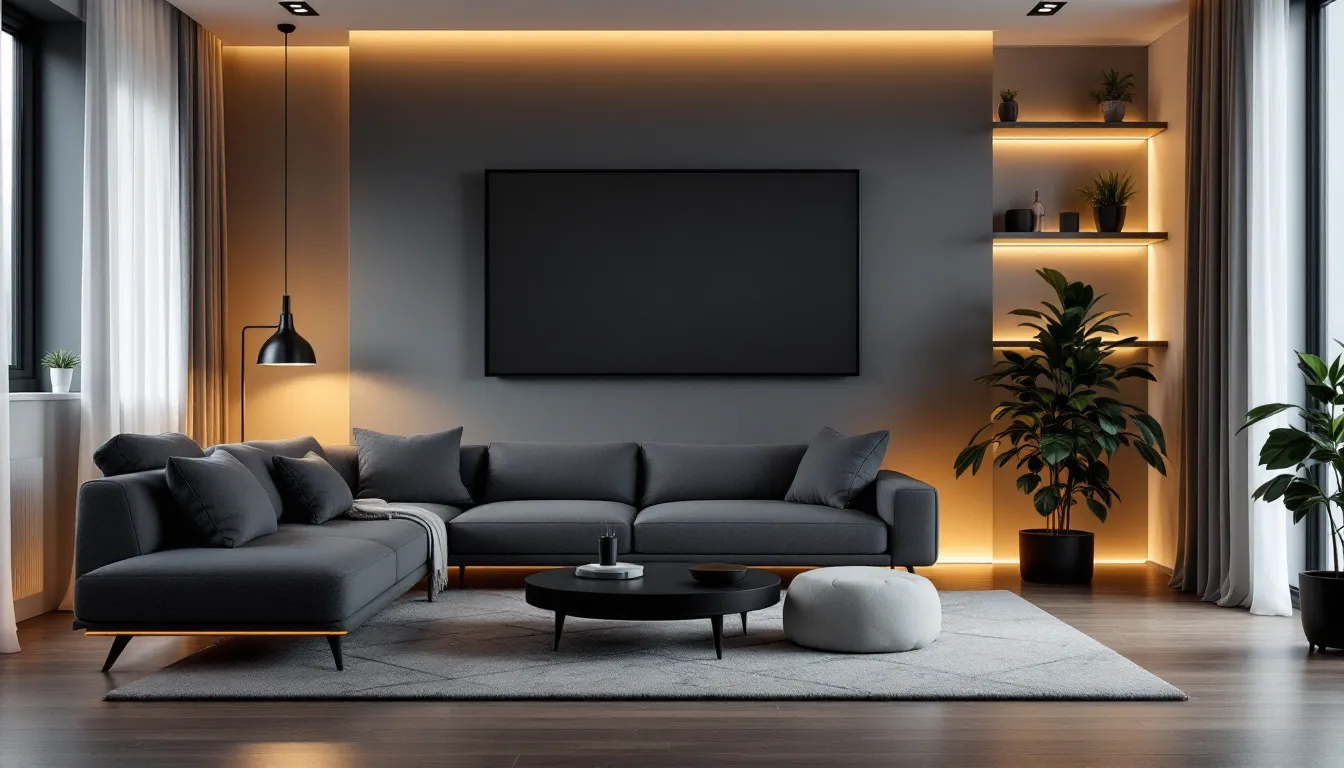
Viewing angle should center the screen at or slightly below eye level when sitting in your natural position. TVs mounted too high force you to crane your neck upward, causing strain during long sessions. Display positioning guides recommend the center of the screen at 40-45 inches from the floor for standard couch heights.
Horizontal angle matters for multiple viewers. If you’re gaming solo, center the couch directly in front of the screen. For multiplayer on a sectional, angle sections slightly toward the screen rather than placing them perpendicular.
Reducing Eye Strain and Neck Pain
Eye strain kills focus. Combat it with proper positioning:
- Minimize glare: Position the couch so windows and lights don’t reflect on the screen. Blackout curtains or bias lighting behind the TV help.
- Screen brightness: Match your display’s brightness to room lighting. Gaming in a dark room with a bright screen causes eye fatigue faster.
- Distance discipline: Sitting too close forces your eyes to work harder tracking action. If you’re leaning forward constantly, move the couch closer rather than straining.
Neck pain comes from poor head position. Your head should rest naturally against the backrest or a headrest, not tilt up or forward. If you’re using a gaming room couch without a headrest, add a pillow at neck height to maintain neutral alignment.
Maintaining and Cleaning Your Gaming Couch
Gaming furniture takes a beating. Regular maintenance extends its lifespan and keeps it from becoming a biohazard.
Fabric Care Tips for Longevity
Weekly maintenance:
- Vacuum cushions and crevices to remove crumbs, dust, and debris
- Wipe down armrests and high-contact areas with a microfiber cloth
- Rotate and flip cushions to distribute wear evenly
Monthly deep cleaning:
- Use fabric-appropriate cleaners (check manufacturer tags for codes: W for water-based, S for solvent-based, WS for either)
- Steam clean upholstery if the fabric allows, kills bacteria and refreshes appearance
- Check and tighten any loose hardware on recliners or adjustable features
For leather or faux leather, condition every 3-6 months to prevent cracking. Avoid harsh chemicals, mild soap and water work for most spills.
Dealing with Spills and Stains
Spills happen. Energy drinks, soda, snacks, your couch sees it all. Speed is everything:
- Blot immediately with a clean cloth. Don’t rub, which spreads the stain.
- Apply appropriate cleaner based on fabric type and stain (enzyme cleaners for organic spills, alcohol-based for ink or dye).
- Air dry completely before using the couch again to prevent mildew.
For performance fabrics with stain resistance, plain water and a cloth usually handle spills. For stubborn stains on non-treated fabric, a mix of dish soap and white vinegar works surprisingly well.
Preventive measures save effort:
- Use cup holders religiously
- Keep a microfiber towel draped over the armrest for quick cleanups
- Apply fabric protector spray to new couches before the first gaming session
- Ban messy snacks from the couch (or at least designate a specific eating spot)
Budget Considerations: Finding Value Without Sacrificing Quality
Gaming couches range from $300 to $3,000+. The key is matching spend to your needs without overpaying for features you won’t use.
Entry-Level Options for Casual Gamers
Under $500, expect basic comfort without bells and whistles. Target features:
- Solid hardwood or metal frame (not particleboard)
- High-density foam cushions (at least 1.8 lb/ft³ density)
- Stain-resistant fabric
- Manual recline (if included)
Budget couches skip features like USB ports, power recline, and premium materials, but a well-chosen basic couch still supports 3-5 years of regular use. Prioritize frame quality and cushion density over aesthetics.
If you’re building a gaming setup on a budget, allocating $400-600 for seating balances cost with long-term comfort. Cheap futons and beanbags seem tempting but cause back problems and wear out quickly.
Mid-Range and Premium Picks for Enthusiasts
Mid-range ($800-1,500) is the sweet spot for most gamers. You get:
- Power recline with USB charging
- Genuine or high-quality faux leather
- Better lumbar support and cushioning
- 7-10 year durability with proper care
This tier includes most gaming-specific couches and gaming couch chairs designed with features like drop-down tables, adjustable headrests, and storage.
Premium ($1,500-3,000+) targets enthusiasts and streamers:
- Top-grain leather or performance fabrics
- Memory foam cushioning with cooling gel
- Wireless charging, LED lighting, built-in speakers
- Lifetime frame warranties
- Customizable modular configurations
Premium models compete with dedicated gaming chairs on features while maintaining couch-level comfort. For streamers, content creators, or anyone gaming 30+ hours weekly, the investment pays off in comfort and longevity. Just like choosing between an iBUYPOWER gaming PC and a budget build, premium furniture delivers tangible quality-of-life improvements.
Customizing Your Gaming Couch Setup
A bare couch is functional. A customized couch is your space. Small additions dramatically improve comfort and aesthetics.
Adding Pillows, Throws, and Accessories
Lumbar pillows are mandatory if your couch lacks built-in support. Look for firm, ergonomic designs that stay in place rather than decorative pillows that shift constantly. Memory foam or gel-infused options contour to your lower back.
Neck pillows or bolsters prevent the forward head lean that causes neck strain. They’re especially useful on couches without high backrests.
Throws and blankets aren’t just aesthetic, they regulate temperature during long sessions. Gaming heats you up: a breathable throw within reach helps when your room’s AC can’t keep up.
Armrest trays clip onto wide armrests, providing stable surfaces for drinks, snacks, or phones. They’re cheaper than built-in features and work on most couches.
Ottoman or footstool additions improve leg support and circulation, especially on couches with shorter seats. Adjustable-height models let you dial in the perfect leg angle.
Integrating LED Lighting and Audio Enhancements
Bias lighting behind the TV reduces eye strain and adds ambiance. RGB strips synced to gameplay through systems like Philips Hue or Govee create immersive lighting effects without very costly ($30-100).
Under-couch LED strips illuminate the floor, adding atmosphere and making late-night bathroom trips safer without ruining your dark-adapted vision.
Subwoofer placement near or under the couch delivers physical feedback from explosions and gunfire. Pair it with good positioning for an immersive audio experience, many gamers underestimate how much tactile bass improves immersion.
Headphone stands or hooks attached to the side of the couch keep your headset accessible without tangling cables or taking up table space.
Cable management boxes or clips keep charging cables, HDMI cords, and power strips organized. Velcro strips or cable raceways prevent the rat’s nest that inevitably forms behind gaming furniture.
Conclusion
Your gaming couch isn’t just where you sit, it’s where you perform, recover, and spend hundreds of hours each year. The right choice supports your body through marathon sessions, accommodates your gaming style, and adapts as your setup evolves.
Prioritize ergonomics and build quality over flashy features you won’t use. Measure your space, consider how you actually game (solo or multiplayer, casual or competitive), and invest accordingly. Whether you’re shopping for a compact 2 seater gaming sofa or a feature-loaded sectional, matching furniture to your needs beats chasing trends.
Your back, neck, and long-term gaming performance will thank you. Now get comfortable and get back to the grind.